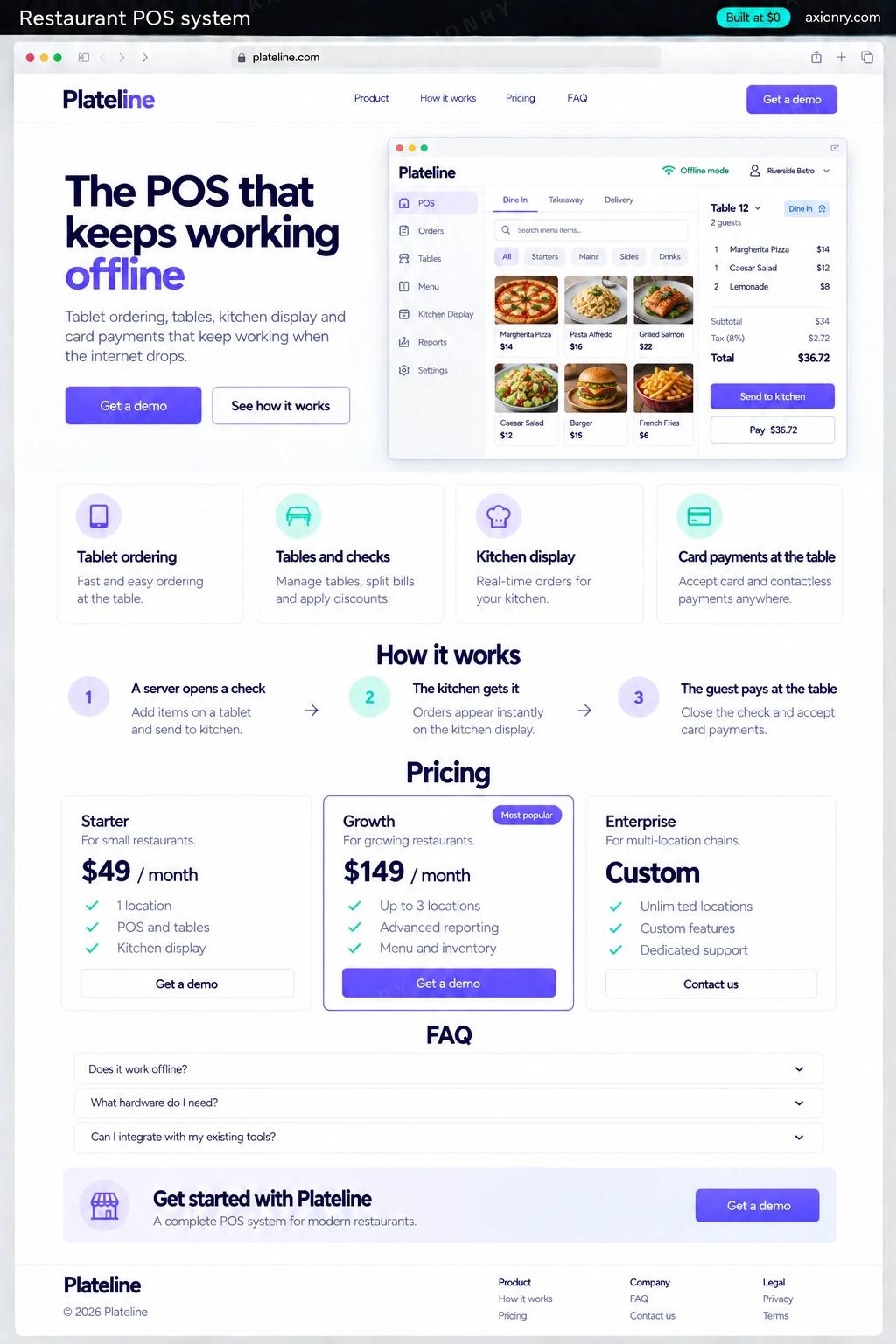
What is a restaurant POS system?
Restaurant POS software is the system staff use to take orders, send them to the kitchen and get paid. A modern one runs on tablets: servers ring up orders at the table, a kitchen display replaces paper tickets, card readers take payment, and a back office holds the menu, staff, stock and sales reports.
For a single restaurant, Toast or Square for Restaurants is usually the right answer: hardware, payments, support and integrations come in one package, and a custom build will not beat them on price. A custom POS is for the cases they fit badly: a group with an unusual service model, such as a food hall, ghost kitchen or high-volume counter, a country they do not serve, or a founder building a POS product for a niche.
The version priced here is a POS for a restaurant group with a few locations: an iPad and Android tablet app, kitchen displays, Stripe Terminal card readers, offline mode and a web back office. Selling it to other restaurants adds multi-tenant accounts, onboarding and billing on top.
Orders taken at the table in a few taps, modifiers and allergies sent straight to the kitchen, and checks split by seat or item.
A screen that shows each ticket by station and course, with timers that change color as tickets age, so nothing gets lost under a printer.
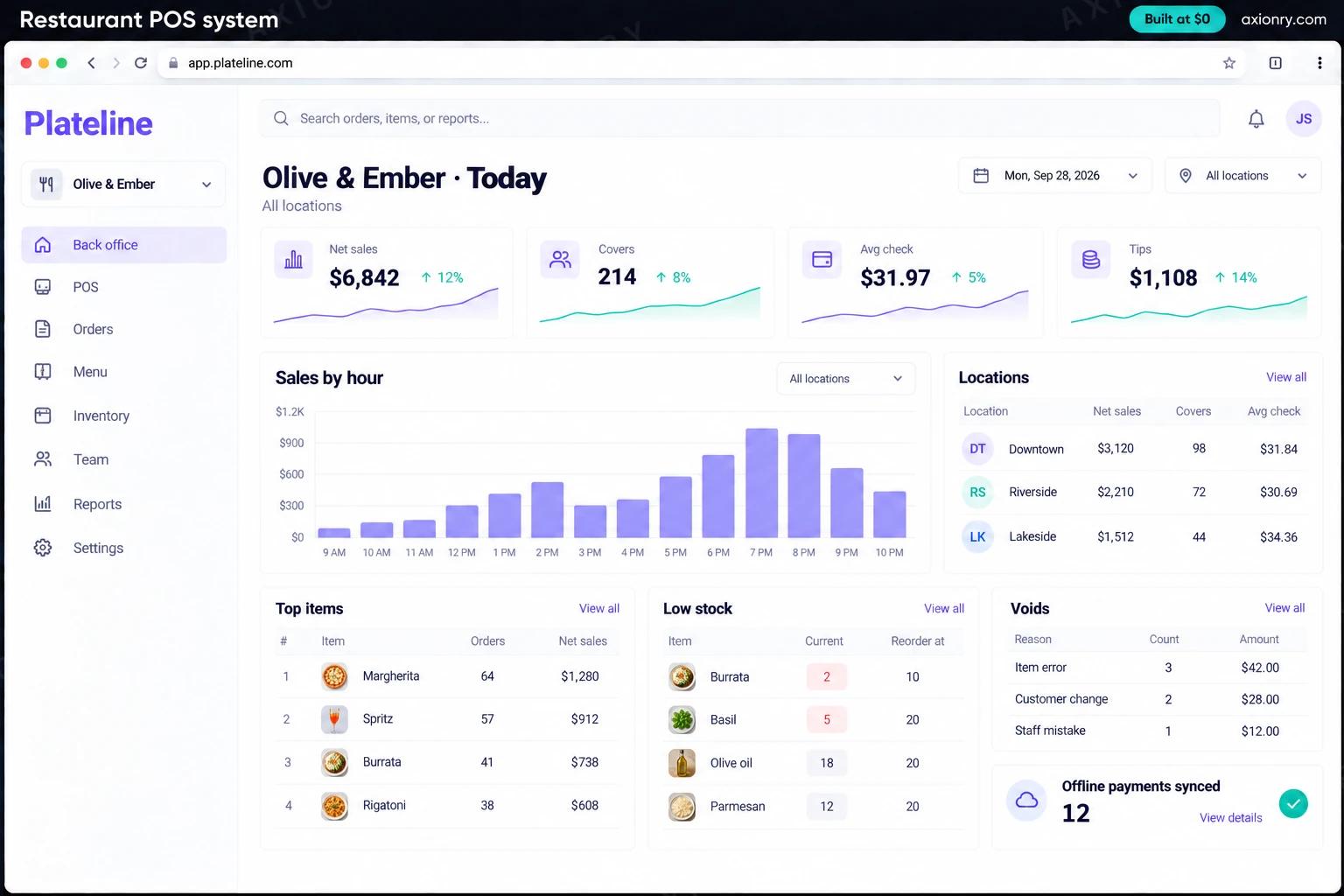
Sales, voids and discounts by location in one back office, a menu changed once for every site, and daily totals ready for accounting.
What features does a restaurant POS system need?
A restaurant POS system needs 8 core features: tablet ordering, tables and checks, kitchen display, card payments at the table, works offline, menu and pricing control, inventory by recipe and reports and audit trail.
Tablet ordering
Menu grid, modifiers, courses and seat numbers on an iPad or Android tablet, laid out for one-handed use during a rush.
Tables and checks
A floor plan with table status and time seated, plus split, merge and transfer of checks between servers.
Kitchen display
Tickets routed to grill, fry or bar screens by item, with bump, recall and ticket times the back office reports on.
Card payments at the table
Stripe Terminal readers take chip, tap and wallet payments with tips on screen, and the card number never reaches your POS or servers.
Works offline
Orders, kitchen screens and payments keep running over the restaurant's own network when the internet drops, and everything syncs when it returns.
Menu and pricing control
One menu edited in the back office and pushed to every location, with location prices, happy hours and 86'd items.
Inventory by recipe
Items are linked to recipes, so each sale draws down stock and low ingredients show up before service, not during it.
Reports and audit trail
Sales by hour, item and server, plus every void, discount and refund with who approved it, exported to QuickBooks or Xero each night.
What screens does a restaurant POS system have?
It is built around 4 screens: order screen, kitchen display, tip on the reader and back office.
- 1Order screenThe tablet menu with a table's open check, a modifier and the send-to-kitchen button.
- 2Kitchen displayTickets for one station with timers, one running late.
- 3Tip on the readerThe card reader asking the guest for a tip before they tap.
- 4Back officeToday's sales, covers, average check and voids across locations, with sales by hour.
How does a restaurant POS system work?
End to end, in 5 steps: a server opens a check, the kitchen gets it, the guest pays at the table, it syncs to the cloud and managers see the numbers.
- 1
A server opens a check
They pick the table on the floor plan and add items with modifiers and seat numbers. The order is saved on the tablet first, so a dropped connection loses nothing.
- 2
The kitchen gets it
Items are routed to the right station screens over the restaurant's local network, grouped by course and timed from the moment they were sent.
- 3
The guest pays at the table
The server brings a Stripe Terminal reader. The guest picks a tip and taps or inserts a card; if the internet is down, the reader stores the payment and forwards it later.
- 4
It syncs to the cloud
Checks, payments and stock movements reach the central database as soon as there is a connection, and each location closes the day with a checked cash and card total.
- 5
Managers see the numbers
The back office shows sales, voids, discounts and stock by location, and a nightly export sends the day's totals to QuickBooks or Xero.
What is the architecture and tech stack of a restaurant POS system?
It has 8 layers: tablet POS and kitchen screens (React Native with Expo on iPad and Android tablets), offline storage (SQLite on each device), in-store hub (Node.js on an always-on device on the restaurant network), card payments (Stripe Terminal smart readers, or a local acquirer's SDK), cloud API and sync (Node.js + TypeScript, WebSockets), database (Postgres), back office (Next.js with shadcn/ui, on Vercel) and accounting (QuickBooks Online or Xero API). The diagram shows how a request moves through them.
| Layer | What we use | Why |
|---|---|---|
| Tablet POS and kitchen screens | React Native with Expo on iPad and Android tablets | The order screen and the kitchen display are one codebase, and Stripe's React Native Terminal SDK drives the card readers. |
| Offline storage | SQLite on each device | Every check is written locally before anything else, so a lost connection never loses an order. |
| In-store hub | Node.js on an always-on device on the restaurant network | Relays orders from tablets to kitchen screens over the local network, so the kitchen keeps cooking when the internet is down. |
| Card payments | Stripe Terminal smart readers, or a local acquirer's SDK | Chip, tap and wallets with tips on the reader, plus offline storage of payments within limits you set. |
| Cloud API and sync | Node.js + TypeScript, WebSockets | Accepts each location's changes when it reconnects, applies them in order, and pushes menu and price updates back out. |
| Database | Postgres | Checks, payments, menu versions, recipes and stock movements for every location, with a record of every void and refund. |
| Back office | Next.js with shadcn/ui, on Vercel | Menu, staff roles, reports and exports for managers, on any laptop. |
| Accounting | QuickBooks Online or Xero API | A nightly journal of sales, tax, tips and card fees, so the bookkeeper stops retyping reports. |
How much does it cost to build a restaurant POS system?
A launch-ready restaurant POS system costs $26,000 to $52,000 to build and takes 7 to 11 weeks. A clickable demo costs $3,000 to $6,000 (2 to 4 weeks), and running it costs $45 to $270 a month at the usage below. You start at $0 and pay per checkpoint you accept.
Priced with the same model as our AI product cost estimator, from the features above. Your price is fixed in writing after a 20-minute call, before any work starts.
| Version | Build cost | Timeline | What it is |
|---|---|---|---|
| Clickable demo | $3,000 to $6,000 | 2 to 4 weeks | Clickable and real where it matters, on test data. Built to show users and investors, not to carry production traffic, so compliance work starts at launch. |
| Launch-ready | $26,000 to $52,000 | 7 to 11 weeks | Production architecture, tests on the risky paths, monitoring, and a handover your team can run. |
| Enterprise-grade | $34,000 to $66,500 | 8 to 14 weeks | Load tested, highly available, audited and documented for a larger team. |
What it costs to run
About 100 staff and managers across a few locations; card processing is charged per payment by Stripe or your acquirer, and readers are a one-time hardware purchase.
| Line | Per month | Assumes |
|---|---|---|
| Hosting and database | $45 to $120 | Vercel + managed services, sized for 100 monthly users |
| Email, monitoring, analytics | $0 to $150 | Free tiers cover most products at launch |
| Total | $45 to $270 | List prices, before any volume discount |
Build at $0: how you pay
$0 is when you pay, not what you pay. The launch-ready build is split into checkpoints with acceptance criteria agreed before work starts, and each one is invoiced only after you have seen it and accepted it.
- 1Scope and acceptance criteriaBefore work startsA call, then a written plan: every checkpoint with acceptance criteria you agree to before work starts.$0
- 2Architecture and first flowBy week 2Data model, service boundaries and one real flow working end to end.$5,000 to $10,500
- 3Core productBy week 6The main flows on production architecture, with a demo at the end of every week.$8,000 to $15,500
- 4The rest of v1By week 9Billing, admin and the flows that let you charge money and support users.$8,000 to $15,500
- 5Launch and handoverBy week 11Deployed on your accounts and documented, with 30 days of defect correction included.$5,000 to $10,500
What can you add to a restaurant POS system after launch?
The additions most teams make next: sales and prep forecasting, menu engineering insights, phone ordering by voice AI and void and discount alerts.
Sales and prep forecasting
Predicts covers and item sales by day part from your history, weather and local events, and turns them into a prep list and a staffing suggestion.
Menu engineering insights
Flags dishes that sell well but earn little, and ones that earn well but hide on the menu, from sales and recipe costs.
Phone ordering by voice AI
An AI phone agent that takes takeout orders in your restaurant's name and sends them straight to the POS and the kitchen display.
Void and discount alerts
Spots unusual patterns of voids, comps and refunds by server or shift, the classic signs of till theft, and alerts a manager the same day.
What are the risks when building a restaurant POS system?
Three things decide whether it works in production: card security and PCI DSS, offline has to be real and tax and fiscal rules.
Card security and PCI DSS
Keep card data out of your software entirely: Stripe Terminal readers encrypt the card on the device, which keeps your PCI DSS scope small. Offline payments carry a risk online ones do not: if a stored payment is declined when it forwards, the meal is already served and the restaurant carries the loss, so cap offline amounts.
Offline has to be real
Test the outage on purpose: unplug the router during a rehearsal service, check that orders, kitchen screens and payments keep going, then check that everything reconciles once the connection returns. A POS that fails at 8 p.m. on a Saturday costs more than it saved.
Tax and fiscal rules
Sales tax on food, drinks and delivery varies by city and state in the US, and several European countries require certified fiscal recording, such as the TSE under Germany's KassenSichV. Check the rules in every country before you pick your first market.