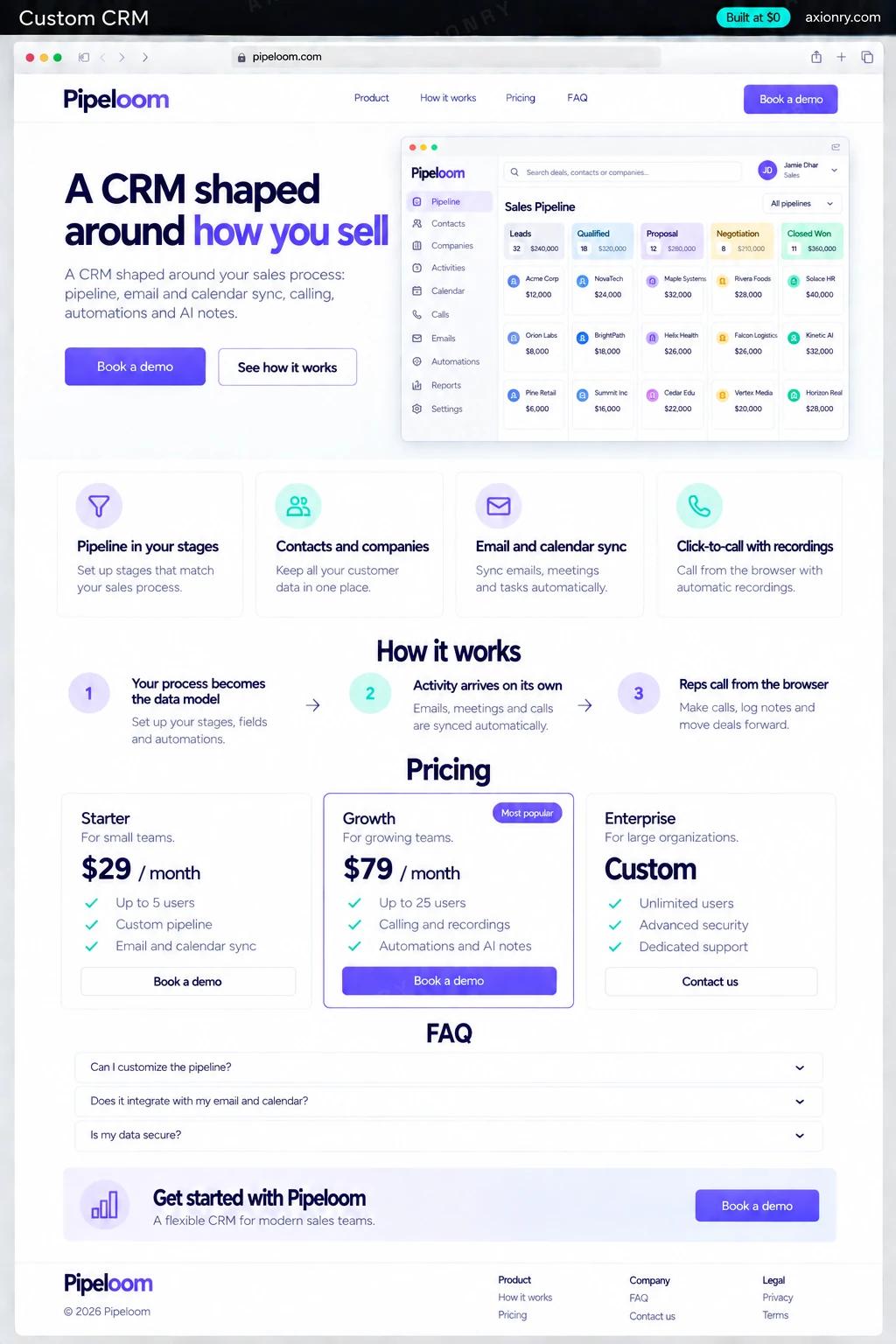
What is a custom CRM?
A custom CRM is a customer relationship management system built around one company's sales process instead of a generic one. It keeps contacts, companies and deals in a pipeline whose stages match how you actually sell, captures emails, meetings and calls without manual logging, and automates the follow-ups your team forgets.
It pays off when your process does not fit the standard pipeline: a sale with a site survey or underwriting step, a recruiting desk with clients and candidates in one deal, a distributor with reorder cycles, or a field team working by territory. It also pays off when per-seat pricing across a large team costs more each year than owning the system, or when the data must live in your own database.
This page prices a CRM for one company's team: a web app with your pipeline and records, Gmail and Google Calendar sync, browser calling with recordings, automations, AI summaries, and a migration from your spreadsheets or current CRM. Microsoft 365 works in place of Google. Selling it to other companies as a vertical CRM is a bigger product, with multi-tenant accounts and billing.
Emails, meetings and calls logged on the deal without typing, a list of who to follow up with today, and a summary before every call.
A pipeline with the stages and fields that match your process, forecasts by rep, and deals that have gone quiet flagged before they die.
Clean records in your own Postgres, one source for commissions and reporting, and no per-seat bill that grows with every hire.
What features does a custom CRM need?
A custom CRM needs 8 core features: pipeline in your stages, contacts and companies, email and calendar sync, click-to-call with recordings, AI call and deal summaries, no-code automations, reports and forecasts and import and migration.
Pipeline in your stages
Board and list views of deals with your own stages, required fields per stage and a win probability you set.
Contacts and companies
People and organizations with their relationships, duplicates merged on import, and a timeline of every touch.
Email and calendar sync
Two-way sync with Gmail and Google Calendar, or Outlook through Microsoft Graph, so emails and meetings land on the right deal.
Click-to-call with recordings
Reps call from the browser through Twilio, and each call is recorded, transcribed and attached to the contact, with consent handled by state.
AI call and deal summaries
After each call or email thread, a short summary with next steps and objections lands on the deal, and managers get a one-paragraph brief per deal.
No-code automations
Rules like 'no reply in five days, create a task' or 'stage moved to won, notify finance', built by your ops team without code.
Reports and forecasts
Pipeline by stage and rep, conversion between stages, cycle time and a weighted forecast for the quarter.
Import and migration
Your spreadsheets or current CRM migrated with owners, stages and history mapped, and every record counted before the switch.
What screens does a custom CRM have?
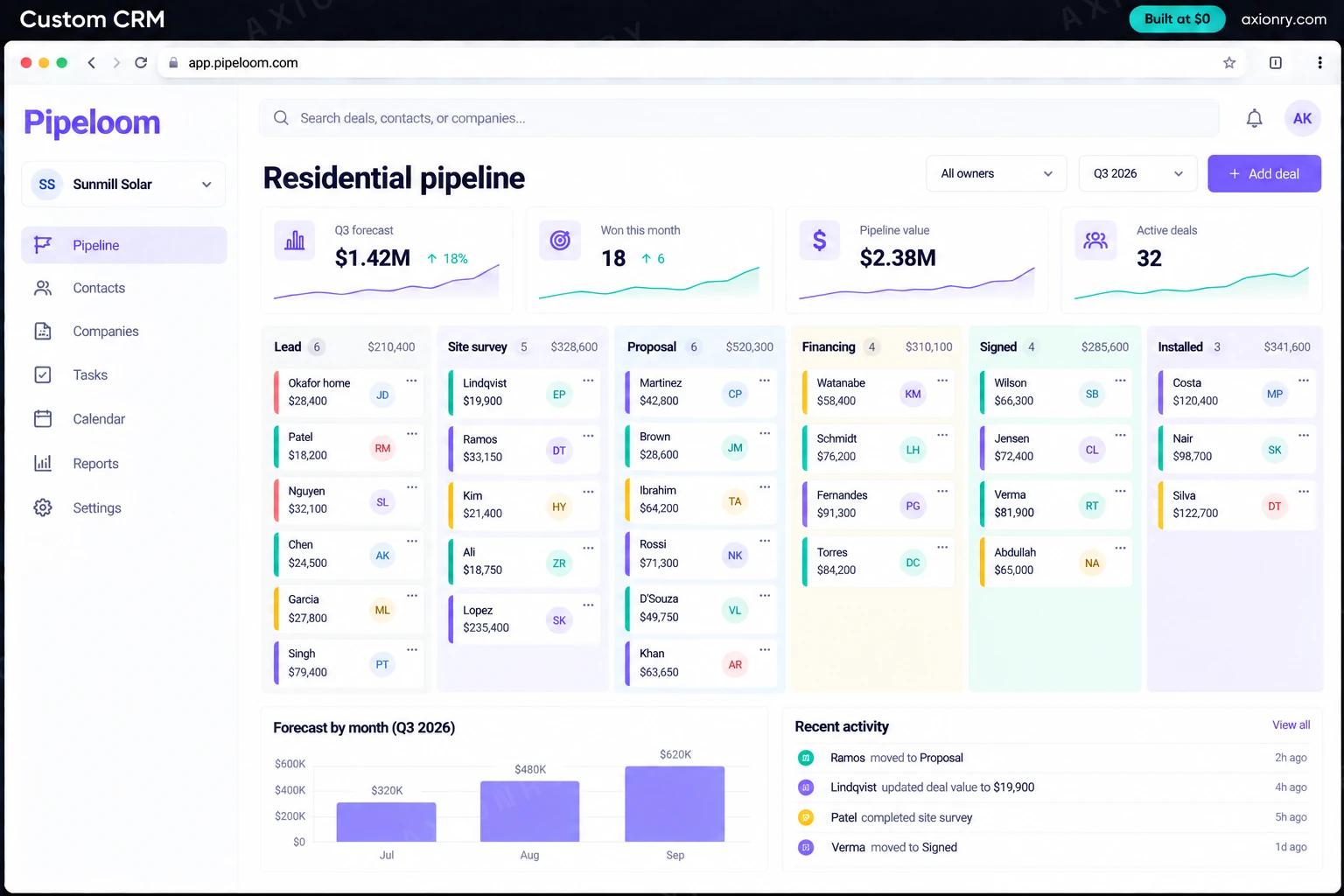
It is built around 3 screens: pipeline board, AI deal summary and browser dialer.
- 1Pipeline boardDeals across the company's own stages with values and owners, plus the quarter forecast and deals won this month.
- 2AI deal summaryThe summary left on a deal after a call: what the customer wants, their concern and the next step.
- 3Browser dialerA call in progress from the deal page, with recording on.
How does a custom CRM work?
End to end, in 5 steps: your process becomes the data model, activity arrives on its own, reps call from the browser, the AI writes the notes and automations keep deals moving.
- 1
Your process becomes the data model
Stages, required fields and deal types are agreed in the first checkpoint, and existing records are migrated into them with every row counted.
- 2
Activity arrives on its own
Gmail and Calendar sync attach emails and meetings to the right contact and deal by address and domain, and rules keep personal email out.
- 3
Reps call from the browser
Twilio places the call from the deal page, plays a recording notice where the law requires one, and saves the recording and transcript to the deal.
- 4
The AI writes the notes
A model reads the transcript or thread and adds a summary, next steps and objections to the deal, which the rep can correct in a click.
- 5
Automations keep deals moving
Rules create tasks, send reminders and alert managers when deals stall, and the forecast updates as stages change.
What is the architecture and tech stack of a custom CRM?
It has 7 layers: web app (Next.js with shadcn/ui, on Vercel), API and data (Node.js + TypeScript, Postgres), email and calendar (Gmail and Calendar APIs, or Microsoft Graph for Outlook), calling (Twilio Voice with the browser SDK), transcription and summaries (Deepgram for transcripts, Claude Sonnet 5 for summaries), sync and automations (Inngest background jobs) and migration (Scripted import from CSV, or from the HubSpot or Salesforce APIs). The diagram shows how a request moves through them.
| Layer | What we use | Why |
|---|---|---|
| Web app | Next.js with shadcn/ui, on Vercel | Fast pipeline boards and tables for people who spend the working day in the CRM. |
| API and data | Node.js + TypeScript, Postgres | Your records in your own database, with custom fields as real columns so reports stay fast and exports stay clean. |
| Email and calendar | Gmail and Calendar APIs, or Microsoft Graph for Outlook | Direct two-way sync with no per-seat middleware. Nylas is the shortcut if you need both providers from day one. |
| Calling | Twilio Voice with the browser SDK | Click-to-call, recordings and local numbers, billed per minute by Twilio. |
| Transcription and summaries | Deepgram for transcripts, Claude Sonnet 5 for summaries | Accurate call transcripts first, then a summary, next steps and objections written to the deal. |
| Sync and automations | Inngest background jobs | Mailbox syncs, reminders and stalled-deal alerts run on a schedule and retry when Google or Microsoft rate-limit. |
| Migration | Scripted import from CSV, or from the HubSpot or Salesforce APIs | Owners, stages, notes and history mapped and verified, so nobody starts over on day one. |
How much does it cost to build a custom CRM?
A launch-ready custom CRM costs $18,500 to $37,000 to build and takes 5 to 9 weeks. A clickable demo costs $2,200 to $4,400 (7 to 14 working days), and running it costs $80 to $360 a month at the usage below. You start at $0 and pay per checkpoint you accept.
Priced with the same model as our AI product cost estimator, from the features above. Your price is fixed in writing after a 20-minute call, before any work starts.
| Version | Build cost | Timeline | What it is |
|---|---|---|---|
| Clickable demo | $2,200 to $4,400 | 7 to 14 working days | Clickable and real where it matters, on test data. Built to show users and investors, not to carry production traffic, so compliance work starts at launch. |
| Launch-ready | $18,500 to $37,000 | 5 to 9 weeks | Production architecture, tests on the risky paths, monitoring, and a handover your team can run. |
| Enterprise-grade | $24,000 to $48,000 | 6 to 11 weeks | Load tested, highly available, audited and documented for a larger team. |
What it costs to run
A sales team of up to 100 people with a few AI summaries each per working day; Twilio numbers, call minutes and transcription are billed per use on top.
| Line | Per month | Assumes |
|---|---|---|
| Hosting and database | $45 to $120 | Vercel + managed services, sized for 100 monthly users |
| Model usage | $35 to $90 | Claude Sonnet 5, 60 requests per user a month |
| Email, monitoring, analytics | $0 to $150 | Free tiers cover most products at launch |
| Total | $80 to $360 | List prices, before any volume discount |
Build at $0: how you pay
$0 is when you pay, not what you pay. The launch-ready build is split into checkpoints with acceptance criteria agreed before work starts, and each one is invoiced only after you have seen it and accepted it.
- 1Scope and acceptance criteriaBefore work startsA call, then a written plan: every checkpoint with acceptance criteria you agree to before work starts.$0
- 2Architecture and first flowBy week 2Data model, service boundaries and one real flow working end to end.$3,700 to $7,500
- 3Core productBy week 5The main flows on production architecture, with a demo at the end of every week.$5,500 to $11,000
- 4AI on your real dataBy week 7Models, agents or voice working on real inputs, with evals and guardrails in place.$5,500 to $11,000
- 5Launch and handoverBy week 9Deployed on your accounts and documented, with 30 days of defect correction included.$3,700 to $7,500
What can you add to a custom CRM after launch?
The additions most teams make next: lead scoring, AI email drafts, ask the CRM in plain English and deal risk alerts.
Lead scoring
Scores new leads on fit and intent, learned from your own won and lost deals, so reps call the likely buyers first.
AI email drafts
Drafts follow-ups from the call summary and the deal's history in each rep's own tone, for them to edit and send.
Ask the CRM in plain English
Managers ask 'which deals over $20,000 have had no contact in two weeks?' and get the list, answered from a read-only copy of the data.
Deal risk alerts
Reads calls and emails for signals like a new decision-maker, a competitor mention or a slipping date, and flags the deal to its owner.
What are the risks when building a custom CRM?
Three things decide whether it works in production: call recording consent, gmail access needs Google's approval and adoption decides everything.
Call recording consent
In California, Florida, Pennsylvania and a handful of other states, everyone on a call must agree to it being recorded. Play a recording notice on every call, or look up the other party's state first, and keep proof of consent with each recording.
Gmail access needs Google's approval
Reading Gmail uses restricted scopes. For a CRM used only inside your own Google Workspace, mark the app internal and no review is needed. If you sell it to other companies, Google requires app verification and a yearly security assessment before customers can connect.
Adoption decides everything
A CRM that reps avoid is an expensive spreadsheet. Build the first version with two or three reps in the room, capture activity automatically instead of asking them to log it, and migrate the data before switch-over so nobody keeps a private list.
Where can you read more before you build?
- Build AI Meeting Intelligence: From Recordings to Decisions, With Cost Per Meeting and Failure Modes (2026)
- Build an AI Sales Research Agent: Architecture, Freshness Strategy and Cost Per Brief (2026)
- How Much Does an MVP Cost in 2026? Real Prices by Type, Builder and Timeline
- MVP Development: the service behind this build