What is a food delivery app?
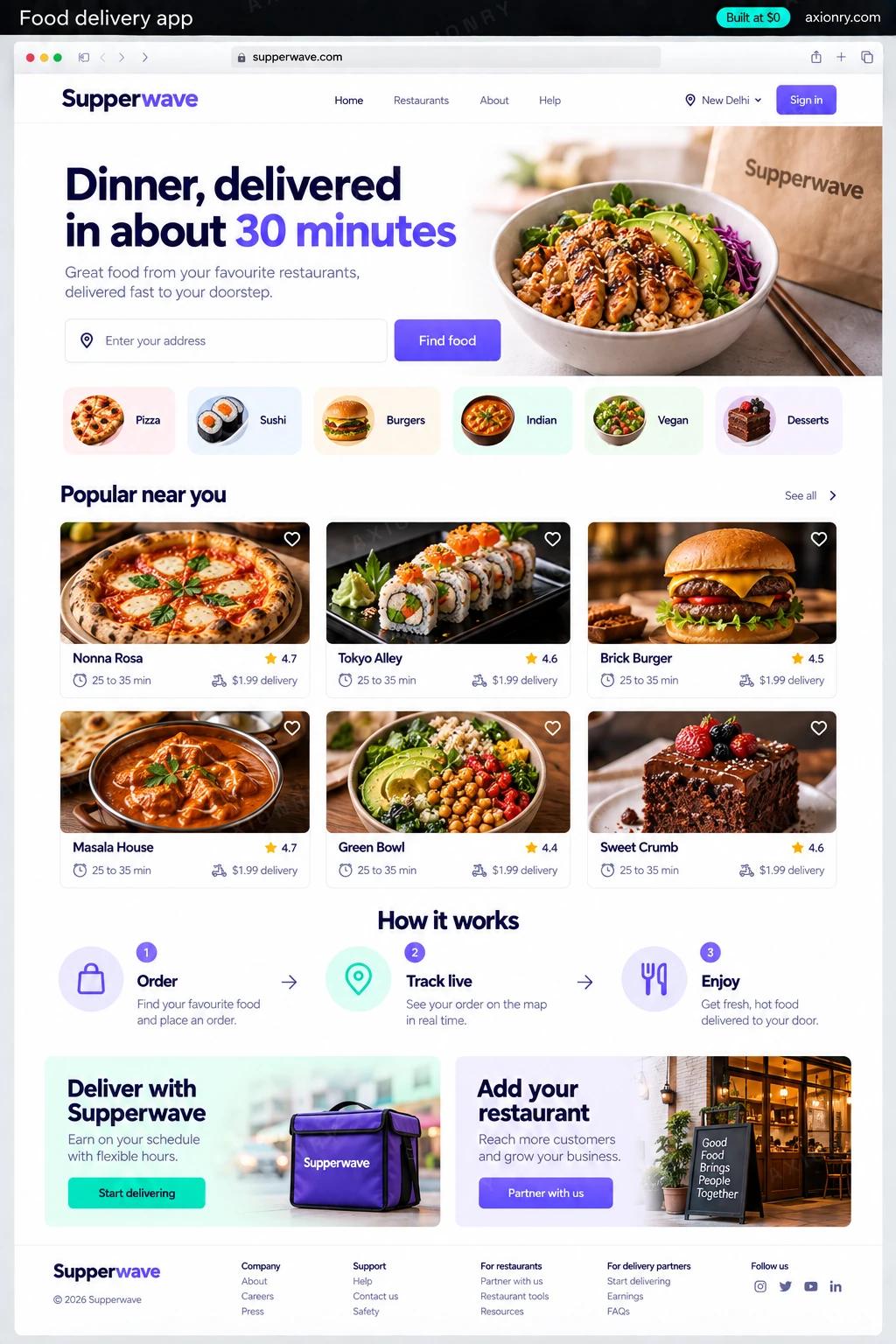
A food delivery app lets people order from local restaurants and follow a courier to their door. Behind the screen a customer sees are three more: a restaurant dashboard for accepting orders, a courier app for pickups and drop-offs, and an operator console that dispatches orders, sets fees and pays everyone.
It suits a restaurant group that wants its regulars ordering direct instead of through a marketplace, an operator serving a town, campus or cuisine the national apps cover poorly, and grocery or convenience chains adding delivery. What you gain is the customer list, control of delivery fees and zones, and the commission that would otherwise go to a marketplace.
You can run it for your own kitchens or sell delivery to many restaurants in one area. This page prices the multi-restaurant version for one city: iOS and Android apps for customers and couriers, a web dashboard for restaurants and a console for your team. Couriers can be your own, or booked per delivery through DoorDash Drive or Uber Direct until you have a fleet.
A menu that shows what the kitchen can make today, a total with every fee shown before paying, and a courier they can watch on the map.
Orders on a kitchen tablet with prep timers, a switch to pause sold-out dishes, and weekly payouts with every deduction listed.
Offers that show pay and distance before accepting, navigation in one tap, and earnings updated after every drop-off.
What features does a food delivery app need?
A food delivery app needs 8 core features: menus restaurants manage, checkout with every fee shown, automatic dispatch, live courier tracking, split payments and payouts, zones, radius and fees, ratings and missing items and operator console.
Menus restaurants manage
Items, modifiers, photos, prices and hours are edited by each restaurant, and a sold-out dish is paused with one tap.
Checkout with every fee shown
Cards, Apple Pay and Google Pay, with subtotal, delivery fee, service fee, tip and tax shown before the customer pays.
Automatic dispatch
Each order is offered to the best-placed courier by distance and prep time, and passed to the next courier if the offer times out.
Live courier tracking
The courier's position reaches the customer's map every few seconds, with an arrival time that updates as they ride.
Split payments and payouts
Stripe Connect or Razorpay Route divides each order between restaurant, courier and platform, and pays each side on its own schedule.
Zones, radius and fees
Draw delivery zones on a map and set the minimum order, delivery fee and maximum distance for each one.
Ratings and missing items
Food and delivery are rated separately, and a missing item is reported with a photo that support can refund from the console.
Operator console
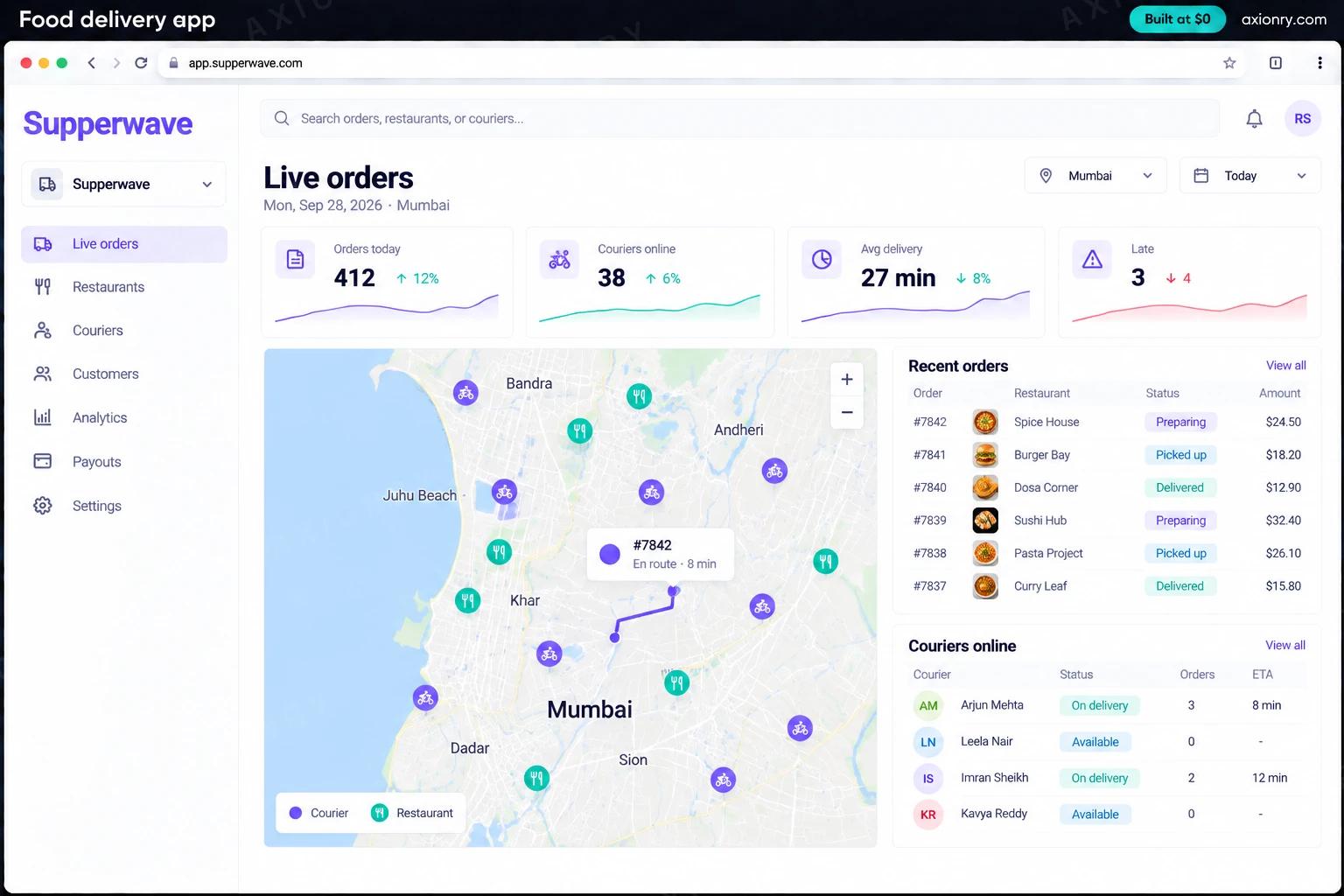
Live orders, a courier map, refunds, restaurant onboarding and payout reports for the team running the city.
What screens does a food delivery app have?
It is built around 4 screens: customer tracking, restaurant orders, courier offer and operator console.
- 1Customer trackingThe customer's phone after checkout: the courier on a map, the arrival time and the order's progress.
- 2Restaurant ordersNew orders on the kitchen tablet with item counts, totals, prep-time chips and an accept button.
- 3Courier offerA delivery offer with pickup and drop-off distances and the pay, before the courier accepts.
- 4Operator consoleOrders today, couriers online and average delivery time, with a live city map and order statuses.
How does a food delivery app work?
End to end, in 5 steps: the customer orders, the kitchen accepts, dispatch picks a courier, the order is tracked and the money is split.
- 1
The customer orders
They choose a restaurant that delivers to their address, build a cart and pay. The card is authorized at checkout and captured only when the restaurant accepts.
- 2
The kitchen accepts
The order sounds on the restaurant tablet. Staff accept it and set a prep time, or decline it and the hold on the card is released.
- 3
Dispatch picks a courier
Timed to the prep estimate, the job is offered to the nearest free courier. If the offer expires it moves to the next one, and busy hours can overflow to a delivery API.
- 4
The order is tracked
The courier app streams its location while the job is active. The customer sees the courier on the map, with push notifications at pickup and at the door.
- 5
The money is split
Once the order is delivered, the payment is divided between the restaurant, the courier's fee and tip, and your commission, and each is paid out on schedule.
What is the architecture and tech stack of a food delivery app?
It has 8 layers: customer and courier apps (React Native with Expo), restaurant and operator web (Next.js with shadcn/ui, on Vercel), order API (Node.js + TypeScript), data and live location (Supabase: Postgres with PostGIS, plus Realtime), dispatch (Inngest workflows), maps (Google Maps Platform or Mapbox), payments (Stripe Connect, or Razorpay Route in India) and notifications (Firebase Cloud Messaging and APNs, Twilio SMS). The diagram shows how a request moves through them.
| Layer | What we use | Why |
|---|---|---|
| Customer and courier apps | React Native with Expo | Both apps come from one codebase for iOS and Android, and expo-location keeps reporting the courier's position while the app is in the background. |
| Restaurant and operator web | Next.js with shadcn/ui, on Vercel | The kitchen dashboard runs in a tablet browser, so restaurants install nothing and every fix reaches them at once. |
| Order API | Node.js + TypeScript | Menus, orders, fees and refunds in one typed service whose types the two apps share, so an order means the same thing everywhere. |
| Data and live location | Supabase: Postgres with PostGIS, plus Realtime | Zones are polygons and nearest courier is a spatial query, and Realtime pushes the courier's position to the customer without a socket server of your own. |
| Dispatch | Inngest workflows | An offer that waits 30 seconds, moves to the next courier and alerts your team after three tries is a durable workflow, so it survives deploys and restarts. |
| Maps | Google Maps Platform or Mapbox | Address autocomplete, routes and arrival times. Compare their per-request prices at your order volume before you commit. |
| Payments | Stripe Connect, or Razorpay Route in India | Each order is split between restaurant, courier and you inside the payment provider, which also verifies every payee before paying them. |
| Notifications | Firebase Cloud Messaging and APNs, Twilio SMS | Push for offers and order status, and a text for the moments push can miss, like a courier waiting outside. |
How much does it cost to build a food delivery app?
A launch-ready food delivery app costs $29,500 to $57,500 to build and takes 7 to 12 weeks. A clickable demo costs $3,500 to $7,000 (2 to 5 weeks), and running it costs $160 to $710 a month at the usage below. You start at $0 and pay per checkpoint you accept.
Priced with the same model as our AI product cost estimator, from the features above. Your price is fixed in writing after a 20-minute call, before any work starts.
| Version | Build cost | Timeline | What it is |
|---|---|---|---|
| Clickable demo | $3,500 to $7,000 | 2 to 5 weeks | Clickable and real where it matters, on test data. Built to show users and investors, not to carry production traffic, so compliance work starts at launch. |
| Launch-ready | $29,500 to $57,500 | 7 to 12 weeks | Production architecture, tests on the risky paths, monitoring, and a handover your team can run. |
| Enterprise-grade | $38,000 to $75,000 | 9 to 15 weeks | Load tested, highly available, audited and documented for a larger team. |
What it costs to run
About 5,000 monthly customers, couriers and restaurant staff in one city; card fees, map requests and text messages are charged per use by those vendors on top.
| Line | Per month | Assumes |
|---|---|---|
| Hosting and database | $120 to $320 | Vercel + managed services, sized for 5,000 monthly users |
| Email, monitoring, analytics | $40 to $390 | Free tiers cover most products at launch |
| Total | $160 to $710 | List prices, before any volume discount |
Build at $0: how you pay
$0 is when you pay, not what you pay. The launch-ready build is split into checkpoints with acceptance criteria agreed before work starts, and each one is invoiced only after you have seen it and accepted it.
- 1Scope and acceptance criteriaBefore work startsA call, then a written plan: every checkpoint with acceptance criteria you agree to before work starts.$0
- 2Architecture and first flowBy week 2Data model, service boundaries and one real flow working end to end.$6,000 to $11,500
- 3Core productBy week 6The main flows on production architecture, with a demo at the end of every week.$9,000 to $17,500
- 4The rest of v1By week 10Billing, admin and the flows that let you charge money and support users.$9,000 to $17,500
- 5Launch and handoverBy week 12Deployed on your accounts and documented, with 30 days of defect correction included.$6,000 to $11,500
What can you add to a food delivery app after launch?
The additions most teams make next: delivery time prediction, reorders and dish suggestions, AI support agent and menu import from a photo.
Delivery time prediction
A model trained on your own orders predicts prep and travel time by restaurant and hour, so the arrival time a customer sees before paying is one you can keep.
Reorders and dish suggestions
Suggestions from each customer's order history and what sells nearby at that hour, on the home screen and in the cart.
AI support agent
Handles 'where is my order' and missing-item claims from the order record and photos, refunds within limits you set, and hands the rest to your team.
Menu import from a photo
A restaurant photographs its paper menu and gets items, prices and modifiers drafted for it to check, so a new partner goes live without retyping anything.
What are the risks when building a food delivery app?
Three things decide whether it works in production: courier pay and classification, allergens and menu data and the dinner peak.
Courier pay and classification
Whether couriers are contractors or employees depends on the country and state, and some cities set minimum pay for app-based delivery workers. The EU platform work directive, due in national law by December 2026, also requires a person, not an algorithm, to decide account suspensions.
Allergens and menu data
In the EU and UK, allergen information has to be available before an order is placed, and US chains with 20 or more locations must list calories on their menus, online ones included. Store allergens as structured fields per item, not inside free-text descriptions.
The dinner peak
Orders bunch at lunch and dinner, so load-test dispatch, payments and location updates well above your expected peak before launch, and give the console a manual assign button for the night something fails.