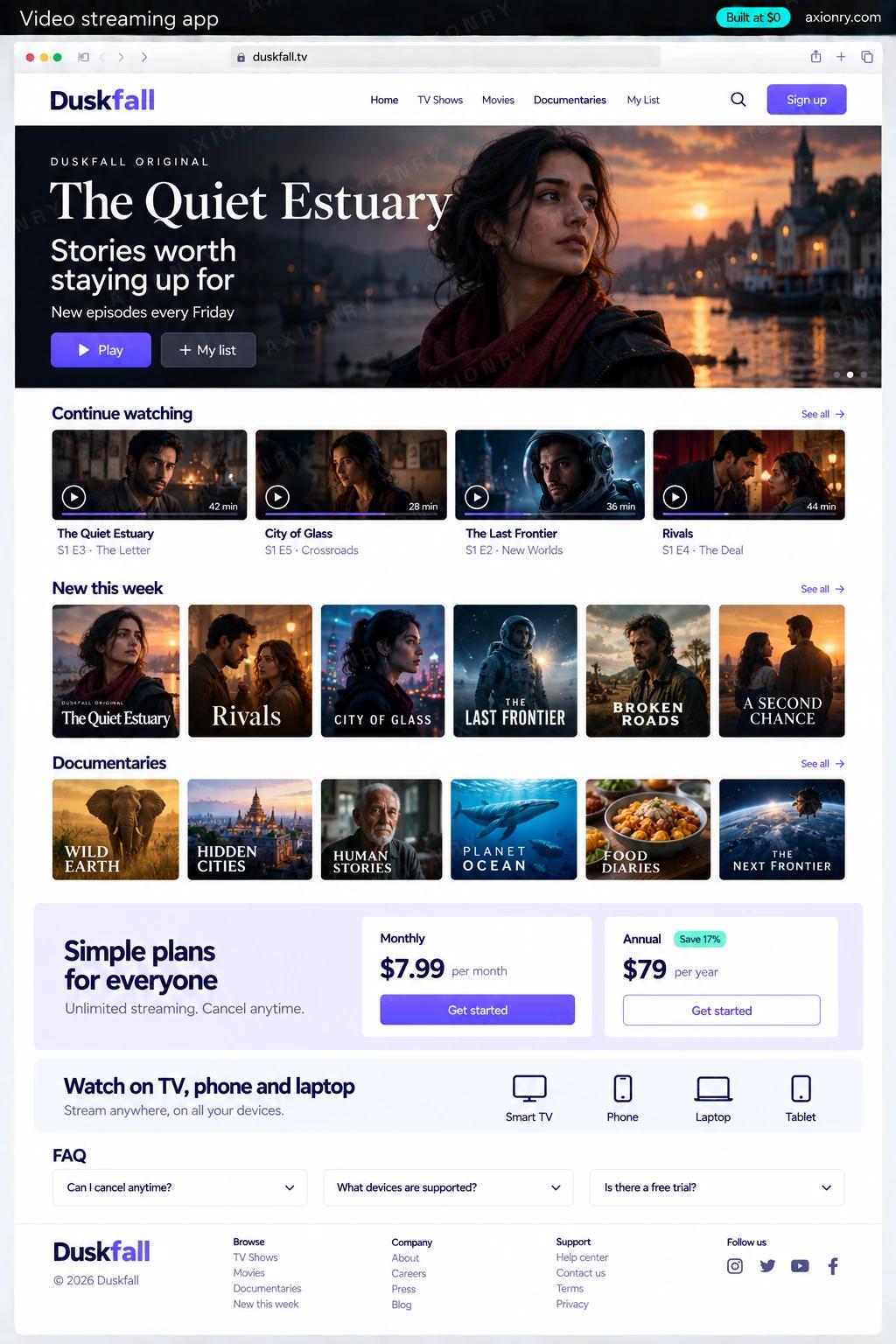
What is a video streaming app?
A video streaming app is a subscription service where members browse a catalog, press play and watch on the web, their phone or their TV. Behind it sit a pipeline that encodes and delivers each title, a player that protects paid content with DRM, subscription billing, and a back office for publishing.
It is built for owners of a video library who want their own audience: independent film and documentary labels, sports leagues and clubs, fitness and education brands, faith organizations and creators with a paying following. The value is the direct relationship: your subscriber list, your price, your data, and no platform deciding what gets promoted.
This page prices a subscription service on the web, iPhone and Android, with Apple TV and Android TV apps built from the same React Native code, on Mux for encoding, delivery and DRM. Roku, Samsung and LG each need their own app and come later, and live events can run on the same Mux account when you are ready.
Playback that starts quickly and adapts to their connection, downloads for the flight, and one account across phone, laptop and TV.
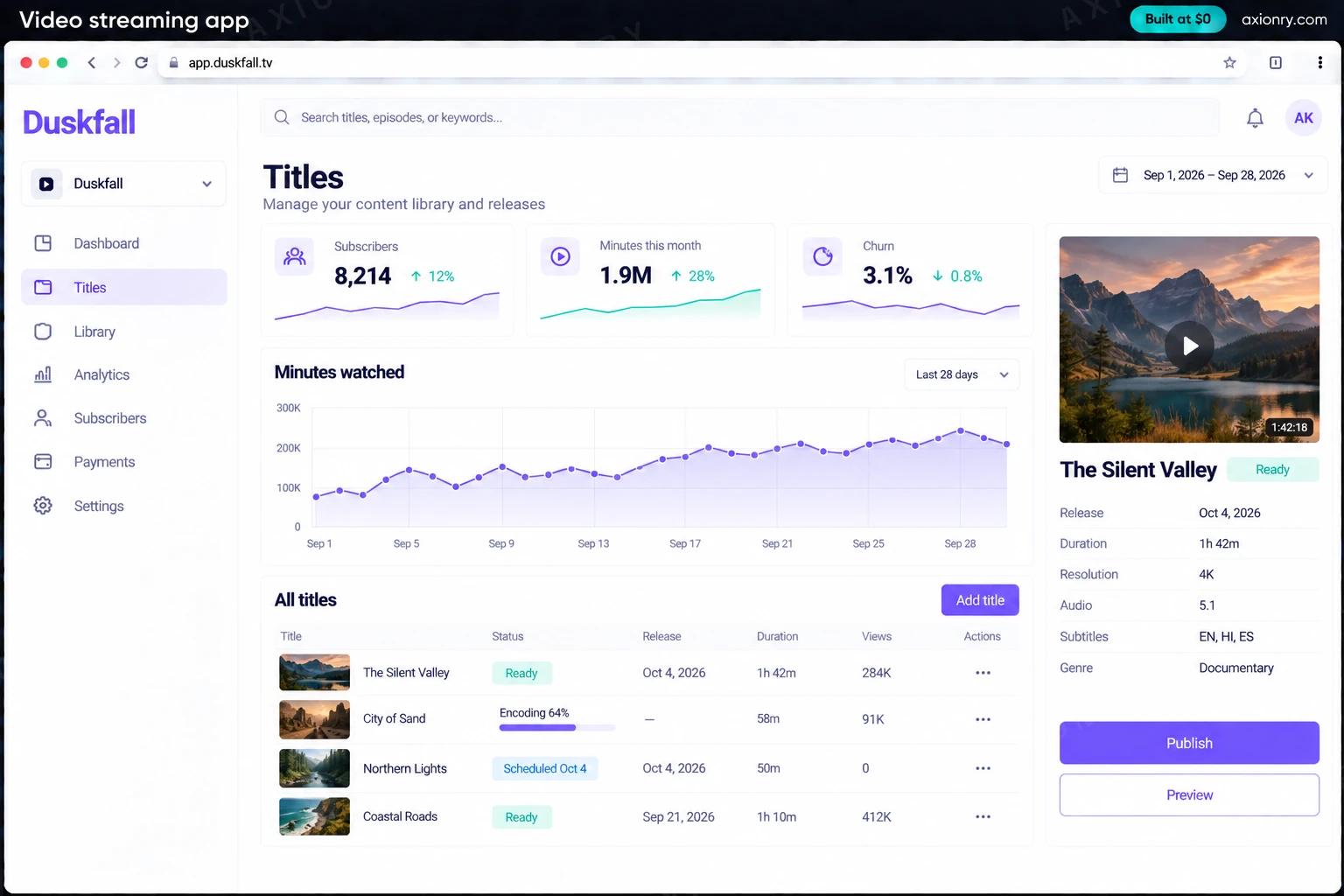
Upload a master file once and get every streaming size, with artwork, subtitle files and a scheduled release, without touching an encoder.
Subscribers, churn and minutes watched by title, and a video bill you can forecast from those minutes.
What features does a video streaming app need?
A video streaming app needs 8 core features: catalog and discovery, adaptive playback, DRM protection, offline downloads, subscriptions and trials, TV apps, publishing back office and viewing analytics.
Catalog and discovery
Rows by genre, collections and new releases, title pages with trailers, and search across titles and people.
Adaptive playback
HLS streaming that adjusts quality to the connection, with resume where you left off across devices.
DRM protection
Widevine, FairPlay and PlayReady through Mux, so a paid title cannot simply be saved from the browser and passed around.
Offline downloads
Members download titles on iPhone and Android for offline viewing, protected by a DRM license stored with each download.
Subscriptions and trials
Monthly and annual plans with free trials on the web through Stripe Billing, and in-app purchase on phones and TVs where you choose to sell there.
TV apps
Apple TV and Android TV apps with a remote-friendly interface, built from the same React Native code as the phone apps.
Publishing back office
Upload masters, add artwork, subtitles and metadata, set release dates and regions, and see encoding status per title.
Viewing analytics
Minutes watched, completion and churn by title and cohort, from Mux Data and your own subscription records.
What screens does a video streaming app have?
It is built around 3 screens: TV home screen, phone player and publishing back office.
- 1TV home screenThe TV app's home with a featured film and rows for continue watching and new documentaries.
- 2Phone playerA film playing on a phone with progress, subtitles and a downloaded check.
- 3Publishing back officeSubscribers, minutes watched and churn, with each title's encoding and release status.
How does a video streaming app work?
End to end, in 5 steps: a title is uploaded, members sign up, playback starts, downloads for offline and watching becomes data.
- 1
A title is uploaded
Your team uploads the master file straight from the browser to Mux. Mux encodes it for streaming, and a webhook marks the title ready once artwork and subtitles are attached.
- 2
Members sign up
A trial or plan is bought on the web through Stripe, or in the app through Apple or Google. Every device checks the same entitlement before it plays anything.
- 3
Playback starts
The app asks your API for a signed playback token, the player requests a DRM license, and the stream adapts to the connection from the first seconds.
- 4
Downloads for offline
On phones, members download titles with a persistent DRM license stored alongside the file, and the app checks the subscription again whenever the phone is back online.
- 5
Watching becomes data
Mux Data reports startup time, rebuffering and minutes watched per title, and the back office joins it to subscriptions to show what keeps members.
What is the architecture and tech stack of a video streaming app?
It has 8 layers: video pipeline (Mux, or Cloudflare Stream for a simpler bill), phone and TV apps (React Native with Expo, react-native-tvos for Apple TV and Android TV), website (Next.js on Vercel), catalog and entitlements (Node.js + TypeScript, Postgres), web subscriptions (Stripe Billing), store subscriptions (RevenueCat with Apple and Google billing), playback analytics (Mux Data, PostHog) and notifications (Firebase Cloud Messaging, APNs, Resend). The diagram shows how a request moves through them.
| Layer | What we use | Why |
|---|---|---|
| Video pipeline | Mux, or Cloudflare Stream for a simpler bill | Encoding, adaptive streaming and a CDN as an API. Mux adds Widevine, FairPlay and PlayReady DRM; Cloudflare Stream protects videos with signed URLs. |
| Phone and TV apps | React Native with Expo, react-native-tvos for Apple TV and Android TV | Phone and TV apps share one codebase, with native players that handle DRM and downloads. |
| Website | Next.js on Vercel | Title pages that search engines can read, sign-up and account management, and a web player for laptops. |
| Catalog and entitlements | Node.js + TypeScript, Postgres | Titles, seasons, regions and release dates, and a single answer to 'may this member play this title on this device?' |
| Web subscriptions | Stripe Billing | Plans, trials, coupons and failed-payment recovery for everyone who subscribes on your website. |
| Store subscriptions | RevenueCat with Apple and Google billing | Needed only if you sell inside the apps; members who subscribe on the web can simply sign in. |
| Playback analytics | Mux Data, PostHog | Startup time, rebuffering and minutes watched per title, joined to trials, conversions and churn. |
| Notifications | Firebase Cloud Messaging, APNs, Resend | New-release and continue-watching nudges by push, and receipts and win-back emails. |
How much does it cost to build a video streaming app?
A launch-ready video streaming app costs $24,500 to $48,000 to build and takes 7 to 11 weeks. A clickable demo costs $3,000 to $6,000 (2 to 4 weeks), and running it costs $160 to $710 a month at the usage below. You start at $0 and pay per checkpoint you accept.
Priced with the same model as our AI product cost estimator, from the features above. Your price is fixed in writing after a 20-minute call, before any work starts.
| Version | Build cost | Timeline | What it is |
|---|---|---|---|
| Clickable demo | $3,000 to $6,000 | 2 to 4 weeks | Clickable and real where it matters, on test data. Built to show users and investors, not to carry production traffic, so compliance work starts at launch. |
| Launch-ready | $24,500 to $48,000 | 7 to 11 weeks | Production architecture, tests on the risky paths, monitoring, and a handover your team can run. |
| Enterprise-grade | $32,000 to $62,500 | 8 to 13 weeks | Load tested, highly available, audited and documented for a larger team. |
What it costs to run
About 5,000 monthly viewers using the apps and catalog; video storage, delivery minutes and DRM licenses are billed by Mux or Cloudflare on top and grow with watching.
| Line | Per month | Assumes |
|---|---|---|
| Hosting and database | $120 to $320 | Vercel + managed services, sized for 5,000 monthly users |
| Email, monitoring, analytics | $40 to $390 | Free tiers cover most products at launch |
| Total | $160 to $710 | List prices, before any volume discount |
Build at $0: how you pay
$0 is when you pay, not what you pay. The launch-ready build is split into checkpoints with acceptance criteria agreed before work starts, and each one is invoiced only after you have seen it and accepted it.
- 1Scope and acceptance criteriaBefore work startsA call, then a written plan: every checkpoint with acceptance criteria you agree to before work starts.$0
- 2Architecture and first flowBy week 2Data model, service boundaries and one real flow working end to end.$4,900 to $9,500
- 3Core productBy week 6The main flows on production architecture, with a demo at the end of every week.$7,500 to $14,500
- 4The rest of v1By week 9Billing, admin and the flows that let you charge money and support users.$7,500 to $14,500
- 5Launch and handoverBy week 11Deployed on your accounts and documented, with 30 days of defect correction included.$4,900 to $9,500
What can you add to a video streaming app after launch?
The additions most teams make next: personalized rows, automatic subtitles and translations, search inside the video and trailer and clip finder.
Personalized rows
Recommendations from each member's viewing and what similar members finished, tested against your editorial rows so you can see which keeps people longer.
Automatic subtitles and translations
Speech-to-text subtitles in the original language and machine translation into others, reviewed by a person before release.
Search inside the video
Members search for a scene, a quote or a topic and jump to the moment, from transcripts and scene descriptions.
Trailer and clip finder
Finds strong moments for trailers, social clips and thumbnails, for your editors to pick from instead of scrubbing through hours.
What are the risks when building a video streaming app?
Three things decide whether it works in production: where you sell subscriptions, viewing history is protected and rights, regions and DRM.
Where you sell subscriptions
Apple treats video as a reader app, so members who subscribe on your website can sign in on iPhone and Apple TV without in-app purchase. Sell inside the apps and Apple or Google keep 15 to 30%. Decide where you sell before you design the paywall.
Viewing history is protected
The US Video Privacy Protection Act limits sharing which titles a person watched, and tracking pixels that send video titles to ad platforms have led to class actions. Keep third-party pixels off player pages, or get explicit consent first.
Rights, regions and DRM
Licensed content comes with rules: which countries, which dates, which devices, and often a DRM requirement. Store them per title, enforce them in the entitlement check, and keep evidence that you did, because licensors can ask for it.