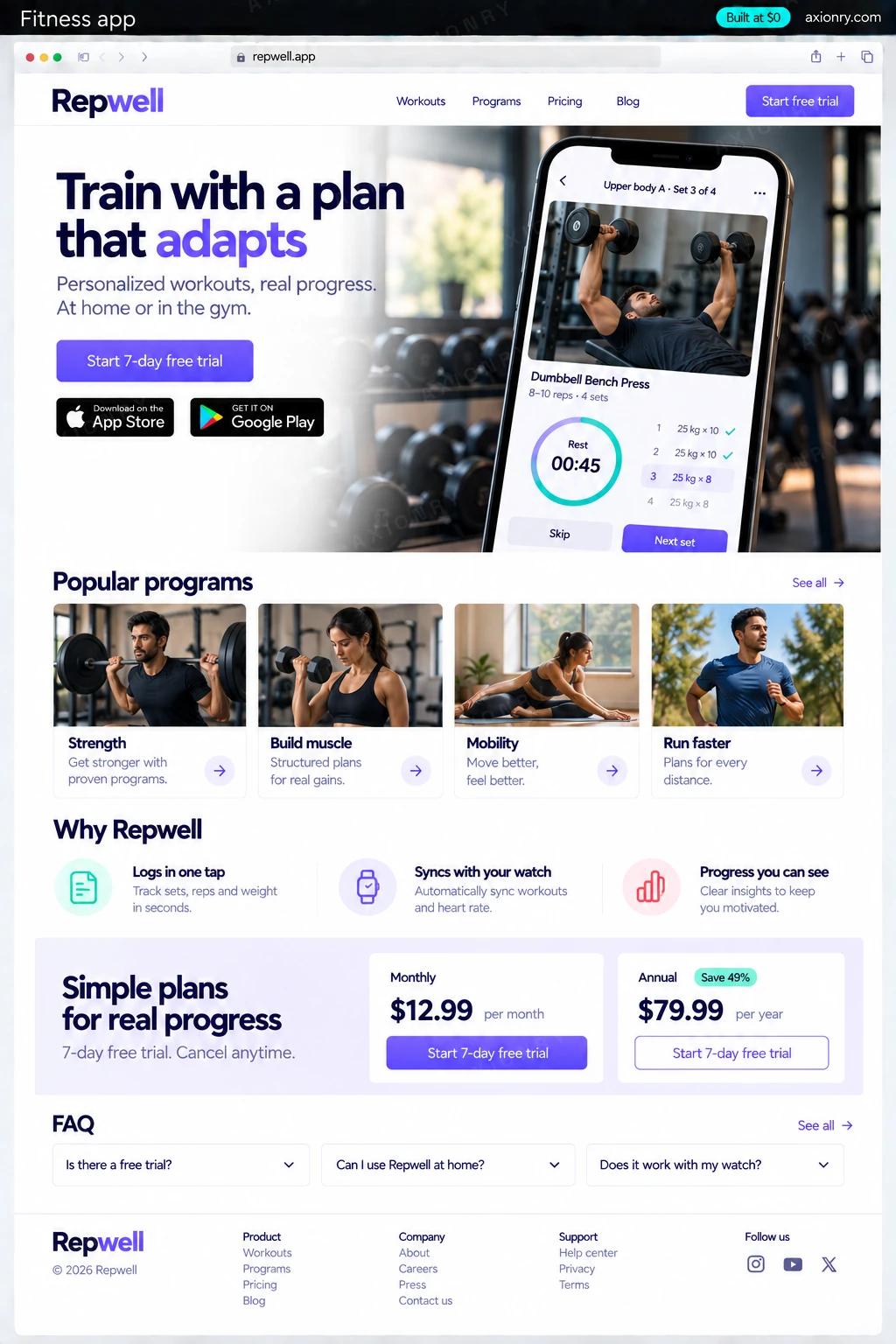
What is a fitness app?
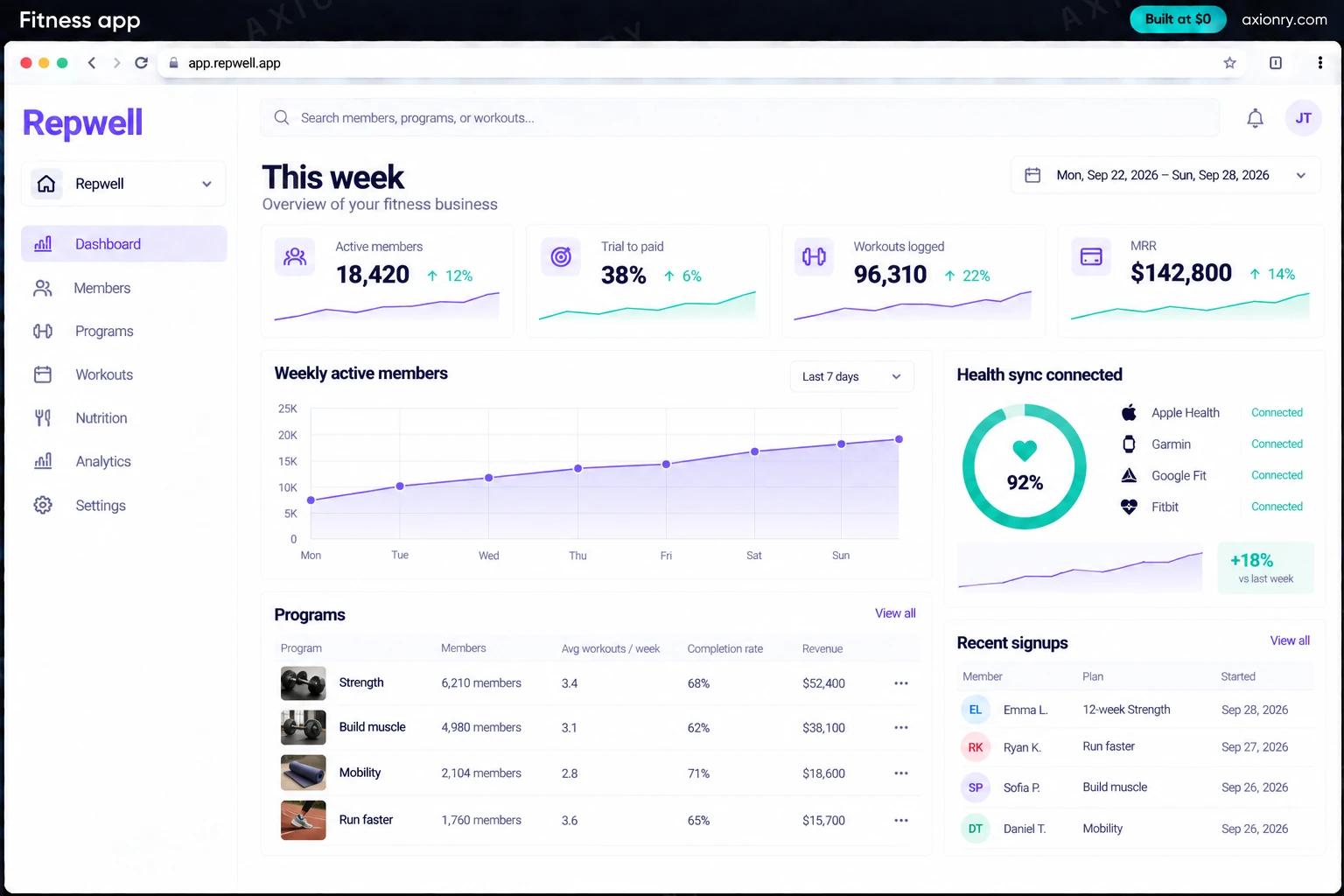
A fitness app guides people through workouts and shows them their progress. The paid kind gives a structured plan for a goal, demonstrates each exercise, logs sets, reps and weights in a few taps, syncs activity with the phone's health data, and keeps people coming back with streaks and reminders.
It is built for trainers and coaches with an audience, gyms and studios that want members training between visits, and founders with a specific method, such as strength training for runners. The worth is recurring revenue from a program people follow, and an audience you own instead of renting it on social platforms.
A trainer can launch it under their own name, or a founder can build a brand around several coaches' programs. This page prices a consumer app for iOS and Android with a content admin for your coaches. An AI coach is an add-on once people are logging workouts, because it needs their history to be useful.
A plan for their goal, a workout player with demos and rest timers, logging in a few taps, and charts that show progress.
An admin to publish exercises, videos and multi-week programs, and to see which workouts people finish or skip.
Trials, conversions, renewals and churn from RevenueCat, and retention by program, in one dashboard.
What features does a fitness app need?
A fitness app needs 8 core features: programs for a goal, workout player, fast logging, progress and records, apple Health and Health Connect, subscriptions in the stores, reminders that respect people and coach admin.
Programs for a goal
Multi-week plans for goals like a first pull-up or a stronger 5K, adjusted for equipment and training days per week.
Workout player
Each exercise with a short demo video, target sets and reps, a rest timer and the weight used last time.
Fast logging
Sets, reps and weights logged in a tap or two, working offline in the gym and syncing when the phone reconnects.
Progress and records
Charts for training volume, estimated one-rep max, body weight and streaks, with personal records highlighted.
Apple Health and Health Connect
Finished workouts written to the phone's health store, and steps, heart rate and weight read in, only with the user's permission.
Subscriptions in the stores
Monthly and annual plans with free trials, sold through Apple and Google billing and managed with RevenueCat.
Reminders that respect people
Push reminders on the plan's training days, quiet hours respected, and silence once a member pauses their plan.
Coach admin
Exercises, videos, programs and paywall offers edited in a web admin and published without an app update.
What screens does a fitness app have?
It is built around 4 screens: workout player, progress, paywall and owner's week.
- 1Workout playerToday's session: the exercise, set and target, last time's weight, a log button and the rest timer.
- 2ProgressAn estimated one-rep max climbing over eight weeks, the current streak and a new personal record.
- 3PaywallMonthly and yearly plans with a free trial, sold through the app store.
- 4Owner's weekTrials started, new paid members and churn for the week.
How does a fitness app work?
End to end, in 5 steps: onboarding sets the plan, the trial starts, they train, progress shows and you keep them.
- 1
Onboarding sets the plan
A short quiz asks for the goal, experience, equipment and training days; the app assigns a program and asks permission to connect Apple Health or Health Connect.
- 2
The trial starts
The paywall offers a free trial through Apple or Google billing. RevenueCat confirms the purchase and the backend grants access to the program.
- 3
They train
The player shows each exercise with its demo and targets; sets are logged offline and synced, and the finished workout is written to the health store.
- 4
Progress shows
Charts, records and streaks update after every session, and push reminders arrive on the plan's training days in the member's time zone.
- 5
You keep them
Renewals, cancellations and billing problems arrive from RevenueCat as webhooks, and the dashboard shows retention by program so coaches know what to fix.
What is the architecture and tech stack of a fitness app?
It has 8 layers: mobile app (React Native with Expo), health data (HealthKit on iOS, Health Connect on Android), subscriptions (RevenueCat over App Store and Google Play billing), backend (Node.js with Postgres on Supabase), exercise video (Mux or Cloudflare Stream), push (Expo notifications over Firebase Cloud Messaging and APNs), analytics (PostHog) and coach admin (Next.js on Vercel). The diagram shows how a request moves through them.
| Layer | What we use | Why |
|---|---|---|
| Mobile app | React Native with Expo | Both platforms from a single codebase, with native modules for HealthKit and Health Connect and over-the-air updates. |
| Health data | HealthKit on iOS, Health Connect on Android | The stores people already trust with their data; Health Connect replaced the Google Fit APIs on Android. |
| Subscriptions | RevenueCat over App Store and Google Play billing | Receipts, trials, grace periods and one entitlement across both stores, without store-specific billing code. |
| Backend | Node.js with Postgres on Supabase | Plans, logs and records are relational, and Supabase adds auth and storage at a low fixed cost. |
| Exercise video | Mux or Cloudflare Stream | Short demo clips that start quickly on mobile data. |
| Push | Expo notifications over Firebase Cloud Messaging and APNs | Reminders on training days, sent by scheduled jobs in each member's time zone. |
| Analytics | PostHog | Onboarding drop-off, trial conversion and retention by program, with no health data sent. |
| Coach admin | Next.js on Vercel | Coaches publish programs and offers without waiting for an app store review. |
How much does it cost to build a fitness app?
A launch-ready fitness app costs $16,500 to $34,000 to build and takes 5 to 9 weeks. A clickable demo costs $2,000 to $4,100 (6 to 13 working days), and running it costs $250 to $1,050 a month at the usage below. You start at $0 and pay per checkpoint you accept.
Priced with the same model as our AI product cost estimator, from the features above. Your price is fixed in writing after a 20-minute call, before any work starts.
| Version | Build cost | Timeline | What it is |
|---|---|---|---|
| Clickable demo | $2,000 to $4,100 | 6 to 13 working days | Clickable and real where it matters, on test data. Built to show users and investors, not to carry production traffic, so compliance work starts at launch. |
| Launch-ready | $16,500 to $34,000 | 5 to 9 weeks | Production architecture, tests on the risky paths, monitoring, and a handover your team can run. |
| Enterprise-grade | $21,500 to $44,000 | 6 to 10 weeks | Load tested, highly available, audited and documented for a larger team. |
What it costs to run
About 10,000 monthly members on managed hosting and Postgres; exercise video delivery and the app stores' commission on each subscription are extra.
| Line | Per month | Assumes |
|---|---|---|
| Hosting and database | $180 to $480 | Vercel + managed services, sized for 10,000 monthly users |
| Email, monitoring, analytics | $75 to $600 | Free tiers cover most products at launch |
| Total | $250 to $1,050 | List prices, before any volume discount |
Build at $0: how you pay
$0 is when you pay, not what you pay. The launch-ready build is split into checkpoints with acceptance criteria agreed before work starts, and each one is invoiced only after you have seen it and accepted it.
- 1Scope and acceptance criteriaBefore work startsA call, then a written plan: every checkpoint with acceptance criteria you agree to before work starts.$0
- 2Architecture and first flowBy week 2Data model, service boundaries and one real flow working end to end.$3,300 to $7,000
- 3Core productBy week 5The main flows on production architecture, with a demo at the end of every week.$5,000 to $10,000
- 4The rest of v1By week 7Billing, admin and the flows that let you charge money and support users.$5,000 to $10,000
- 5Launch and handoverBy week 9Deployed on your accounts and documented, with 30 days of defect correction included.$3,300 to $7,000
What can you add to a fitness app after launch?
The additions most teams make next: an AI coach, form check with the camera, meals from photos and churn prediction.
An AI coach
Answers training questions and adjusts next week's plan from the member's logs, within rules your coaches set and never as medical advice.
Form check with the camera
On-device pose estimation counts reps and flags common form faults, with no video leaving the phone.
Meals from photos
A photo of a meal becomes an estimated calorie and protein entry the member can correct.
Churn prediction
Spots members whose training is tailing off and triggers a check-in or a plan change before they cancel.
What are the risks when building a fitness app?
Three things decide whether it works in production: app store rules, health data rules and retention decides the business.
App store rules
Digital subscriptions sold inside the app go through Apple's and Google's billing, which take a commission of 15% to 30%, and both stores review paywalls for clear prices and trial terms. Set prices with the commission in mind and design the paywall to pass review the first time.
Health data rules
Apple forbids using HealthKit data for advertising, and Google reviews every app that asks for Health Connect permissions. In the US, the FTC's Health Breach Notification Rule covers health apps outside HIPAA, and Washington's My Health My Data Act requires consent before collecting consumer health data.
Retention decides the business
A fitness app earns its money in month two and later, not at download. Measure onboarding and the first three workouts, test the paywall, and make logging fast enough that people do it between sets.