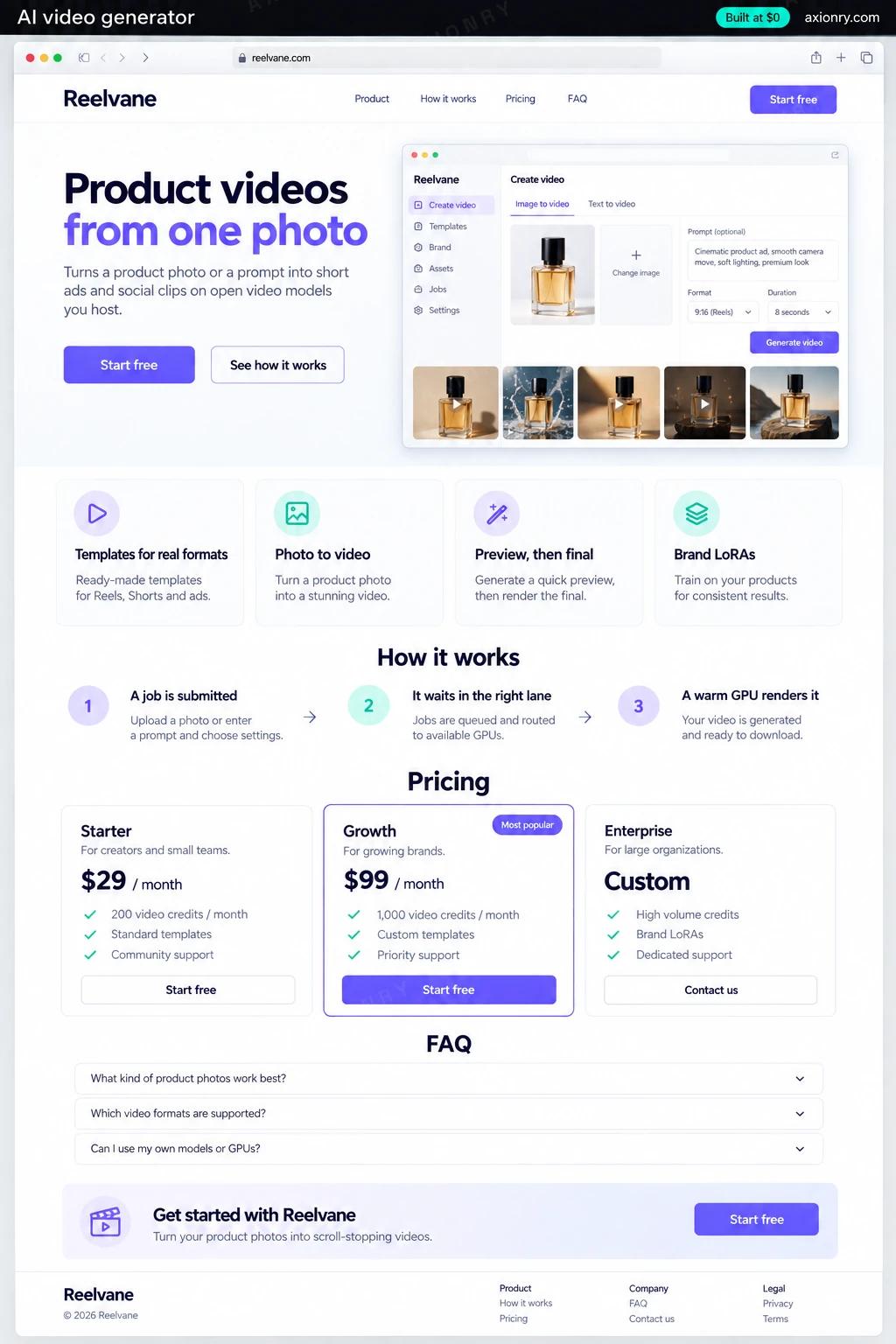
What is an AI video generator?
An AI video generator turns a prompt, a product photo or a script into a short video clip. Inside a product, that usually means ads, product demos and social clips made from a customer's own assets, rendered by a diffusion model on GPUs, then checked, watermarked and delivered as an MP4.
It suits companies whose customers need a steady stream of short video: e-commerce platforms and agencies making product ads, marketplaces turning listings into clips, and creative tools that sell video by the second. Running your own model pays off in three ways: prompts and brand assets stay in your cloud, nobody can retire the model your templates were tuned on, and past a certain volume each second of video costs less than an API charges.
You can add it as a feature inside a product you already run, or sell it on its own with credits. This page prices a standalone web app with templates, a two-lane queue, a self-hosted model, moderation, C2PA labels and credit billing. Built into an existing app instead, it usually drops the sign-up, billing and admin work.
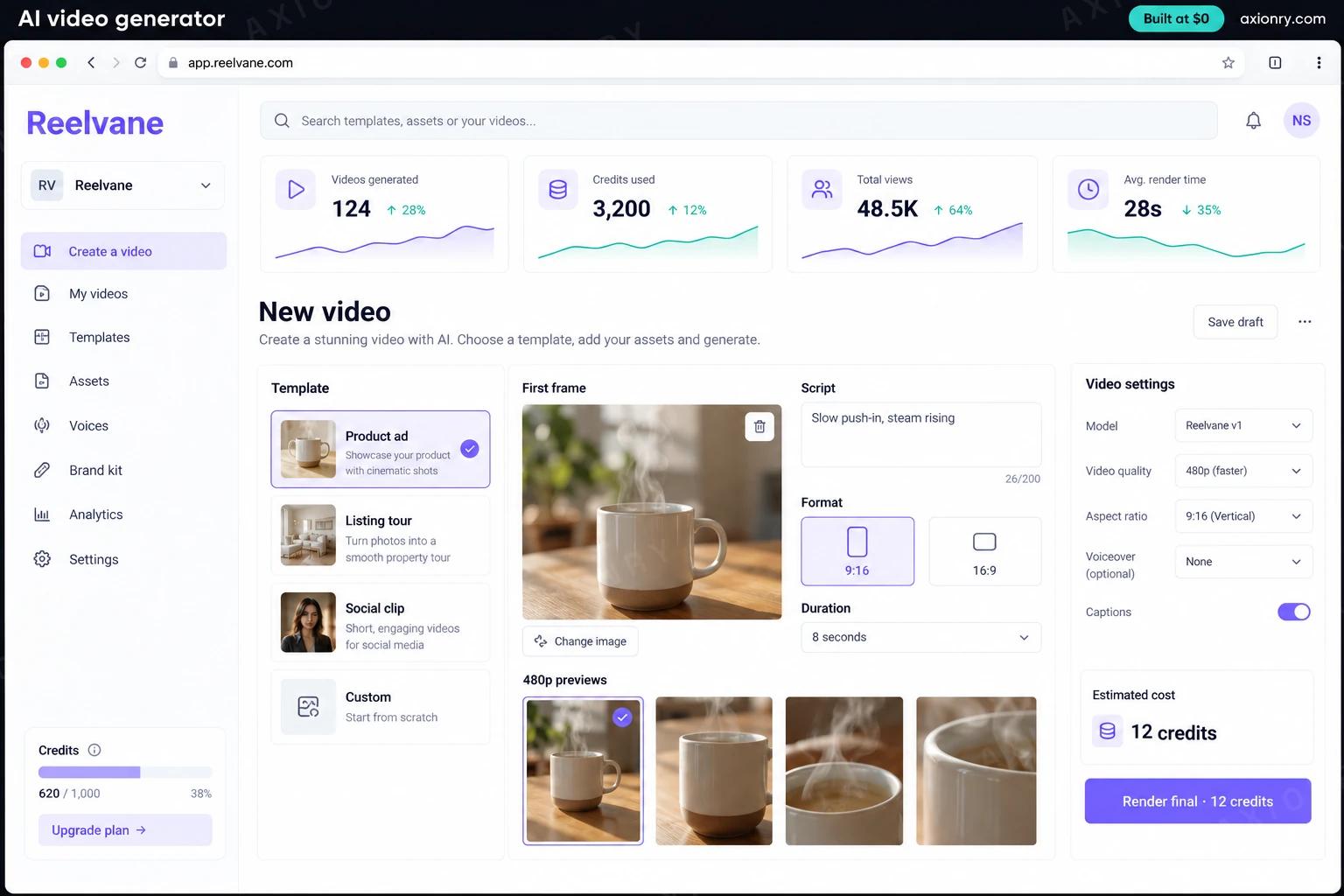
Picks a template, drops in a product photo and a line of script, and gets 480p previews first and a 720p final after that.
A model you control: pinned versions, your own templates and brand LoRAs, and no retirement notice from a vendor rewriting your roadmap.
GPU-seconds and cost for every clip, plus a record of who made it, from which prompt, and why anything was blocked.
What features does an AI video generator need?
An AI video generator needs 8 core features: templates for real formats, photo to video, preview, then final, brand LoRAs, a queue built for GPUs, checks before and after, C2PA label and watermark and credits and a cost ledger.
Templates for real formats
Product ad, listing tour and 9:16 social clip templates set the shots, length and aspect ratio, so users fill in assets instead of writing prompts.
Photo to video
A customer's product photo becomes the first frame, so the clip starts from the real product rather than the model's idea of it.
Preview, then final
A cheap 480p draft comes back first, and only the draft the user picks is rendered at 720p, so GPU time goes to clips people keep.
Brand LoRAs
A small adapter trained on a customer's own footage or stills carries their color, lighting and style into every clip.
A queue built for GPUs
Jobs wait in an interactive lane or a bulk lane, workers scale on queue depth and the age of the oldest job, and a double click never buys two clips.
Checks before and after
Prompts and uploads are screened before any GPU time is spent, sampled frames are classified after, and faces of real people need recorded consent.
C2PA label and watermark
Every MP4 carries a signed C2PA manifest marking it as AI-generated, plus an invisible watermark that survives the re-encode that strips metadata.
Credits and a cost ledger
Users buy credits per generated second, and each job records its seed, model version, GPU-seconds and cost, so your prices track your real unit cost.
What screens does an AI video generator have?
It is built around 4 screens: create a video, finished clip, render queue and content credentials.
- 1Create a videoThe web editor: an ad template, the product photo as first frame, a one-line script, the 9:16 format, four 480p previews and the credit cost of the final.
- 2Finished clipThe 720p vertical clip on a phone, ready to download and post, with its AI-generated label.
- 3Render queueThe operator view: jobs in each lane, the age of the oldest job, GPU utilization and prompts blocked today.
- 4Content credentialsThe C2PA record attached to the file: AI-generated, who signed it and the pinned model version.
How does an AI video generator work?
End to end, in 5 steps: a job is submitted, it waits in the right lane, a warm GPU renders it, it is checked and labeled and it is delivered and costed.
- 1
A job is submitted
The user picks a template, uploads the product photo and approves the credit cost. The API returns a job id at once, and a policy model checks the prompt and image before any GPU time is spent.
- 2
It waits in the right lane
Previews go to an interactive lane, finals and batch runs to a bulk lane. Workers scale on queue depth and on the age of the oldest job, and scale down overnight.
- 3
A warm GPU renders it
A worker with the model already in memory runs a pinned, distilled Wan 2.2 or LTX-2.5 checkpoint with the customer's LoRA and a recorded seed.
- 4
It is checked and labeled
The frames are encoded to MP4, about one frame a second goes through an image safety classifier, and clips that pass get a watermark and a signed C2PA manifest.
- 5
It is delivered and costed
The file lands in object storage behind a signed URL, a webhook tells the app it is ready, and the ledger records GPU-seconds, cost and every moderation verdict.
What is the architecture and tech stack of an AI video generator?
It has 8 layers: video model (Wan 2.2 (Apache 2.0) or LTX-2.5 (free below $10M revenue)), speed (4-step distilled checkpoints through LightX2V or diffusers), GPUs (One A100 80GB on RunPod or Lambda to start, or an RTX PRO 6000 for the fastest Blackwell builds), queue and workers (Amazon SQS with two lanes, Python workers on diffusers or headless ComfyUI), safety (gpt-oss-safeguard-20b on prompts, ShieldGemma 2 on sampled frames), provenance (c2pa-rs manifests and a VideoSeal watermark), storage and delivery (S3 or Cloudflare R2 behind signed URLs) and app and billing (Next.js, Postgres and Stripe usage billing on AWS). The diagram shows how a request moves through them.
| Layer | What we use | Why |
|---|---|---|
| Video model | Wan 2.2 (Apache 2.0) or LTX-2.5 (free below $10M revenue) | Both can be shipped by a US or EU company; LTX-2.5 adds audio and ranks higher, Wan 2.2 has no revenue threshold at all. |
| Speed | 4-step distilled checkpoints through LightX2V or diffusers | Cutting 40 guided steps to 4 is what takes self-hosted video from dollars per clip to cents. |
| GPUs | One A100 80GB on RunPod or Lambda to start, or an RTX PRO 6000 for the fastest Blackwell builds | Enough for a distilled model at launch volume; add a card when the oldest job starts waiting too long. |
| Queue and workers | Amazon SQS with two lanes, Python workers on diffusers or headless ComfyUI | Jobs survive restarts and deploys, and ComfyUI lets designers change a workflow without an engineer. |
| Safety | gpt-oss-safeguard-20b on prompts, ShieldGemma 2 on sampled frames | Blocking a prompt costs almost nothing; blocking a finished clip costs the whole render. |
| Provenance | c2pa-rs manifests and a VideoSeal watermark | A signed label that says AI-generated, and a mark that is still there after the metadata is stripped. |
| Storage and delivery | S3 or Cloudflare R2 behind signed URLs | Video files are large, and R2 charges nothing for egress when clips are downloaded and shared. |
| App and billing | Next.js, Postgres and Stripe usage billing on AWS | Credits per generated second tie what you charge to what the GPU costs, on accounts you own. |
How much does it cost to build an AI video generator?
A launch-ready AI video generator costs $34,000 to $69,000 to build and takes 9 to 15 weeks. A clickable demo costs $4,100 to $8,500 (2 to 6 weeks), and running it costs $410 to $1,750 a month at the usage below. You start at $0 and pay per checkpoint you accept.
Priced with the same model as our AI product cost estimator, from the features above. Your price is fixed in writing after a 20-minute call, before any work starts.
| Version | Build cost | Timeline | What it is |
|---|---|---|---|
| Clickable demo | $4,100 to $8,500 | 2 to 6 weeks | Clickable and real where it matters, on test data. Built to show users and investors, not to carry production traffic, so compliance work starts at launch. |
| Launch-ready | $34,000 to $69,000 | 9 to 15 weeks | Production architecture, tests on the risky paths, monitoring, and a handover your team can run. |
| Enterprise-grade | $41,000 to $83,000 | 10 to 17 weeks | Load tested, highly available, audited and documented for a larger team. |
What it costs to run
About 1,000 monthly users served by one A100 80GB, priced from working hours only to around the clock, plus AWS hosting; storage and delivery add little at this volume.
| Line | Per month | Assumes |
|---|---|---|
| Hosting and database | $60 to $250 | AWS, sized for 1,000 monthly users |
| GPUs for your model | $350 to $1,350 | 1 x A100 80GB, scaled to demand |
| Email, monitoring, analytics | $0 to $150 | Free tiers cover most products at launch |
| Total | $410 to $1,750 | List prices, before any volume discount |
Build at $0: how you pay
$0 is when you pay, not what you pay. The launch-ready build is split into checkpoints with acceptance criteria agreed before work starts, and each one is invoiced only after you have seen it and accepted it.
- 1Scope and acceptance criteriaBefore work startsA call, then a written plan: every checkpoint with acceptance criteria you agree to before work starts.$0
- 2AssessmentBy week 3Your data, stack and hardware examined end to end. A fixed fee, credited in full against the build.$7,000 to $14,000
- 3Core productBy week 8The main flows on production architecture, with a demo at the end of every week.$10,000 to $20,500
- 4AI on your real dataBy week 12Models, agents or voice working on real inputs, with evals and guardrails in place.$10,000 to $20,500
- 5Launch and handoverBy week 15Deployed on your accounts and documented, with 30 days of defect correction included.$7,000 to $14,000
What can you add to an AI video generator after launch?
The additions most teams make next: sound and voiceover, finals on a closed model, sell it as an API and catalog runs overnight.
Sound and voiceover
LTX-2.5 generates synchronized audio, or a text-to-speech voice reads the script over a silent Wan 2.2 clip.
Finals on a closed model
Keep drafts on your GPU and send paid top-tier renders to a hosted API, behind one provider interface you can switch.
Sell it as an API
Keys, rate limits and per-second billing so other products can generate video through your model.
Catalog runs overnight
A clip for every product in a store's catalog, rendered on the bulk lane while the GPUs would otherwise sit idle.
What are the risks when building an AI video generator?
Three things decide whether it works in production: check the license first, label clips, guard real faces and the GPU floor, not the clip.
Check the license first
Wan 2.2 is Apache 2.0. LTX-2.5 needs a paid Lightricks license once your company passes $10 million in annual revenue. HunyuanVideo 1.5 excludes the EU, UK and South Korea, and MiniMax H3 the US as well, which rules both out for most products.
Label clips, guard real faces
Since August 2, 2026 the EU AI Act requires machine-readable marking of AI-generated video, and California's AI Transparency Act applies to large generative systems. Face uploads need consent, and the TAKE IT DOWN Act gives you 48 hours to remove a reported intimate deepfake.
The GPU floor, not the clip
A self-hosted GPU costs the same whether it renders ten clips or ten thousand. Our modeled break-even against Google's Veo 3.1 Fast API is about 87,000 seconds of video a month; below that, or if you need top-tier quality with audio today, an API is cheaper.