What is school management software?
School management software runs a school's daily operations in one place: admissions, student records, attendance, fees, timetables, grades and report cards, and communication with parents. Staff use a web app, teachers take attendance on a phone, and parents get a mobile app for alerts, payments and results.
It is for private schools and school groups, international schools, coaching institutes, and founders selling to them. The value is in the hours it takes off the office: fees chased by automatic reminders instead of phone calls, absence alerts that reach parents minutes after roll call, and report cards generated from the gradebook instead of typed by hand.
A school group can build it for its own campuses, or a founder can turn it into a subscription product for many schools. This page prices one school group's system: a web app for staff and a mobile app for teachers and parents. Selling it to other schools adds tenant isolation and self-serve onboarding.
Absence alerts, fee reminders with a pay button, homework, circulars and report cards in one app, in plain language.
Roll call on a phone, a gradebook that fills in report cards, and one channel to reach every parent in a class.
Admissions, fee ledgers, receipts, timetables and reports without spreadsheets, and a record of who changed what.
What features does your school management software need?
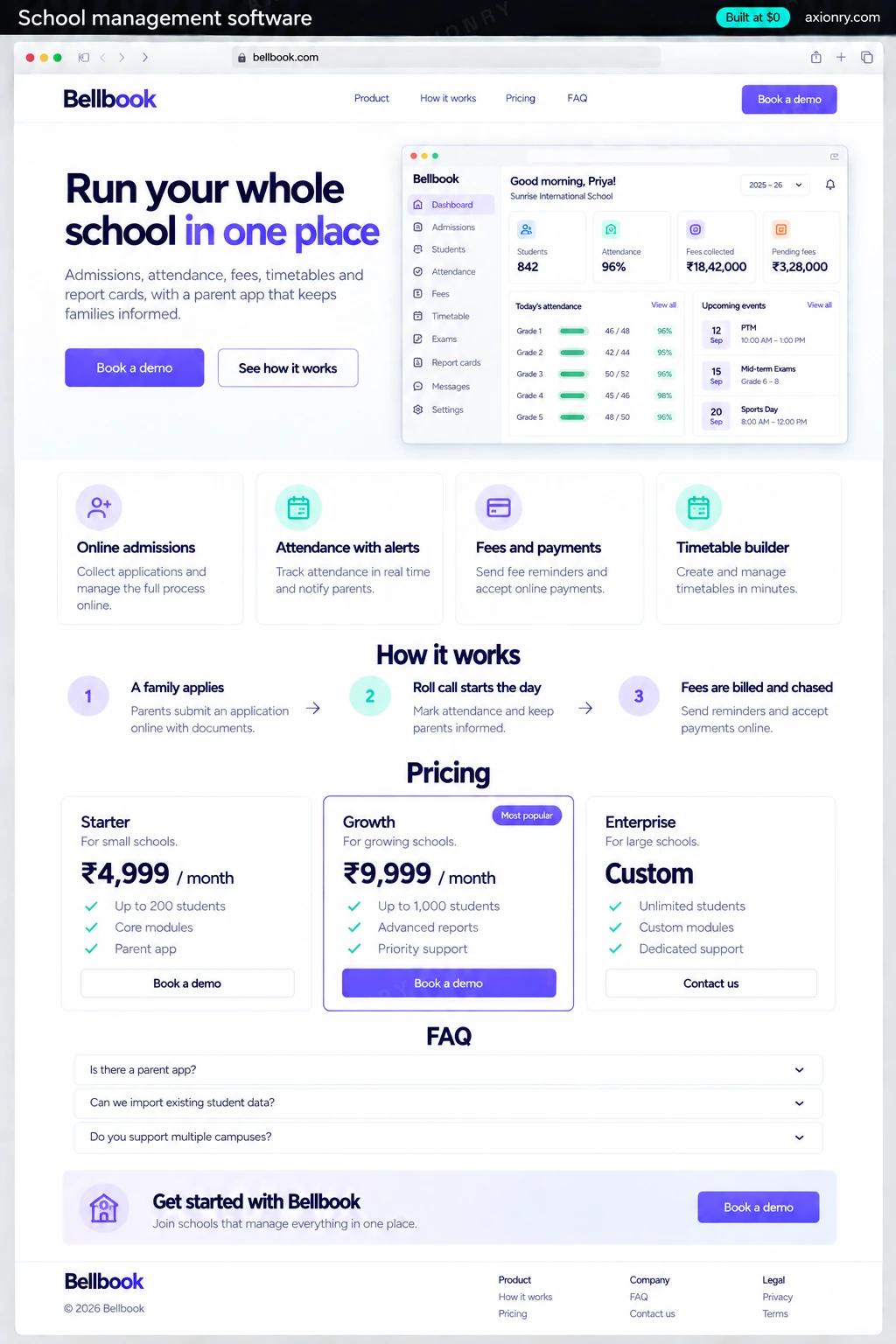
Your school management software needs 8 core features: online admissions, attendance with alerts, fees and payments, timetable builder, gradebook to report card, parent and teacher app, roles and campuses and audit log.
Online admissions
Application forms, document uploads, test or interview slots, offers and enrollment, with every applicant's status in one pipeline.
Attendance with alerts
Teachers mark a class on a phone, and parents of absent students get a push notification or an SMS within minutes.
Fees and payments
Fee plans with installments, sibling discounts and late fees, online payment through Stripe or Razorpay, automatic receipts and a ledger per family.
Timetable builder
Classes, teachers, rooms and periods scheduled without clashes, with substitutions when a teacher is away.
Gradebook to report card
Marks entered through the term roll up into report cards with teacher comments, generated as PDFs and released to parents on a set date.
Parent and teacher app
One iOS and Android app with a parent mode for alerts, fees and results, and a teacher mode for roll call, marks and messages.
Roles and campuses
Principal, office, accounts, teacher and parent roles across several campuses, each seeing only what their job needs.
Audit log
Every change to marks, fees and student records is logged with who made it and when.
What screens does your school management software have?
It is built around 3 screens: parent app, office dashboard and teacher roll call.
- 1Parent appA parent's home screen: today's absence alert, a fee installment due with a pay button, and a newly published report card.
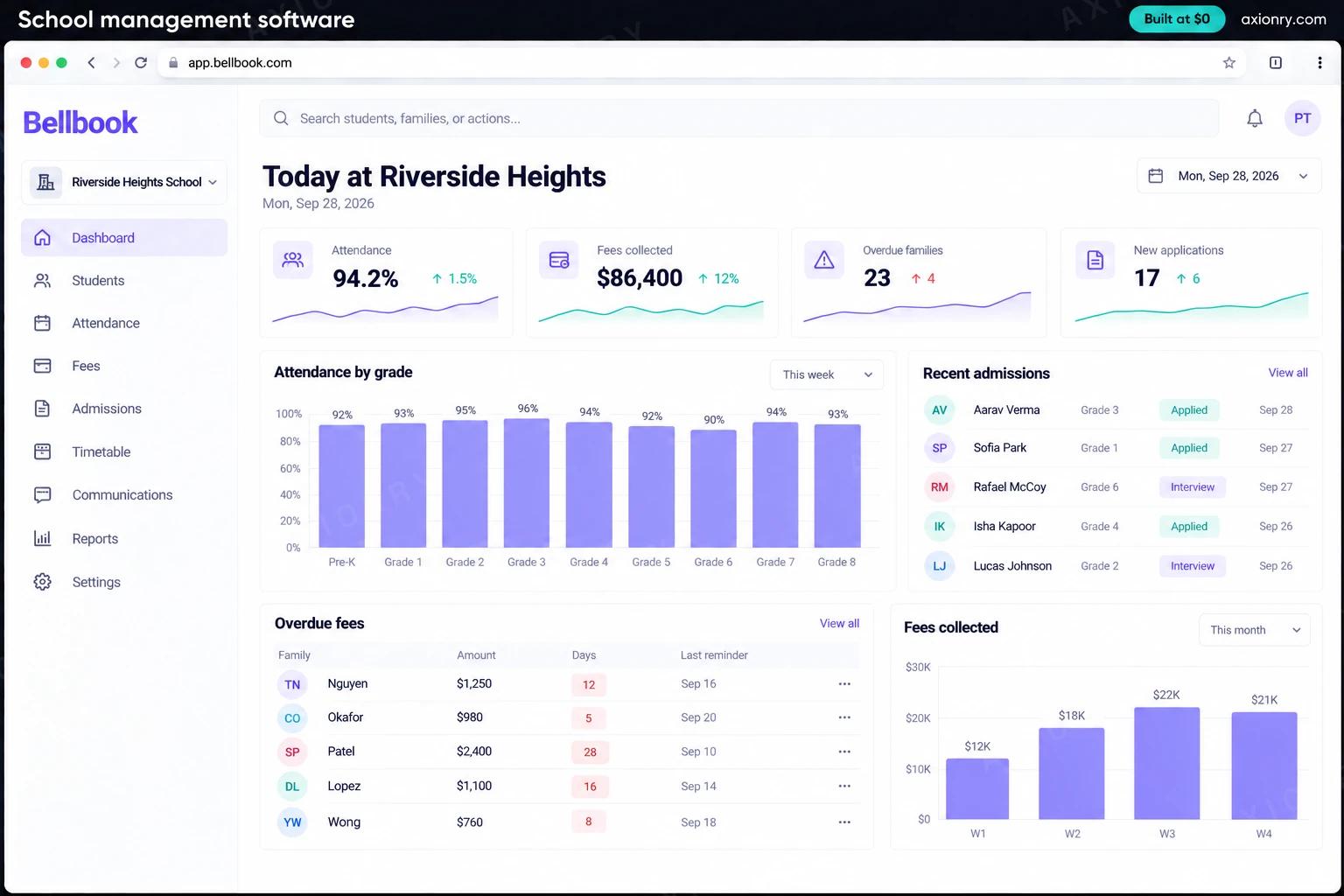
- 2Office dashboardAttendance, fees collected, overdue families and new applications, with attendance by grade and the overdue list.
- 3Teacher roll callOne class's roll on a teacher's phone, marked present or absent, ready to submit.
How does your school management software work?
End to end, in 5 steps: a family applies, roll call starts the day, fees are billed and chased, marks become report cards and the office sees it all.
- 1
A family applies
The admissions form collects details and documents, the office schedules a test or interview, and an accepted applicant becomes an enrolled student with a fee plan in one step.
- 2
Roll call starts the day
Teachers submit attendance from the app. Absences trigger a push notification, or an SMS for parents without the app, within minutes.
- 3
Fees are billed and chased
Installments fall due on schedule, reminders go out before and after the due date, payments reconcile from Stripe or Razorpay webhooks, and receipts are sent automatically.
- 4
Marks become report cards
Teachers enter marks through the term, the gradebook applies the school's weights, and report cards are generated as PDFs and released to parents together.
- 5
The office sees it all
The dashboard shows attendance, fees, admissions and overdue accounts by campus and grade, and the audit log records every change to marks and money.
What is the architecture and tech stack of your school management software?
It has 8 layers: mobile app (React Native with Expo, one app with parent and teacher modes), office web app (Next.js with shadcn/ui), backend (Node.js and TypeScript as a modular monolith), database (Postgres, every query scoped by campus and role), payments (Stripe (cards, ACH) or Razorpay (UPI, cards, autopay)), notifications (Firebase Cloud Messaging, APNs and Twilio SMS), scheduled jobs (BullMQ on Redis) and hosting (Vercel for the web app, managed Postgres in your students' region). The diagram shows how a request moves through them.
| Layer | What we use | Why |
|---|---|---|
| Mobile app | React Native with Expo, one app with parent and teacher modes | One codebase for iOS and Android, with over-the-air updates for fixes during term. |
| Office web app | Next.js with shadcn/ui | Fast, data-heavy screens for admissions, fee ledgers and timetables. |
| Backend | Node.js and TypeScript as a modular monolith | Admissions, fees, attendance and grades share one student record, so one service is simpler than many. |
| Database | Postgres, every query scoped by campus and role | Student and fee data is relational, and each campus sees only its own records. |
| Payments | Stripe (cards, ACH) or Razorpay (UPI, cards, autopay) | Parents pay the way they already do in their country, and webhooks mark fees paid without manual entry. |
| Notifications | Firebase Cloud Messaging, APNs and Twilio SMS | Push is free for everyday alerts; SMS reaches the parents who never install the app. |
| Scheduled jobs | BullMQ on Redis | Fee reminders, late fees and report card releases run on time and retry on failure. |
| Hosting | Vercel for the web app, managed Postgres in your students' region | Fast for families, and in-region storage keeps local data rules simpler. |
How much does it cost to build your school management software?
A launch-ready school management software costs $27,000 to $53,500 to build and takes 7 to 12 weeks. A clickable demo costs $3,200 to $6,500 (2 to 4 weeks), and running it costs $95 to $470 a month at the usage below. You start at $0 and pay per checkpoint you accept.
Priced with the same model as our AI product cost estimator, from the features above. Your price is fixed in writing after a 20-minute call, before any work starts.
| Version | Build cost | Timeline | What it is |
|---|---|---|---|
| Clickable demo | $3,200 to $6,500 | 2 to 4 weeks | Clickable and real where it matters, on test data. Built to show users and investors, not to carry production traffic, so compliance work starts at launch. |
| Launch-ready | $27,000 to $53,500 | 7 to 12 weeks | Production architecture, tests on the risky paths, monitoring, and a handover your team can run. |
| Enterprise-grade | $35,000 to $69,500 | 8 to 14 weeks | Load tested, highly available, audited and documented for a larger team. |
What it costs to run
A school group of about 1,000 students, so roughly 2,500 parents, teachers and staff a month; SMS messages and payment processing are billed per use on top.
| Line | Per month | Assumes |
|---|---|---|
| Hosting and database | $80 to $210 | Vercel + managed services, sized for 2,500 monthly users |
| Email, monitoring, analytics | $20 to $260 | Free tiers cover most products at launch |
| Total | $95 to $470 | List prices, before any volume discount |
Build at $0: how you pay
$0 is when you pay, not what you pay. The launch-ready build is split into checkpoints with acceptance criteria agreed before work starts, and each one is invoiced only after you have seen it and accepted it.
- 1Scope and acceptance criteriaBefore work startsA call, then a written plan: every checkpoint with acceptance criteria you agree to before work starts.$0
- 2Architecture and first flowBy week 2Data model, service boundaries and one real flow working end to end.$5,500 to $10,500
- 3Core productBy week 6The main flows on production architecture, with a demo at the end of every week.$8,000 to $16,000
- 4The rest of v1By week 10Billing, admin and the flows that let you charge money and support users.$8,000 to $16,000
- 5Launch and handoverBy week 12Deployed on your accounts and documented, with 30 days of defect correction included.$5,500 to $10,500
What can you add to your school management software after launch?
The additions most teams make next: report card comments, a parent help assistant, early warning and messages in every family's language.
Report card comments
Draft comments from each student's marks and attendance, for the teacher to edit before release.
A parent help assistant
Answers fee, timetable and policy questions in the app from the school's own documents, and hands the rest to the office.
Early warning
Flags students whose attendance or marks are slipping, so a teacher can step in before the term ends.
Messages in every family's language
Circulars and alerts translated automatically into the language each family chose.
What are the risks when building your school management software?
Three things decide whether it works in production: children's data rules, money that reconciles and right message, right parent.
Children's data rules
In the US, FERPA governs student records at schools that receive federal education funds, and COPPA applies when children under 13 use the app. India's DPDP Act treats everyone under 18 as a child: verifiable parental consent, and no tracking or targeted ads. Build consent, access requests and deletion in from the start.
Money that reconciles
Every payment, refund and late fee has to match the bank. Reconcile against Stripe or Razorpay webhooks nightly, never let a fee change without a logged reason, and give the accounts team a report that ties to the bank statement.
Right message, right parent
An alert that arrives late, twice or to the wrong person costs trust fast. Send absence alerts only after the roll is submitted, test on real devices before term, and record custody restrictions so a parent barred by a court order never receives a child's information.