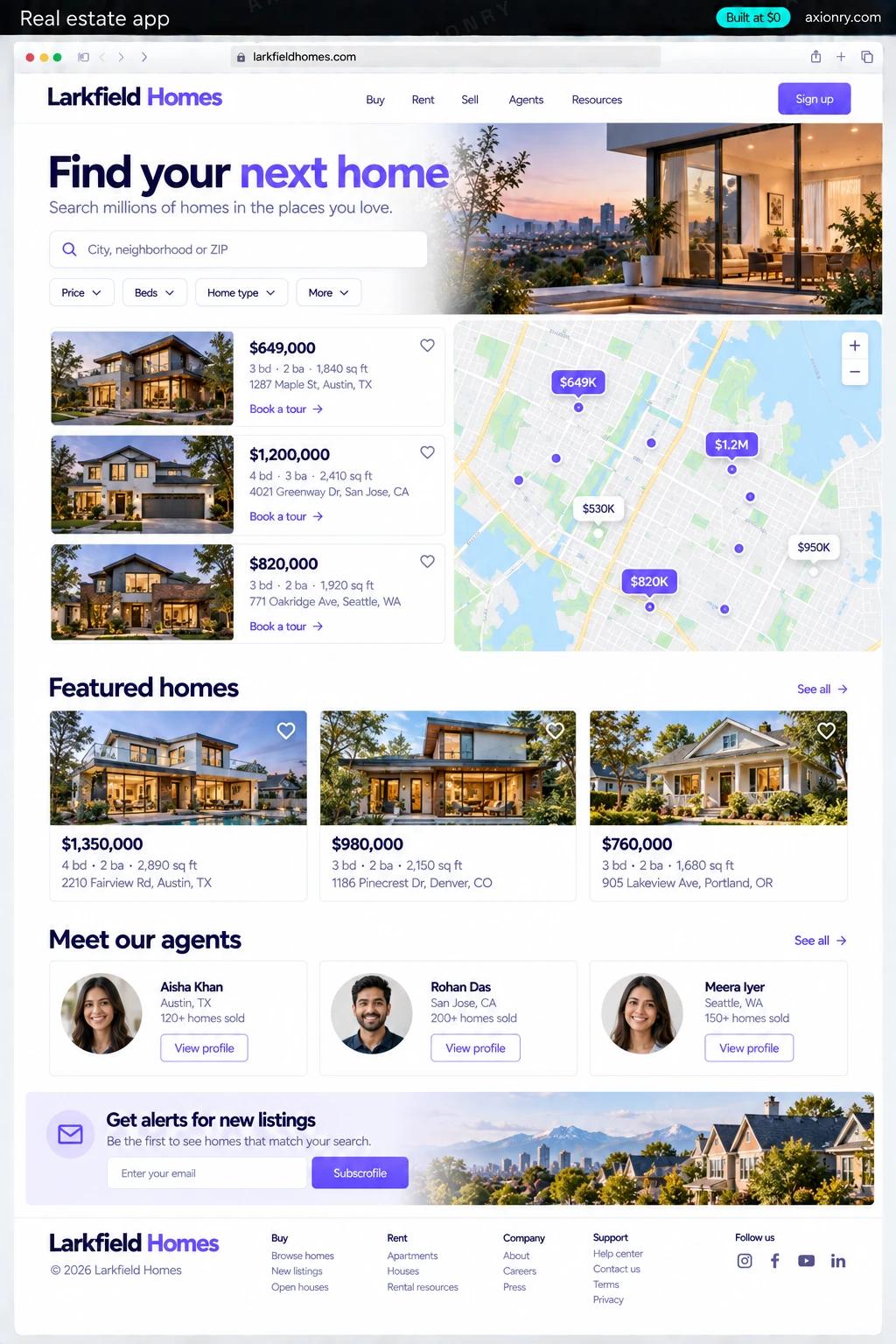
What is a real estate app?
A real estate app lets buyers and renters search listings on a map, save homes and searches, get alerts when something new matches, and contact an agent or book a tour. For a brokerage it is also a lead engine: every saved search, favorite and tour request becomes a lead routed to an agent with context.
It is for brokerages and teams that want their own search experience instead of sending buyers to portals where agents pay for the leads, for property managers listing rentals, and for developers selling a new community. The value is leads you own and a site that ranks for the searches in your area.
In the US, listings come from your MLS through the RESO Web API, and displaying them is governed by IDX rules, so you need to be, or work with, a participating broker. This page prices a brokerage's web and mobile app with MLS map search, agent profiles, saved-search alerts, tour booking and lead routing. A listings marketplace for many brokers is a larger build.
Fast map search with the filters that matter, an alert when a matching listing appears, and a tour booked without a phone call.
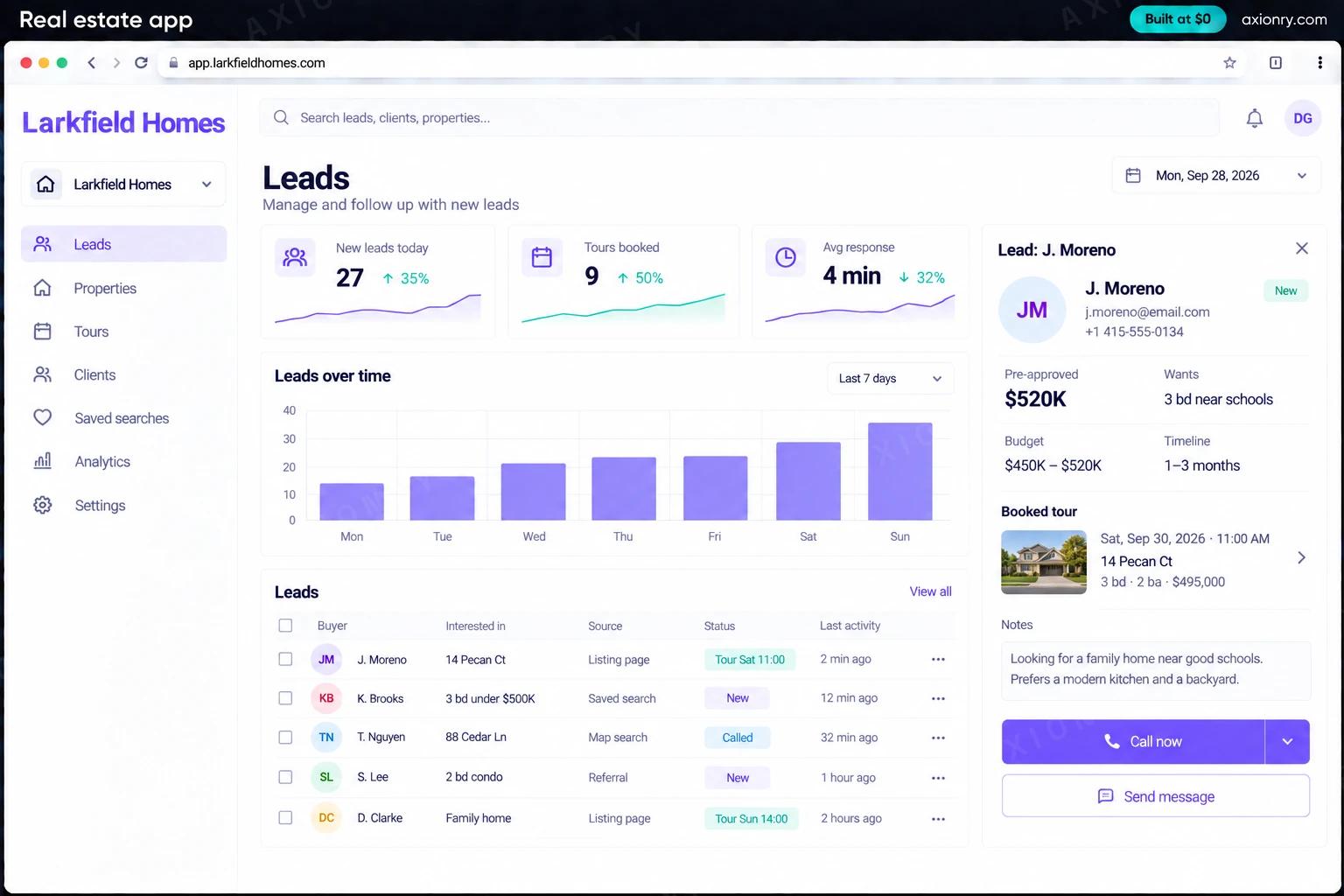
Leads with the homes the buyer saved and viewed, tour requests in their calendar, and a profile page that ranks for their name and area.
Lead routing rules, response times by agent, and a site that keeps buyers on your brand instead of a portal's.
What features does a real estate app need?
A real estate app needs 8 core features: map search with filters, MLS listings, kept fresh, listing pages that rank, saved searches and alerts, tour booking, agent profiles, lead capture and routing and built-in lead CRM.
Map search with filters
Draw an area or move the map, filter by price, beds, baths, type and days on market, and see results update as the map moves.
MLS listings, kept fresh
Listings, photos and status changes replicated from your MLS through the RESO Web API, with sold and withdrawn homes removed on schedule.
Listing pages that rank
A fast page for each property and neighborhood, with the broker attribution and disclaimers your MLS requires.
Saved searches and alerts
Buyers save searches and favorites and get push or email alerts when new listings match or prices drop.
Tour booking
Buyers pick a time from the agent's calendar, and the booking asks for the written buyer agreement that must be signed before a tour.
Agent profiles
A page for each agent with their listings, reviews, areas and a contact form that routes straight to them.
Lead capture and routing
Sign-ups, favorites, questions and tour requests become leads, assigned by area, price or round-robin, with a response timer.
Built-in lead CRM
A simple pipeline for agents with each lead's activity, notes and next step, or a sync to Follow Up Boss if your team already uses it.
What screens does a real estate app have?
It is built around 3 screens: map search, listing page and new lead card.
- 1Map searchListings as price pins on a map, with filters and a list of results beside it.
- 2Listing pageA home's photo, price and details on the phone, with a tour time picked and the booking button.
- 3New lead cardThe lead handed to an agent: saved homes, their search, the booked tour and a response timer.
How does a real estate app work?
End to end, in 5 steps: listings flow in from the MLS, buyers search the map, they save, get alerts and ask, a tour gets booked and leads are worked and measured.
- 1
Listings flow in from the MLS
A sync job pulls new, changed and removed listings from your MLS feed through the RESO Web API, copies the photos to your own storage, and updates the search index.
- 2
Buyers search the map
Map moves and filters are answered by a geo search index as the buyer pans, and each listing page is rendered for search engines with the required attribution.
- 3
They save, get alerts and ask
Saved searches rerun whenever the feed changes, and matches go out by push and email. Questions and sign-ups create a lead.
- 4
A tour gets booked
The buyer picks a slot from the agent's calendar. The agent is notified with the lead's saved homes and search, and the buyer agreement is signed before the tour.
- 5
Leads are worked and measured
Routing assigns each lead by your rules, the response clock starts, and the broker sees response times and outcomes by agent.
What is the architecture and tech stack of a real estate app?
It has 8 layers: listing feed (RESO Web API from your MLS, directly or through MLS Grid or Trestle), search (Typesense with geo search, or OpenSearch), database (Postgres with PostGIS), website and app (Next.js for the website, React Native with Expo for iOS and Android), maps (Mapbox or Google Maps Platform), photos (Amazon S3 with CloudFront, or Cloudflare Images), leads and calendars (Built-in lead pipeline, Google Calendar or Microsoft 365, optional Follow Up Boss sync) and alerts (Firebase Cloud Messaging, APNs and Resend). The diagram shows how a request moves through them.
| Layer | What we use | Why |
|---|---|---|
| Listing feed | RESO Web API from your MLS, directly or through MLS Grid or Trestle | The standard way to replicate MLS listings; your MLS decides the vendor, the fees and the display rules. |
| Search | Typesense with geo search, or OpenSearch | Map bounds, drawn areas and filters answered fast enough to update results while the map moves. |
| Database | Postgres with PostGIS | Listings, price history, saved searches, favorites and leads, with spatial queries for school zones and neighborhoods. |
| Website and app | Next.js for the website, React Native with Expo for iOS and Android | The website wins search traffic; the app keeps active buyers coming back through saved searches and push alerts. |
| Maps | Mapbox or Google Maps Platform | Map tiles, geocoding and drive times. Map loads are billed per use, so pins are clustered and results cached. |
| Photos | Amazon S3 with CloudFront, or Cloudflare Images | MLS photos are copied and resized once, then served quickly from a CDN. |
| Leads and calendars | Built-in lead pipeline, Google Calendar or Microsoft 365, optional Follow Up Boss sync | Tours land in agents' real calendars, and teams already on a real estate CRM keep using it. |
| Alerts | Firebase Cloud Messaging, APNs and Resend | New-match and price-drop alerts by push and email, sent when the feed changes. |
How much does it cost to build a real estate app?
A launch-ready real estate app costs $23,000 to $46,500 to build and takes 6 to 11 weeks. A clickable demo costs $2,800 to $5,500 (2 to 4 weeks), and running it costs $160 to $710 a month at the usage below. You start at $0 and pay per checkpoint you accept.
Priced with the same model as our AI product cost estimator, from the features above. Your price is fixed in writing after a 20-minute call, before any work starts.
| Version | Build cost | Timeline | What it is |
|---|---|---|---|
| Clickable demo | $2,800 to $5,500 | 2 to 4 weeks | Clickable and real where it matters, on test data. Built to show users and investors, not to carry production traffic, so compliance work starts at launch. |
| Launch-ready | $23,000 to $46,500 | 6 to 11 weeks | Production architecture, tests on the risky paths, monitoring, and a handover your team can run. |
| Enterprise-grade | $30,000 to $60,500 | 7 to 13 weeks | Load tested, highly available, audited and documented for a larger team. |
What it costs to run
About 5,000 monthly home searchers and agents in one market; MLS data fees and map loads are billed by those providers on top.
| Line | Per month | Assumes |
|---|---|---|
| Hosting and database | $120 to $320 | Vercel + managed services, sized for 5,000 monthly users |
| Email, monitoring, analytics | $40 to $390 | Free tiers cover most products at launch |
| Total | $160 to $710 | List prices, before any volume discount |
Build at $0: how you pay
$0 is when you pay, not what you pay. The launch-ready build is split into checkpoints with acceptance criteria agreed before work starts, and each one is invoiced only after you have seen it and accepted it.
- 1Scope and acceptance criteriaBefore work startsA call, then a written plan: every checkpoint with acceptance criteria you agree to before work starts.$0
- 2Architecture and first flowBy week 2Data model, service boundaries and one real flow working end to end.$4,600 to $9,500
- 3Core productBy week 6The main flows on production architecture, with a demo at the end of every week.$7,000 to $14,000
- 4The rest of v1By week 9Billing, admin and the flows that let you charge money and support users.$7,000 to $14,000
- 5Launch and handoverBy week 11Deployed on your accounts and documented, with 30 days of defect correction included.$4,600 to $9,500
What can you add to a real estate app after launch?
The additions most teams make next: search in plain English, lead scoring and follow-up, listing description drafts and AI answers on listings.
Search in plain English
Buyers type 'three bedrooms near a good elementary school with a big yard under $600K' and get a filtered map, with the filters shown so they can adjust them.
Lead scoring and follow-up
Ranks leads by how likely they are to transact from their browsing and replies, and drafts the first follow-up for the agent to send.
Listing description drafts
Drafts listing copy from photos and details for agents to edit, checked against fair housing wording rules before it is saved.
AI answers on listings
Answers buyers' questions about a home, like HOA fees or parking, from the listing data and documents, and hands anything else to the agent.
What are the risks when building a real estate app?
Three things decide whether it works in production: MLS and IDX rules, the 2024 settlement changes and fair housing and consent.
MLS and IDX rules
Your MLS licenses the data and sets the rules: broker attribution, disclaimers, how often listings refresh, which fields can be shown and how sold data is used. Breaking them can cost you the feed, so review each page type with the MLS before launch.
The 2024 settlement changes
Since August 2024, NAR rules require a written agreement with a buyer before an MLS participant tours a home with them, and offers of buyer-agent compensation no longer appear on the MLS. Build the agreement into tour booking and keep compensation out of listing displays.
Fair housing and consent
The Fair Housing Act covers how homes are described, filtered and advertised, so avoid filters or copy that steer people by protected traits. Texting or auto-dialing leads needs their consent under the TCPA, captured on the form in clear words.