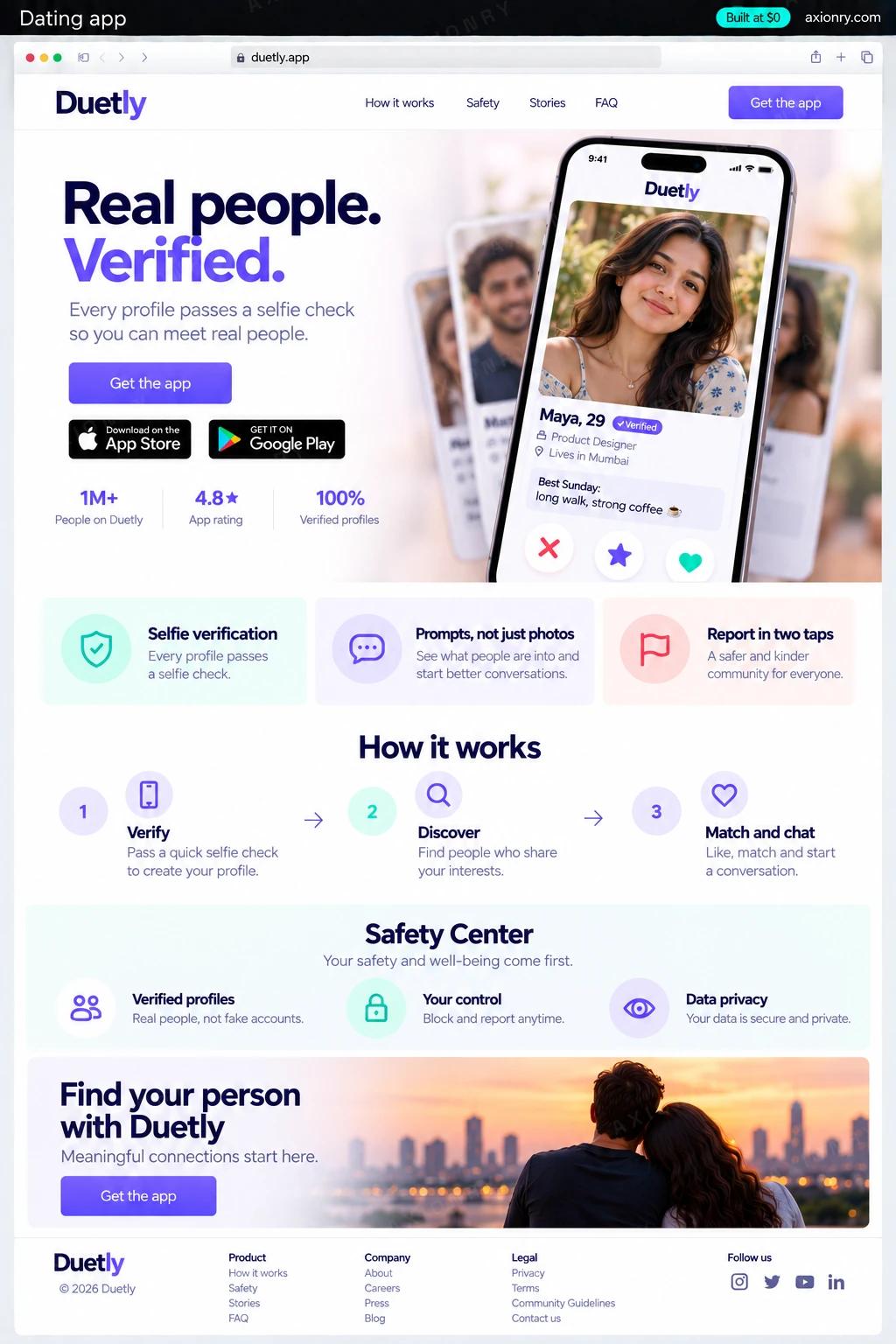
What is a dating app?
A dating app lets people create a profile, discover others who fit their preferences, match when both sides are interested, and chat. The work that decides whether it lasts sits behind those screens: checking that photos show real people, filtering abuse, handling reports quickly, and selling subscriptions within the app store rules.
It is worth building when you have a community the big apps serve badly: a faith, a profession, a city, a life stage, or a format they do not offer, such as matches suggested by friends or dates planned around an event. Apple states that it will not accept new dating apps unless they offer a meaningfully different or improved experience, so that difference has to be real and visible.
You run a dating app as your own product, earning from subscriptions and paid features. The version priced here is an iOS and Android app for one launch city or community, with selfie verification, photo screening, chat, subscriptions through Apple and Google, and a web console for your safety team.
Profiles with verified photos, matches only when both people are interested, and a report button that gets an answer.
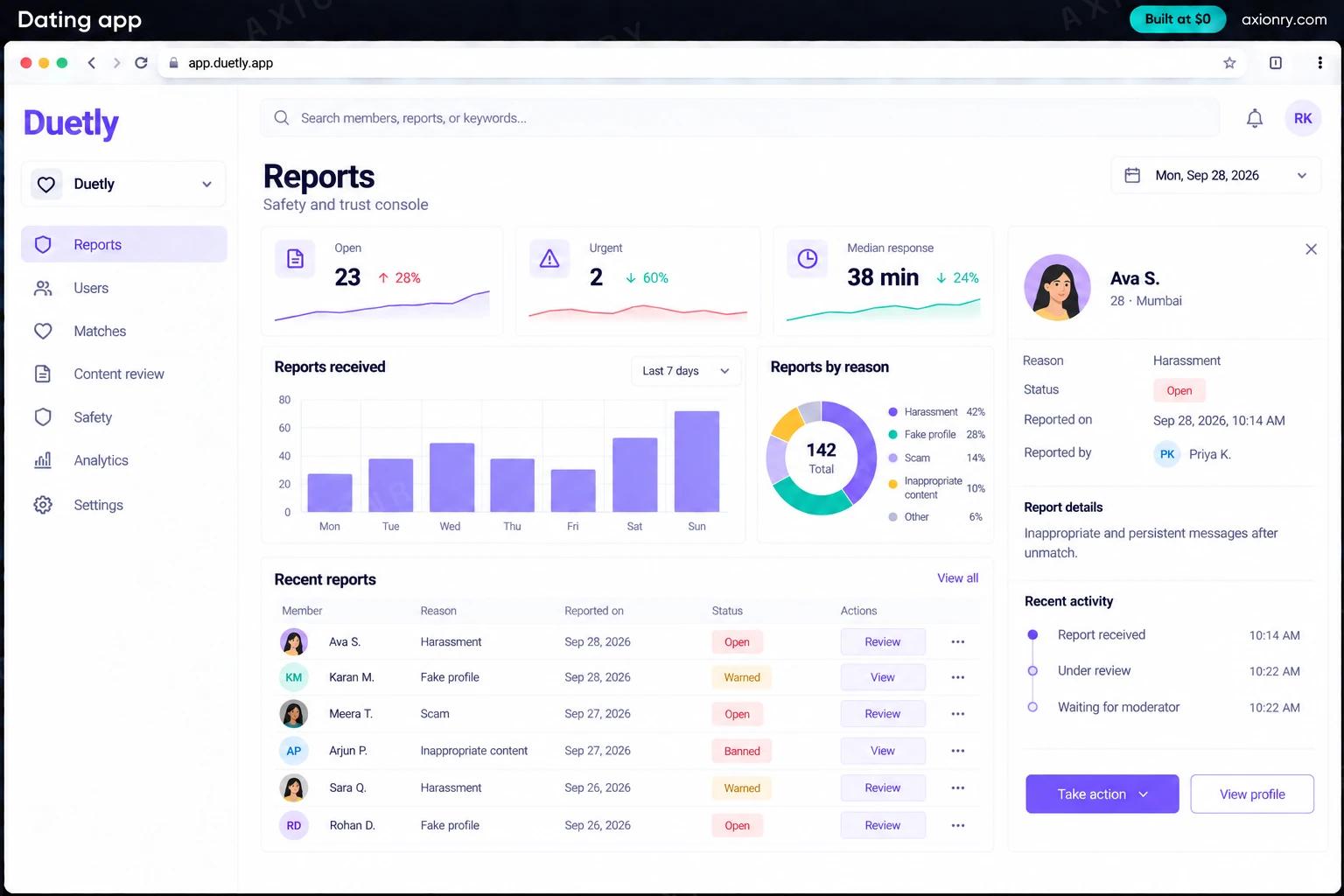
A queue of reports and flagged photos and messages, with the evidence attached and one-click warnings, blocks and bans.
Retention, match and conversion numbers by cohort, and subscription revenue from both stores in one place.
What features does a dating app need?
A dating app needs 8 core features: profiles and prompts, selfie verification, discovery and matching, chat after a match, photo and message screening, report, block and ban, subscriptions in the stores and account deletion and export.
Profiles and prompts
Photos, a few prompts, interests and dealbreakers, with the first photo required to show a face.
Selfie verification
A short liveness check compares a live selfie with the profile photos and adds a verified badge, with consent captured first.
Discovery and matching
A daily set of profiles filtered by distance, age range and preferences, ranked by who is active and likely to reply.
Chat after a match
Real-time messages, photos and read receipts that open only after both people like each other, with unmatch ending the conversation for both.
Photo and message screening
Every uploaded photo is checked against your photo rules before it appears, and first messages are screened for scam and harassment patterns.
Report, block and ban
One tap to report or block from any profile or chat, a response deadline for your team, and bans that stop the same phone number from signing up again.
Subscriptions in the stores
Premium plans and one-off boosts sold through Apple and Google in-app purchase, managed with RevenueCat.
Account deletion and export
Members delete their account from inside the app, as both stores require, and can download a copy of their data.
What screens does a dating app have?
It is built around 3 screens: discover, chat and safety console.
- 1DiscoverA verified profile card with a prompt, distance, and pass and like buttons.
- 2ChatA new match's conversation with a meet-in-public reminder and the report link.
- 3Safety consoleOpen and urgent reports, the median response time and a table of recent reports with actions.
How does a dating app work?
End to end, in 5 steps: sign up and verify, photos are screened, discover and match, chat with guardrails and subscribe and renew.
- 1
Sign up and verify
Members sign up with a phone number, confirm they are 18 or over, build a profile, and record a short selfie video that is matched to their photos for the verified badge.
- 2
Photos are screened
Each upload is checked by an image model against your rules for nudity, faces and contact details. Clear cases pass or fail automatically; unclear ones go to a person.
- 3
Discover and match
The daily set is built from distance, preferences and activity. When two people like each other, a match is created and a chat opens for both.
- 4
Chat with guardrails
Messages travel over a real-time channel. First messages are screened for scam patterns, and a report attaches the conversation for your team to review.
- 5
Subscribe and renew
Premium is bought through Apple or Google. RevenueCat confirms the purchase, switches on the paid features and keeps renewals and cancellations in sync.
What is the architecture and tech stack of a dating app?
It has 8 layers: mobile app (React Native with Expo), API and chat (Node.js + TypeScript, WebSockets, Postgres), photos (Amazon S3 with signed URLs and a CDN), selfie verification (Amazon Rekognition Face Liveness and face comparison), photo and message screening (Claude Haiku 4.5 with vision, plus keyword rules), subscriptions (RevenueCat over Apple and Google in-app purchase), safety console (Next.js with shadcn/ui) and notifications and analytics (Firebase Cloud Messaging, APNs, PostHog). The diagram shows how a request moves through them.
| Layer | What we use | Why |
|---|---|---|
| Mobile app | React Native with Expo | Camera, push and in-app purchase modules for both platforms from one project. |
| API and chat | Node.js + TypeScript, WebSockets, Postgres | Profiles, likes, matches and messages in one service, with chat delivered in real time and stored for safety reviews. |
| Photos | Amazon S3 with signed URLs and a CDN | Photos are served only to signed-in members through short-lived links, never from public URLs someone can scrape. |
| Selfie verification | Amazon Rekognition Face Liveness and face comparison | Confirms a live person is holding the phone and that they match their photos, without building biometrics yourself. |
| Photo and message screening | Claude Haiku 4.5 with vision, plus keyword rules | Applies your written photo and conduct rules to each upload and first message, and sends the unclear ones to a person. |
| Subscriptions | RevenueCat over Apple and Google in-app purchase | One entitlement check across both stores, with renewals, refunds, trials and price tests handled for you. |
| Safety console | Next.js with shadcn/ui | Reports with the evidence attached, response deadlines, bans, appeals and a record of every decision. |
| Notifications and analytics | Firebase Cloud Messaging, APNs, PostHog | Match and message alerts, and the retention and conversion funnels that tell you whether the app works. |
How much does it cost to build a dating app?
A launch-ready dating app costs $20,500 to $41,500 to build and takes 6 to 10 weeks. A clickable demo costs $2,400 to $5,000 (1 to 4 weeks), and running it costs $380 to $1,250 a month at the usage below. You start at $0 and pay per checkpoint you accept.
Priced with the same model as our AI product cost estimator, from the features above. Your price is fixed in writing after a 20-minute call, before any work starts.
| Version | Build cost | Timeline | What it is |
|---|---|---|---|
| Clickable demo | $2,400 to $5,000 | 1 to 4 weeks | Clickable and real where it matters, on test data. Built to show users and investors, not to carry production traffic, so compliance work starts at launch. |
| Launch-ready | $20,500 to $41,500 | 6 to 10 weeks | Production architecture, tests on the risky paths, monitoring, and a handover your team can run. |
| Enterprise-grade | $26,500 to $53,500 | 7 to 12 weeks | Load tested, highly available, audited and documented for a larger team. |
What it costs to run
About 5,000 monthly members in one launch city or community, with every new photo and first message checked by a small vision model; selfie checks are billed per check by AWS.
| Line | Per month | Assumes |
|---|---|---|
| Hosting and database | $120 to $320 | Vercel + managed services, sized for 5,000 monthly users |
| Model usage | $230 to $560 | Claude Haiku 4.5, 15 requests per user a month |
| Email, monitoring, analytics | $40 to $390 | Free tiers cover most products at launch |
| Total | $380 to $1,250 | List prices, before any volume discount |
Build at $0: how you pay
$0 is when you pay, not what you pay. The launch-ready build is split into checkpoints with acceptance criteria agreed before work starts, and each one is invoiced only after you have seen it and accepted it.
- 1Scope and acceptance criteriaBefore work startsA call, then a written plan: every checkpoint with acceptance criteria you agree to before work starts.$0
- 2Architecture and first flowBy week 2Data model, service boundaries and one real flow working end to end.$4,100 to $8,500
- 3Core productBy week 5The main flows on production architecture, with a demo at the end of every week.$6,000 to $12,500
- 4AI on your real dataBy week 8Models, agents or voice working on real inputs, with evals and guardrails in place.$6,000 to $12,500
- 5Launch and handoverBy week 10Deployed on your accounts and documented, with 30 days of defect correction included.$4,100 to $8,500
What can you add to a dating app after launch?
The additions most teams make next: learned match ranking, conversation starters, scam and catfish detection and AI date planning.
Learned match ranking
Ranks each day's profiles by the chance of a mutual like and a real conversation, learned from your own members' behavior rather than looks alone.
Conversation starters
Suggests an opening line from the two profiles' prompts, which members can edit or ignore, and never sends anything on their behalf.
Scam and catfish detection
Scores accounts for known romance-scam patterns, such as rushing chats off the app, money requests and reused photos, and holds them for review.
AI date planning
Suggests public places for a first date from the two members' shared interests and a midpoint on the map.
What are the risks when building a dating app?
Three things decide whether it works in production: app store review, biometric and sensitive data and safety is an operation.
App store review
Apple's guidelines say new dating apps are not accepted unless they offer a meaningfully different or improved experience, and apps with user content must filter objectionable material, let people report and block, and publish contact details. Rate the app 18+, offer in-app account deletion, and explain what makes yours different in the review notes.
Biometric and sensitive data
A face match uses biometric data: Illinois' BIPA requires written consent and a published retention schedule before you scan a face. Under GDPR, profile details that reveal sexual orientation are special category data that need explicit consent. Collect consent in the flow and delete face data on a schedule.
Safety is an operation
Reports need a person reading them within hours, not days, with a clear path for threats to reach law enforcement. Romance scammers work at volume, so watch for new accounts that message many people, push to move to another app, or mention money.
Where can you read more before you build?
- Build an AI Content Moderation Pipeline: The Cascade, the Uncertain Band and Cost Per Million Items (2026)
- How Much Does an MVP Cost in 2026? Real Prices by Type, Builder and Timeline
- How to Build an MVP in Days With AI (What It Actually Accelerates, and What It Does Not)
- MVP Development: the service behind this build