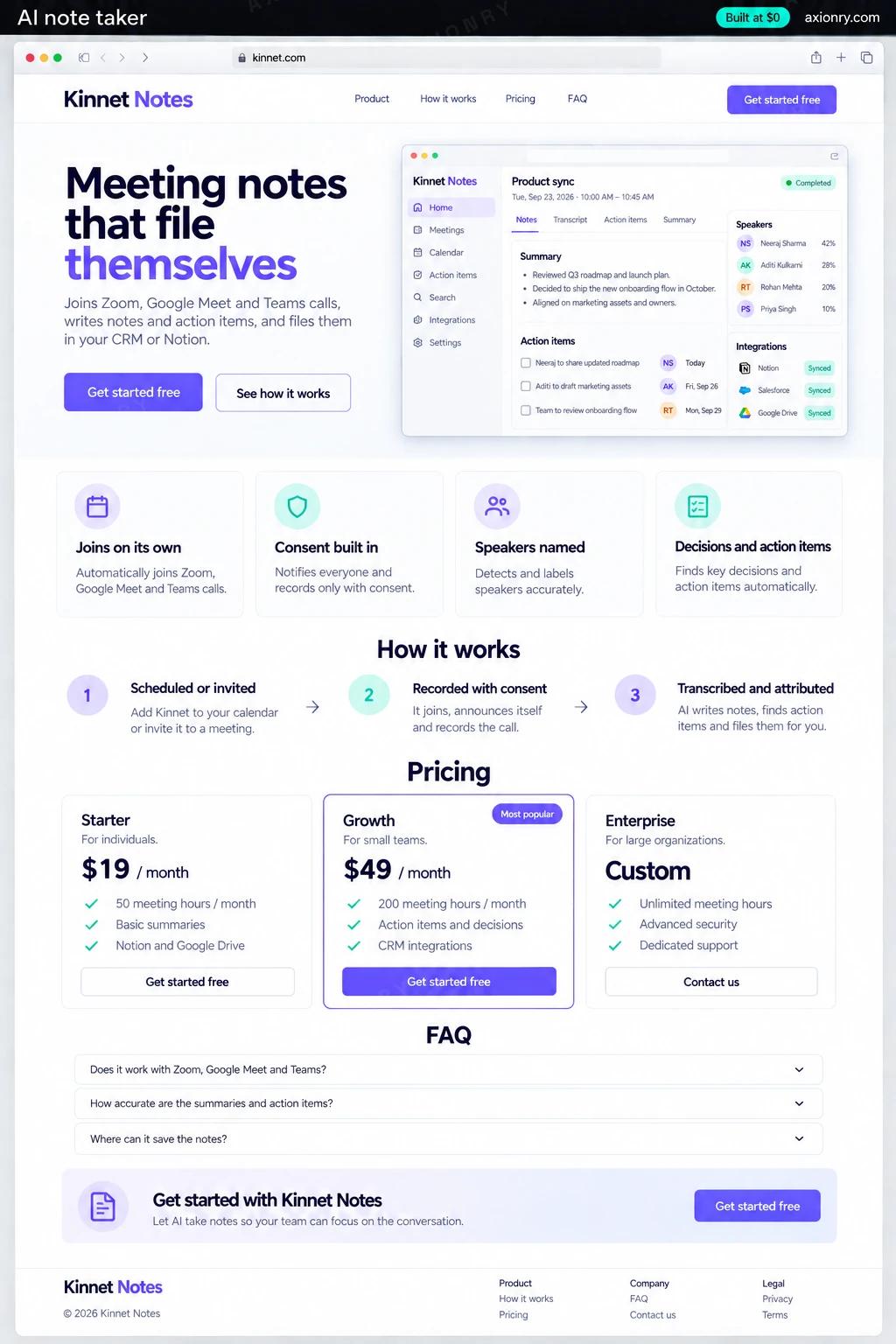
What is an AI note taker?
An AI note taker is a meeting assistant that records a call on Zoom, Google Meet or Microsoft Teams, transcribes it with speaker names, and turns it into notes: a summary, the decisions made, and action items with owners and dates. It then files them where your team works, such as a CRM, Notion or a task tracker.
Teams that build one usually have a reason a subscription does not cover: a profession with its own note format, such as recruiters, financial advisors or sales teams; writes into systems no vendor integrates with; or recordings that must stay in their own cloud. The value sits in the write path: an action item filed to the right person is worth more than a well-written summary.
Some teams build a note taker for internal use; others build one to sell to a single profession. The price here is for the version you sell: team workspaces, per-seat subscriptions, calendar-based auto-join on the three big platforms, verified action items, search across past meetings, and sync to a CRM, Notion and Google Workspace.
Notes, decisions and action items minutes after the call, each item linked to the moment it was said.
A clear notice that the meeting is being recorded, an easy way to object, and tasks assigned only when they actually committed to them.
Controls which meetings are recorded, how long recordings are kept, who can search what, and where notes are filed.
What features does an AI note taker need?
An AI note taker needs 8 core features: joins on its own, consent built in, speakers named, decisions and action items, checked before filing, files where you work, templates per meeting type and ask across meetings.
Joins on its own
Reads connected calendars and sends a note-taker bot to scheduled Zoom, Google Meet and Teams calls through a meeting-bot API.
Consent built in
Announces itself in the meeting and the chat, records consent per participant and stops when someone objects, according to your policy.
Speakers named
Transcripts carry speaker labels matched to the attendees on the calendar invite, so notes say who said what.
Decisions and action items
Each item carries an owner, a due date resolved from phrases like 'before Friday', and the quote it came from.
Checked before filing
A quote missing from the transcript, an owner who was not in the meeting or a date that does not resolve sends the item to review.
Files where you work
Notes go to the CRM record, Notion page or Google Doc and tasks to your tracker, with no duplicates when a meeting is reprocessed.
Templates per meeting type
Sales calls, interviews, one-on-ones and client reviews each get their own sections and fields.
Ask across meetings
Search or ask about past meetings and get answers linked to the moment, limited to meetings the person attended or was granted.
What screens does an AI note taker have?
It is built around 3 screens: in the meeting, meeting notes and filed and held for review.
- 1In the meetingThe video call with the note taker in the participant grid, its recording notice and a consent message in the chat.
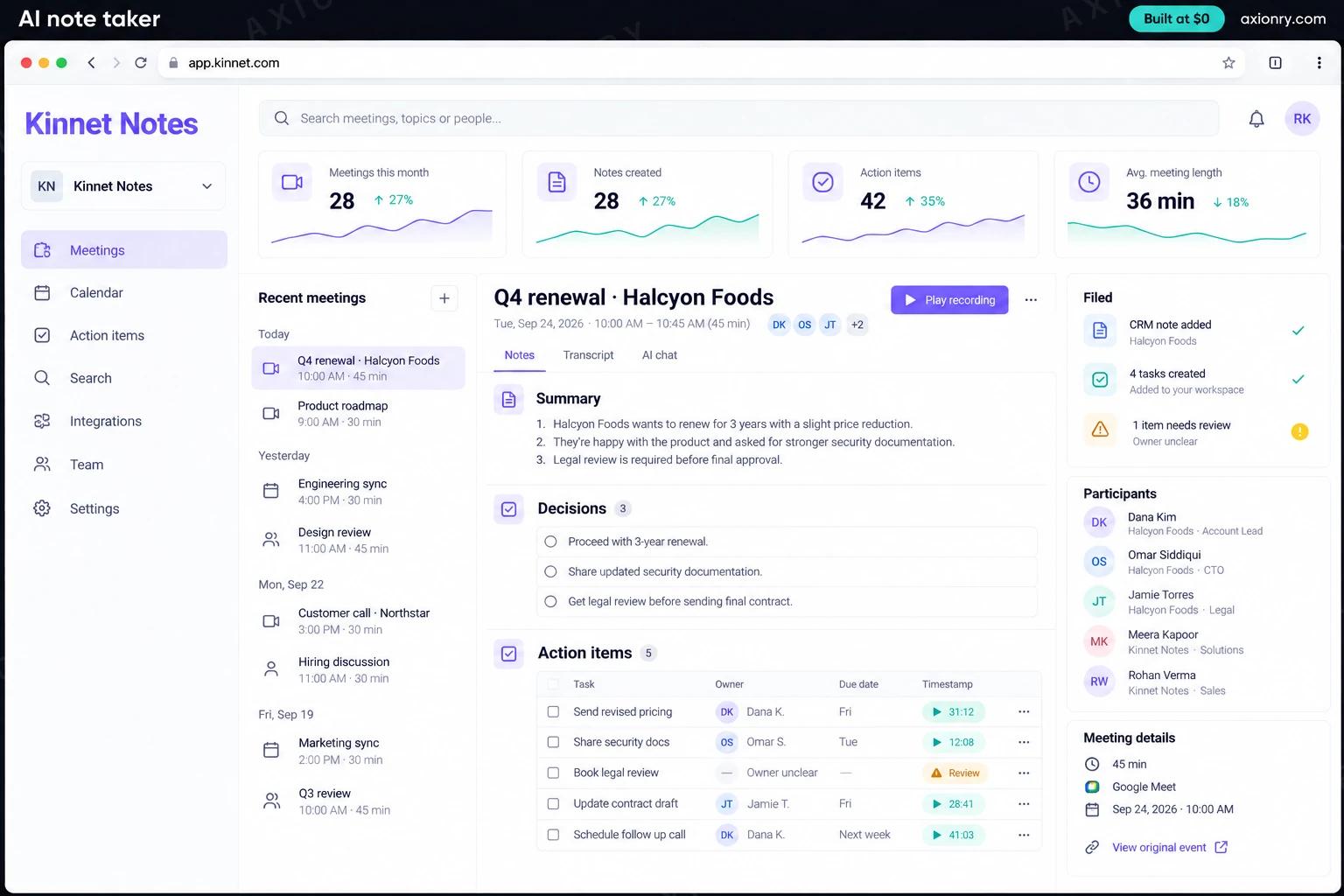
- 2Meeting notesThe summary, decisions and action items with owners, due dates and a timestamp link for each.
- 3Filed and held for reviewItems written to the CRM and task tracker, and one item held back because its owner was unclear.
How does an AI note taker work?
End to end, in 5 steps: scheduled or invited, recorded with consent, transcribed and attributed, extracted and verified and filed and searchable.
- 1
Scheduled or invited
The calendar sync finds meetings to record, and a bot joins through the meeting-bot API and announces itself; hosts can also add it by hand.
- 2
Recorded with consent
Consent is captured per participant before any audio is stored, and if someone objects the recording stops or the meeting is skipped, as your policy says.
- 3
Transcribed and attributed
After the call, batch speech-to-text with speaker labels runs, and each speaker is matched to a name from the invite's attendee list.
- 4
Extracted and verified
A model drafts the summary, decisions and action items with quotes, and code checks every quote, owner and date before anything is filed.
- 5
Filed and searchable
Verified items go to the CRM, Notion or tracker with a key that prevents duplicates, the rest wait for one-click review, and the meeting joins the searchable archive.
What is the architecture and tech stack of an AI note taker?
It has 8 layers: capture (Recall.ai meeting-bot API, or the Zoom, Google Meet and Teams SDKs), transcription (Deepgram Nova-3 batch with diarization, or AssemblyAI), speaker matching (Calendar attendees and join logs, Claude Haiku 4.5), extraction (Claude Sonnet 5 with a typed schema), verification (Deterministic checks: substring match, directory lookup, date parser), integrations (HubSpot or Salesforce, Notion, Google Workspace, Linear or Jira), search (Postgres full-text search plus pgvector, filtered by attendee) and app and billing (Next.js on Vercel, Stripe Billing per seat). The diagram shows how a request moves through them.
| Layer | What we use | Why |
|---|---|---|
| Capture | Recall.ai meeting-bot API, or the Zoom, Google Meet and Teams SDKs | One API covers all three platforms and bot scheduling; native SDKs give deeper control at a higher build cost. |
| Transcription | Deepgram Nova-3 batch with diarization, or AssemblyAI | Batch after the call costs less than streaming, and keyterm prompting fixes customer and product names. |
| Speaker matching | Calendar attendees and join logs, Claude Haiku 4.5 | Picking among five named attendees is far easier than recognizing voices from scratch, and costs under a cent. |
| Extraction | Claude Sonnet 5 with a typed schema | Every decision and action item must carry its quote, owner and date as fields, never as free prose. |
| Verification | Deterministic checks: substring match, directory lookup, date parser | Catches invented action items and wrong owners without asking another model to judge. |
| Integrations | HubSpot or Salesforce, Notion, Google Workspace, Linear or Jira | Writes use a key built from the meeting and the quote, so reprocessing a meeting never files a duplicate. |
| Search | Postgres full-text search plus pgvector, filtered by attendee | People find decisions from months ago, but only in meetings they attended or were granted. |
| App and billing | Next.js on Vercel, Stripe Billing per seat | Workspaces, templates, retention settings and subscriptions for the version you sell. |
How much does it cost to build an AI note taker?
A launch-ready AI note taker costs $26,500 to $54,500 to build and takes 7 to 12 weeks. A clickable demo costs $3,200 to $6,500 (2 to 4 weeks), and running it costs $620 to $1,700 a month at the usage below. You start at $0 and pay per checkpoint you accept.
Priced with the same model as our AI product cost estimator, from the features above. Your price is fixed in writing after a 20-minute call, before any work starts.
| Version | Build cost | Timeline | What it is |
|---|---|---|---|
| Clickable demo | $3,200 to $6,500 | 2 to 4 weeks | Clickable and real where it matters, on test data. Built to show users and investors, not to carry production traffic, so compliance work starts at launch. |
| Launch-ready | $26,500 to $54,500 | 7 to 12 weeks | Production architecture, tests on the risky paths, monitoring, and a handover your team can run. |
| Enterprise-grade | $34,500 to $70,500 | 8 to 14 weeks | Load tested, highly available, audited and documented for a larger team. |
What it costs to run
About 1,000 users recording roughly a dozen meetings each a month; meeting-bot and transcription fees are billed per recorded hour on top of this figure.
| Line | Per month | Assumes |
|---|---|---|
| Hosting and database | $45 to $120 | Vercel + managed services, sized for 1,000 monthly users |
| Model usage | $580 to $1,450 | Claude Sonnet 5, 60 requests per user a month |
| Email, monitoring, analytics | $0 to $150 | Free tiers cover most products at launch |
| Total | $620 to $1,700 | List prices, before any volume discount |
Build at $0: how you pay
$0 is when you pay, not what you pay. The launch-ready build is split into checkpoints with acceptance criteria agreed before work starts, and each one is invoiced only after you have seen it and accepted it.
- 1Scope and acceptance criteriaBefore work startsA call, then a written plan: every checkpoint with acceptance criteria you agree to before work starts.$0
- 2Architecture and first flowBy week 2Data model, service boundaries and one real flow working end to end.$5,500 to $11,000
- 3Core productBy week 6The main flows on production architecture, with a demo at the end of every week.$8,000 to $16,500
- 4AI on your real dataBy week 10Models, agents or voice working on real inputs, with evals and guardrails in place.$8,000 to $16,500
- 5Launch and handoverBy week 12Deployed on your accounts and documented, with 30 days of defect correction included.$5,500 to $11,000
What can you add to an AI note taker after launch?
The additions most teams make next: live help during the call, desktop recorder, call scorecards and decision history.
Live help during the call
Real-time prompts such as unanswered questions or agenda items not yet covered; streaming transcription costs more than batch.
Desktop recorder
A desktop app that records in-person meetings and calls on other platforms without a bot, using the same consent flow.
Call scorecards
Scores sales or interview calls against your playbook, with quotes, for managers to coach from.
Decision history
Tracks decisions by topic so a newer one supersedes an older one, and answers say which decision is current.
What are the risks when building an AI note taker?
Three things decide whether it works in production: recording consent, wrong owners, invented tasks and recording costs and retention.
Recording consent
California and several other states require every party's consent to record a confidential conversation, and GDPR covers EU participants. Capture consent per person before audio is stored, keep the bot visible in the participant list, and honor requests to stop.
Wrong owners, invented tasks
A speaker mix-up or a hypothetical like 'someone should ask legal' can become a task for the wrong person. Require a quote, an attendee owner and a real date before filing, and send everything else to one-click review.
Recording costs and retention
Capture and transcription cost more than the language model on every meeting. Record only meetings people will use, such as external calls or those with an agenda, and delete recordings on a schedule your users can see.