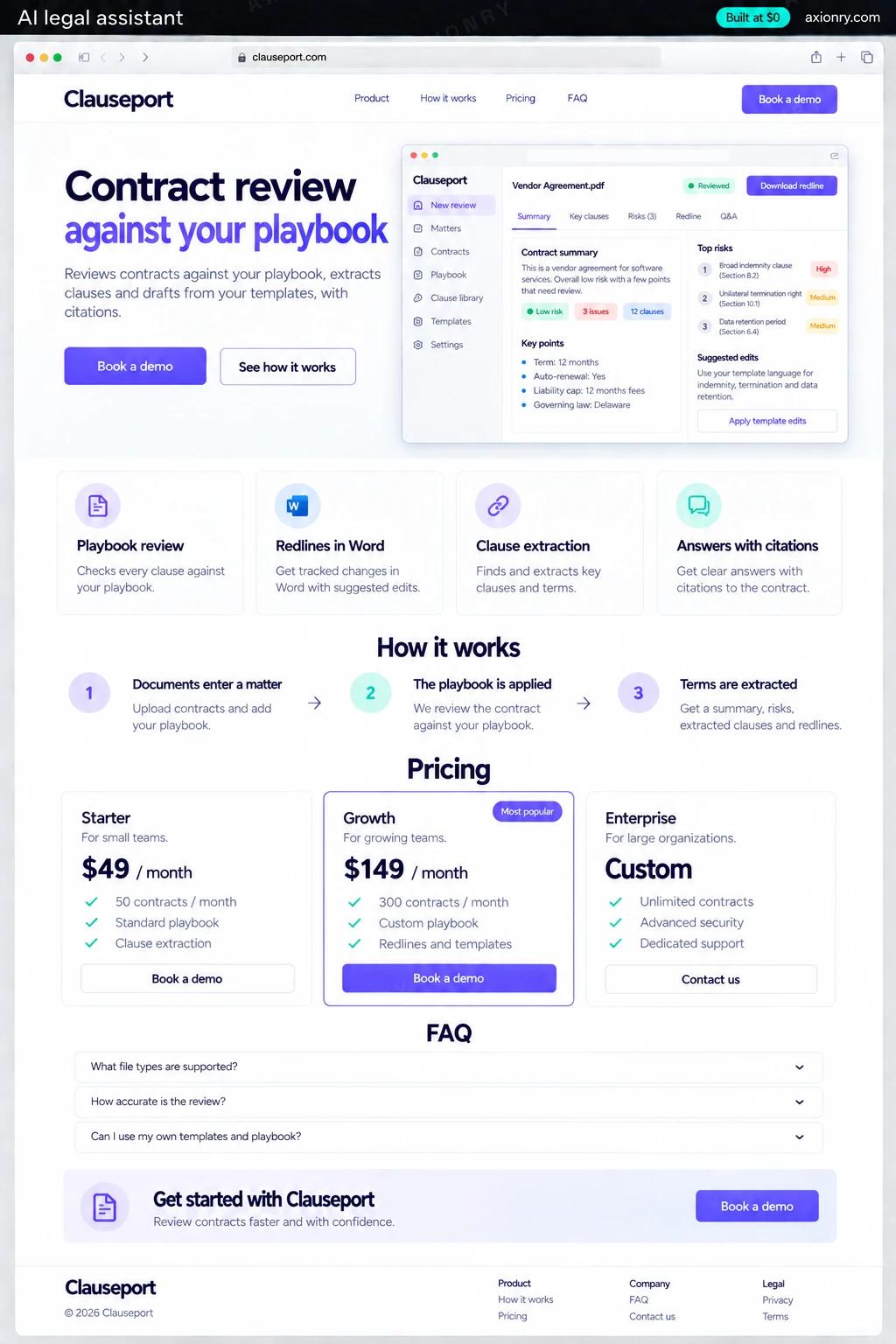
What is an AI legal assistant?
An AI legal assistant is software that helps lawyers read, compare and draft legal documents faster. It reviews a contract clause by clause against the firm's negotiating positions, extracts terms into a table, drafts from approved templates, and answers questions with a citation to the exact passage, while a lawyer makes every final call.
It is built for law firms, in-house legal teams and legal-tech founders selling to them. First-pass review of an NDA or a vendor agreement is repetitive, billable work: a playbook check turns it into a list of deviations with suggested redlines for a lawyer to accept or reject, and extraction turns a stack of agreements into a table a lawyer can verify line by line.
A firm can run it privately on its own documents, or a founder can sell it to many firms, each isolated from the others. This page prices the single-firm version with matters, single sign-on, Microsoft 365 import and an audit log. It is a tool for lawyers, not a service that gives legal advice to the public.
A first-pass review with every deviation from the playbook listed and a suggested redline, ready to accept, edit or reject.
Positions and fallbacks applied the same way on every deal, and a record of who reviewed what and what the AI suggested.
Single sign-on, matter-level access, an audit log, and API terms that keep client documents out of model training.
What features does an AI legal assistant need?
An AI legal assistant needs 8 core features: playbook review, redlines in Word, clause extraction, answers with citations, drafting from firm templates, matter-level access, lawyer sign-off and audit log.
Playbook review
Each clause is compared with the firm's preferred position and fallbacks, and deviations come back ranked by risk with a proposed redline.
Redlines in Word
Accepted suggestions are written into the .docx as tracked changes, so the other side receives a normal markup.
Clause extraction
Parties, term, renewal, termination, liability caps, indemnities, assignment and governing law are pulled into one table across many contracts.
Answers with citations
Questions about a document or a set of them are answered only from those documents, with a link to the page and clause.
Drafting from firm templates
First drafts start from the firm's approved templates and clause library, not from whatever the model has read.
Matter-level access
Documents live inside matters, and only people staffed on a matter can search or question them, through the AI or otherwise.
Lawyer sign-off
Every AI output stays a draft until a named lawyer accepts it, and the sign-off is recorded with the version.
Audit log
Every upload, question, answer and export is logged with the user and the matter, for the firm's risk team and its clients' audits.
What screens does an AI legal assistant have?
It is built around 3 screens: contract review, clause table and ask this matter.
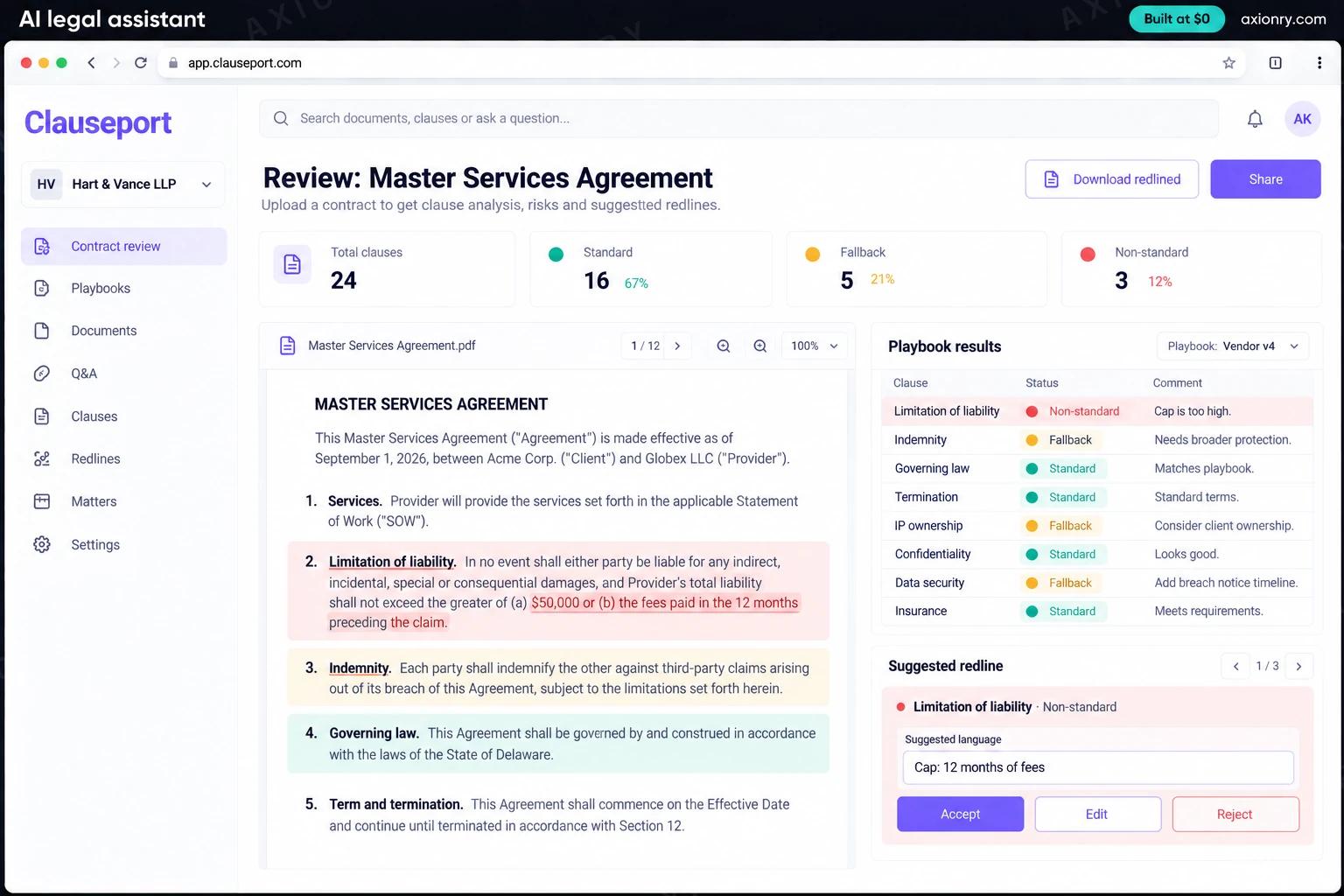
- 1Contract reviewA master services agreement with the playbook results beside it: each clause marked standard, fallback or non-standard, and a suggested redline.
- 2Clause tableExtracted terms across a set of vendor agreements, each value linked to its source passage.
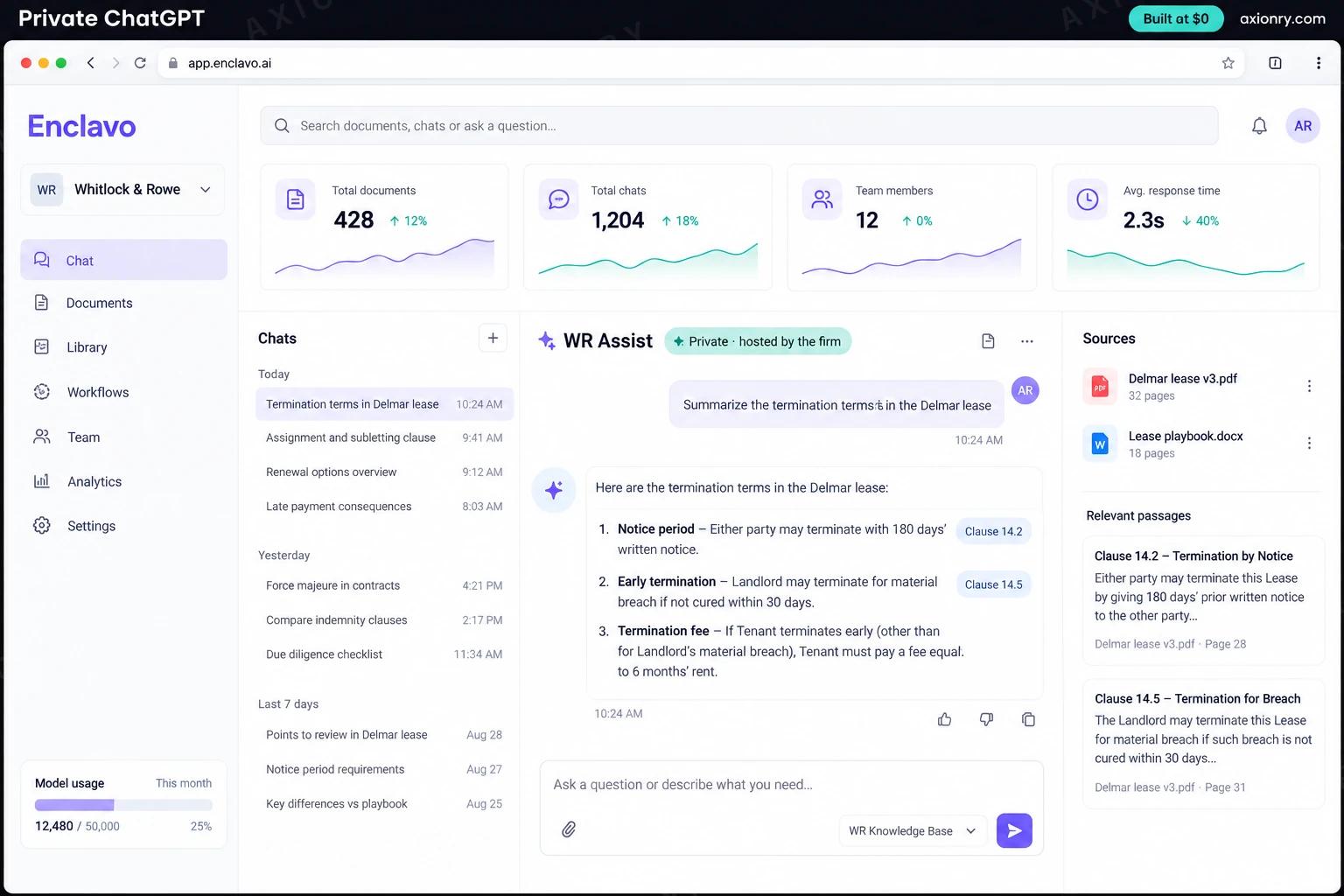
- 3Ask this matterA question about indemnity answered with citations to the page and clause in two documents.
How does an AI legal assistant work?
End to end, in 5 steps: documents enter a matter, the playbook is applied, terms are extracted, questions get cited answers and a lawyer signs off.
- 1
Documents enter a matter
A lawyer uploads Word files or text-based PDFs, or picks them from SharePoint, into a matter. Text is split along the contract's own clause numbering and indexed with page references.
- 2
The playbook is applied
Each clause is classified by type and compared with the firm's positions. Deviations get a risk level, the playbook rule they break and a proposed fix in the firm's wording.
- 3
Terms are extracted
Key terms go into a table with a link to the source passage for each value, so a paralegal can check every cell in one click.
- 4
Questions get cited answers
Answers draw only on documents in that matter. If the documents do not say, the assistant says so instead of filling the gap.
- 5
A lawyer signs off
Accepted redlines are written back as tracked changes, the reviewer's sign-off is recorded, and the audit log holds every question and export.
What is the architecture and tech stack of an AI legal assistant?
It has 8 layers: language model (Claude Sonnet 5, Claude Opus 5.5 for long and difficult reviews), retrieval (Postgres with pgvector and full-text search, clause-aware chunks), playbook (Positions and fallbacks stored as versioned rules in Postgres), documents (python-docx and pdfplumber for reading, OOXML revisions for redlines), identity and access (Microsoft Entra ID single sign-on through WorkOS, matter permissions), microsoft 365 (Microsoft Graph for SharePoint and OneDrive), quality (An evaluation set of past reviews graded by the firm's lawyers, Langfuse traces) and hosting and audit (AWS in the firm's region, an append-only audit table). The diagram shows how a request moves through them.
| Layer | What we use | Why |
|---|---|---|
| Language model | Claude Sonnet 5, Claude Opus 5.5 for long and difficult reviews | Careful reading of long contracts matters more than speed, under API terms that exclude training on your data. |
| Retrieval | Postgres with pgvector and full-text search, clause-aware chunks | Legal questions mix exact terms and meaning, and splitting on the contract's own numbering keeps citations precise. |
| Playbook | Positions and fallbacks stored as versioned rules in Postgres | Partners edit the playbook like a document, and every review records the version it used. |
| Documents | python-docx and pdfplumber for reading, OOXML revisions for redlines | Most negotiation happens in Word, so suggestions go back as real tracked changes. |
| Identity and access | Microsoft Entra ID single sign-on through WorkOS, matter permissions | Lawyers sign in the way they already do, and ethical walls apply to the AI as well as to people. |
| Microsoft 365 | Microsoft Graph for SharePoint and OneDrive | Documents come in from where the firm keeps them, under each user's own permissions. |
| Quality | An evaluation set of past reviews graded by the firm's lawyers, Langfuse traces | A prompt or model change ships only if it matches or beats the last version on the firm's own contracts. |
| Hosting and audit | AWS in the firm's region, an append-only audit table | Client documents stay in an account the firm controls, and every action is on record. |
How much does it cost to build an AI legal assistant?
A launch-ready AI legal assistant costs $28,000 to $57,500 to build and takes 7 to 12 weeks. A clickable demo costs $3,400 to $7,000 (2 to 5 weeks), and running it costs $660 to $1,900 a month at the usage below. You start at $0 and pay per checkpoint you accept.
Priced with the same model as our AI product cost estimator, from the features above. Your price is fixed in writing after a 20-minute call, before any work starts.
| Version | Build cost | Timeline | What it is |
|---|---|---|---|
| Clickable demo | $3,400 to $7,000 | 2 to 5 weeks | Clickable and real where it matters, on test data. Built to show users and investors, not to carry production traffic, so compliance work starts at launch. |
| Launch-ready | $28,000 to $57,500 | 7 to 12 weeks | Production architecture, tests on the risky paths, monitoring, and a handover your team can run. |
| Enterprise-grade | $36,500 to $75,000 | 8 to 15 weeks | Load tested, highly available, audited and documented for a larger team. |
What it costs to run
About 250 lawyers and staff making around 250 AI requests each a month on Claude Sonnet 5; a long contract review uses more tokens than a short question, so busy deal months cost more.
| Line | Per month | Assumes |
|---|---|---|
| Hosting and database | $60 to $250 | AWS, sized for 250 monthly users |
| Model usage | $600 to $1,500 | Claude Sonnet 5, 250 requests per user a month |
| Email, monitoring, analytics | $0 to $150 | Free tiers cover most products at launch |
| Total | $660 to $1,900 | List prices, before any volume discount |
Build at $0: how you pay
$0 is when you pay, not what you pay. The launch-ready build is split into checkpoints with acceptance criteria agreed before work starts, and each one is invoiced only after you have seen it and accepted it.
- 1Scope and acceptance criteriaBefore work startsA call, then a written plan: every checkpoint with acceptance criteria you agree to before work starts.$0
- 2Architecture and first flowBy week 2Data model, service boundaries and one real flow working end to end.$5,500 to $11,500
- 3Core productBy week 6The main flows on production architecture, with a demo at the end of every week.$8,500 to $17,500
- 4AI on your real dataBy week 10Models, agents or voice working on real inputs, with evals and guardrails in place.$8,500 to $17,500
- 5Launch and handoverBy week 12Deployed on your accounts and documented, with 30 days of defect correction included.$5,500 to $11,500
What can you add to an AI legal assistant after launch?
The additions most teams make next: a Word add-in, your document management system, due diligence at data-room scale and sell it to other firms.
A Word add-in
The same review and redlines inside Microsoft Word, where lawyers already negotiate.
Your document management system
Direct connections to iManage or NetDocuments, with matter permissions carried over.
Due diligence at data-room scale
Scanned PDFs read with OCR and hundreds of agreements extracted into one reviewed table.
Sell it to other firms
Separate workspaces per firm, isolated at the database level, with self-serve onboarding and billing.
What are the risks when building an AI legal assistant?
Three things decide whether it works in production: confidentiality and privilege, no invented law, no advice to the public and reviews that match the partner.
Confidentiality and privilege
ABA Formal Opinion 512 (2024) says lawyers must understand how a generative AI tool uses client information, and may need client consent before confidential data goes into one that learns from it. Use API terms that exclude training, matter-level access and an audit log, and show the risk team where documents go.
No invented law, no advice to the public
Lawyers have been sanctioned for filing AI-invented citations, most famously in Mata v. Avianca in 2023. Answers must come only from documents in the matter, with a citation, or say they cannot answer. Offering the tool's advice directly to consumers risks the unauthorized practice of law.
Reviews that match the partner
A playbook check is only as good as the playbook. Write positions with the partners who own them, test on 50 or more past contracts with known outcomes, and keep a lawyer's sign-off on every redline.
Where can you read more before you build?
- RAG Over Private Documents: The Full Architecture, Failure Modes, and Cost Per Answer
- Build an AI Document Processing Pipeline: OCR vs VLM Routing, Review Queues and Cost Per Page (2026)
- Private ChatGPT on Your Own GPUs: Models, Hardware, Serving and Real Monthly Costs (2026)
- AI Product Development: the service behind this build