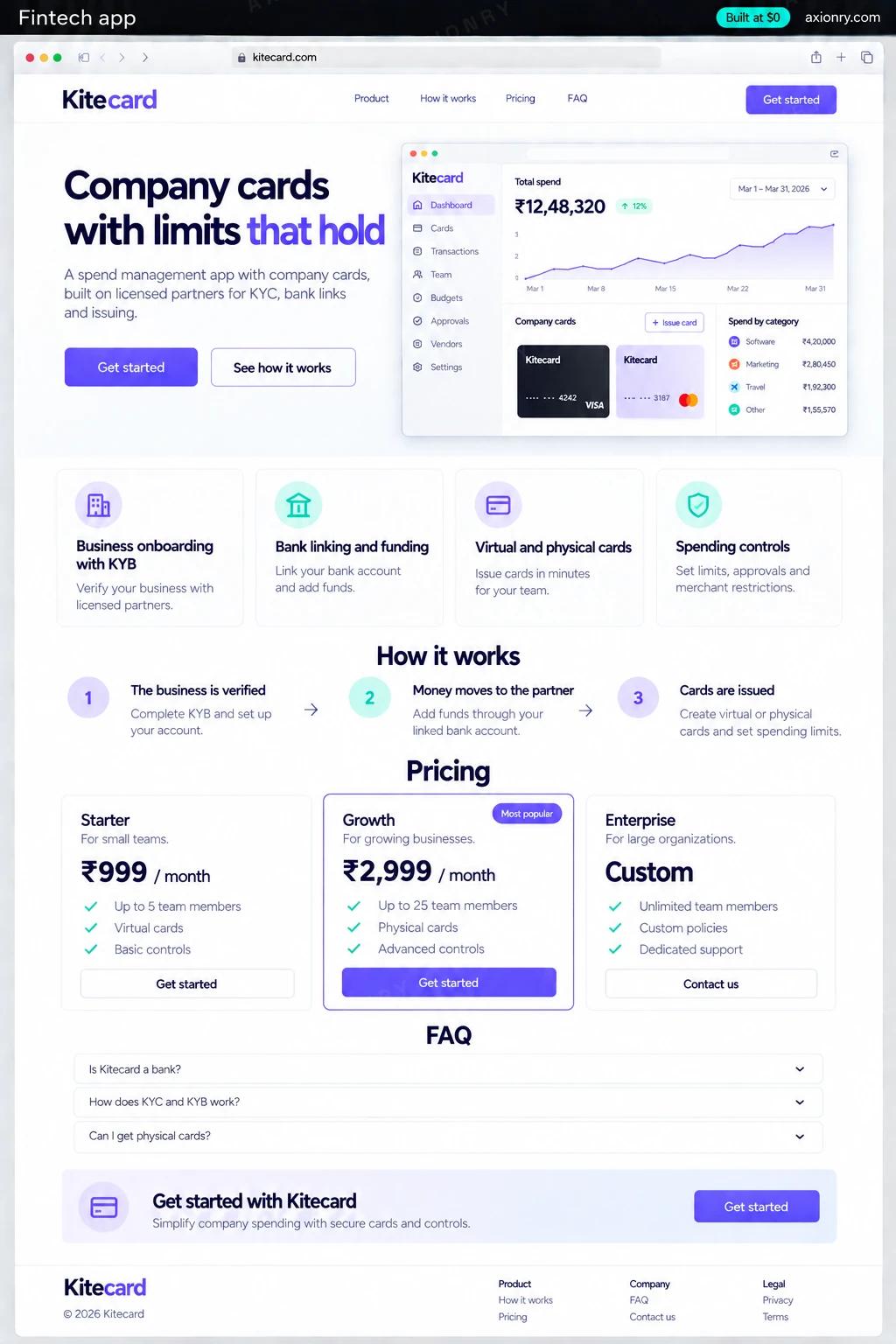
What is a fintech app?
A fintech app is software that helps people or businesses save, spend, move or borrow money. Almost none of them are banks: the app is the product and the experience, while licensed partners do the regulated parts (holding funds, issuing cards, verifying identities and moving money) under agreements that set what your company may and may not do.
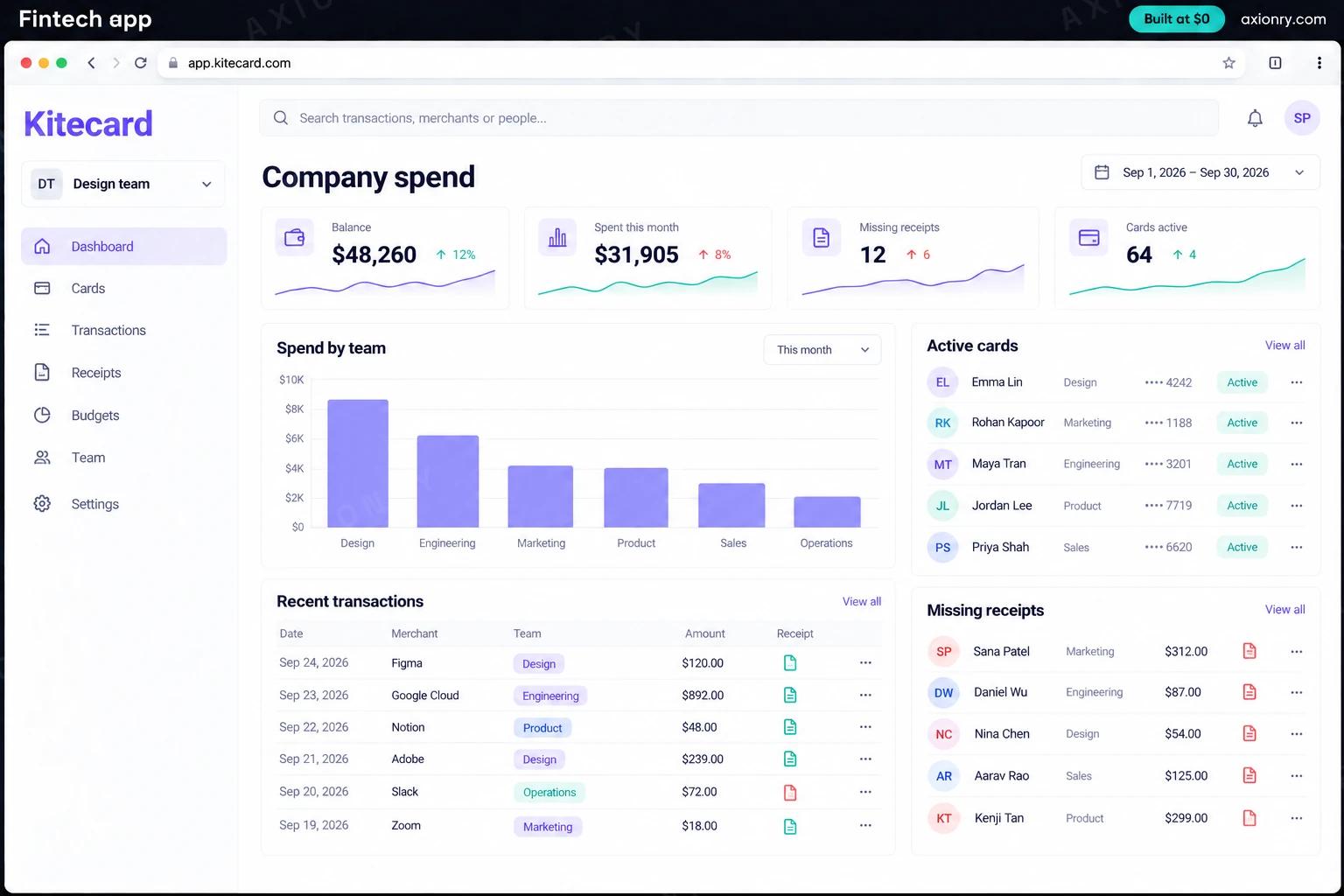
The example priced here is a spend management app for small businesses. A company links its bank account, funds a card balance, and issues virtual and physical cards to employees with limits by amount, merchant type and day. Every purchase asks for a receipt and reaches the accounting system coded. The value is control of spending without expense reports and, depending on your partner agreement, a share of the interchange on every purchase.
The same partner stack sits under savings apps, payment apps and neobanks, with different partners in the boxes. Be clear about one thing from the first pitch deck: the licensed partner holds the money. Your company holds data, rules and the customer relationship, a structure that lets a startup launch without its own bank charter or money transmitter licenses, within limits your partner agreement spells out.
A virtual card in the app minutes after approval, clear limits, and a receipt prompt right after each purchase instead of an expense report at month end.
Cards with spending rules they set, every transaction coded and matched to a receipt, and a clean sync to QuickBooks or Xero.
A regulated product built on partners who hold the licenses, a ledger that reconciles daily, and card revenue shared under the partner agreement.
What features does a fintech app need?
A fintech app needs 8 core features: business onboarding with KYB, bank linking and funding, virtual and physical cards, spending controls, receipts and coding, double-entry ledger, accounting sync and ops and compliance console.
Business onboarding with KYB
The company and its owners are verified through Persona or Alloy and screened against sanctions lists before any card exists.
Bank linking and funding
The company links its bank account with Plaid and funds its card balance by bank transfer, with alerts before the balance runs low.
Virtual and physical cards
Cards issued through Stripe Issuing, virtual in seconds and physical by mail, ready for Apple Pay and Google Pay.
Spending controls
Limits by amount, day, merchant category and card, enforced in real time on every authorization.
Receipts and coding
Employees snap a receipt after each purchase, and each transaction gets a category, a memo and an accounting code.
Double-entry ledger
Every funding, authorization, capture, refund and fee is recorded as balanced entries and reconciled against the partner's reports each day.
Accounting sync
Coded transactions and receipts flow to QuickBooks or Xero, so month-end close starts from matched data.
Ops and compliance console
Card freezes, disputes, KYB reviews, transaction alerts and an audit log of every action your staff take.
What screens does a fintech app have?
It is built around 3 screens: card in the app, finance dashboard and card controls.
- 1Card in the appAn employee's virtual card with the month's limit and a receipt prompt after a purchase.
- 2Finance dashboardCompany balance, spend this month, missing receipts, active cards, spend by team and transactions.
- 3Card controlsA new card's monthly limit with allowed and blocked merchant categories.
How does a fintech app work?
End to end, in 5 steps: the business is verified, money moves to the partner, cards are issued, a purchase is approved in real time and receipts, ledger and books.
- 1
The business is verified
An admin signs up and enters company and owner details. Persona or Alloy verifies them and screens them against sanctions lists, and the issuing partner runs its own checks before approval.
- 2
Money moves to the partner
The admin links the company bank with Plaid and sends funds to the card balance held by the issuing partner. Your ledger records the transfer as pending until the partner confirms it.
- 3
Cards are issued
Admins issue virtual or physical cards with limits and merchant rules. Card numbers reach the employee through the partner's secure display, never through your servers.
- 4
A purchase is approved in real time
When a card is used, the partner asks your system to approve it. Your rules check the limit, merchant type and balance, and answer inside the partner's two-second window.
- 5
Receipts, ledger and books
The employee adds a receipt, the transaction is coded, the ledger posts balanced entries, and a nightly job reconciles against the partner and syncs to QuickBooks or Xero.
What is the architecture and tech stack of a fintech app?
It has 9 layers: card issuing (Stripe Issuing, or Lithic with a sponsor bank), KYB, KYC and sanctions (Persona or Alloy), bank linking (Plaid Auth and Balance), ledger (Postgres double-entry tables, or TigerBeetle at high volume), authorization service (Node.js + TypeScript, deployed as its own small service), workflows (Temporal or Inngest), apps (React Native with Expo, Next.js dashboard), security and PCI scope (Stripe Issuing Elements in a web view, Clerk or Auth0 with two-factor sign-in) and accounting (QuickBooks Online and Xero APIs). The diagram shows how a request moves through them.
| Layer | What we use | Why |
|---|---|---|
| Card issuing | Stripe Issuing, or Lithic with a sponsor bank | The partner and its bank issue the cards and hold the funds; you set the rules and approve each purchase through its API. |
| KYB, KYC and sanctions | Persona or Alloy | Verifies businesses and their owners, screens sanctions lists, and keeps the evidence your partner will ask to see. |
| Bank linking | Plaid Auth and Balance | Confirms account and routing numbers and checks the balance before a funding transfer, which cuts returned transfers. |
| Ledger | Postgres double-entry tables, or TigerBeetle at high volume | Every cent is recorded twice, as a debit and a credit, so balances can always be rebuilt and matched to the partner's reports. |
| Authorization service | Node.js + TypeScript, deployed as its own small service | Answers every card authorization inside the partner's deadline, with a safe default if anything fails. |
| Workflows | Temporal or Inngest | Funding transfers, card shipping and disputes take days and must survive retries without paying anyone twice. |
| Apps | React Native with Expo, Next.js dashboard | Employees use the phone app for cards and receipts, and finance teams run everything from the web dashboard. |
| Security and PCI scope | Stripe Issuing Elements in a web view, Clerk or Auth0 with two-factor sign-in | Card numbers render in the partner's secure frame and never touch your servers, which takes most of your systems out of PCI DSS scope. |
| Accounting | QuickBooks Online and Xero APIs | Coded transactions and receipts synced nightly, so the books close from matched data. |
How much does it cost to build a fintech app?
A launch-ready fintech app costs $28,000 to $56,500 to build and takes 7 to 12 weeks. A clickable demo costs $3,300 to $6,500 (2 to 4 weeks), and running it costs $45 to $270 a month at the usage below. You start at $0 and pay per checkpoint you accept.
Priced with the same model as our AI product cost estimator, from the features above. Your price is fixed in writing after a 20-minute call, before any work starts.
| Version | Build cost | Timeline | What it is |
|---|---|---|---|
| Clickable demo | $3,300 to $6,500 | 2 to 4 weeks | Clickable and real where it matters, on test data. Built to show users and investors, not to carry production traffic, so compliance work starts at launch. |
| Launch-ready | $28,000 to $56,500 | 7 to 12 weeks | Production architecture, tests on the risky paths, monitoring, and a handover your team can run. |
| Enterprise-grade | $36,500 to $73,000 | 8 to 15 weeks | Load tested, highly available, audited and documented for a larger team. |
What it costs to run
About 50 companies with 10 cardholders each; identity checks, bank links and card program fees are billed per use by the partners on top.
| Line | Per month | Assumes |
|---|---|---|
| Hosting and database | $45 to $120 | Vercel + managed services, sized for 500 monthly users |
| Email, monitoring, analytics | $0 to $150 | Free tiers cover most products at launch |
| Total | $45 to $270 | List prices, before any volume discount |
Build at $0: how you pay
$0 is when you pay, not what you pay. The launch-ready build is split into checkpoints with acceptance criteria agreed before work starts, and each one is invoiced only after you have seen it and accepted it.
- 1Scope and acceptance criteriaBefore work startsA call, then a written plan: every checkpoint with acceptance criteria you agree to before work starts.$0
- 2Architecture and first flowBy week 2Data model, service boundaries and one real flow working end to end.$5,500 to $11,500
- 3Core productBy week 6The main flows on production architecture, with a demo at the end of every week.$8,500 to $17,000
- 4The rest of v1By week 10Billing, admin and the flows that let you charge money and support users.$8,500 to $17,000
- 5Launch and handoverBy week 12Deployed on your accounts and documented, with 30 days of defect correction included.$5,500 to $11,500
What can you add to a fintech app after launch?
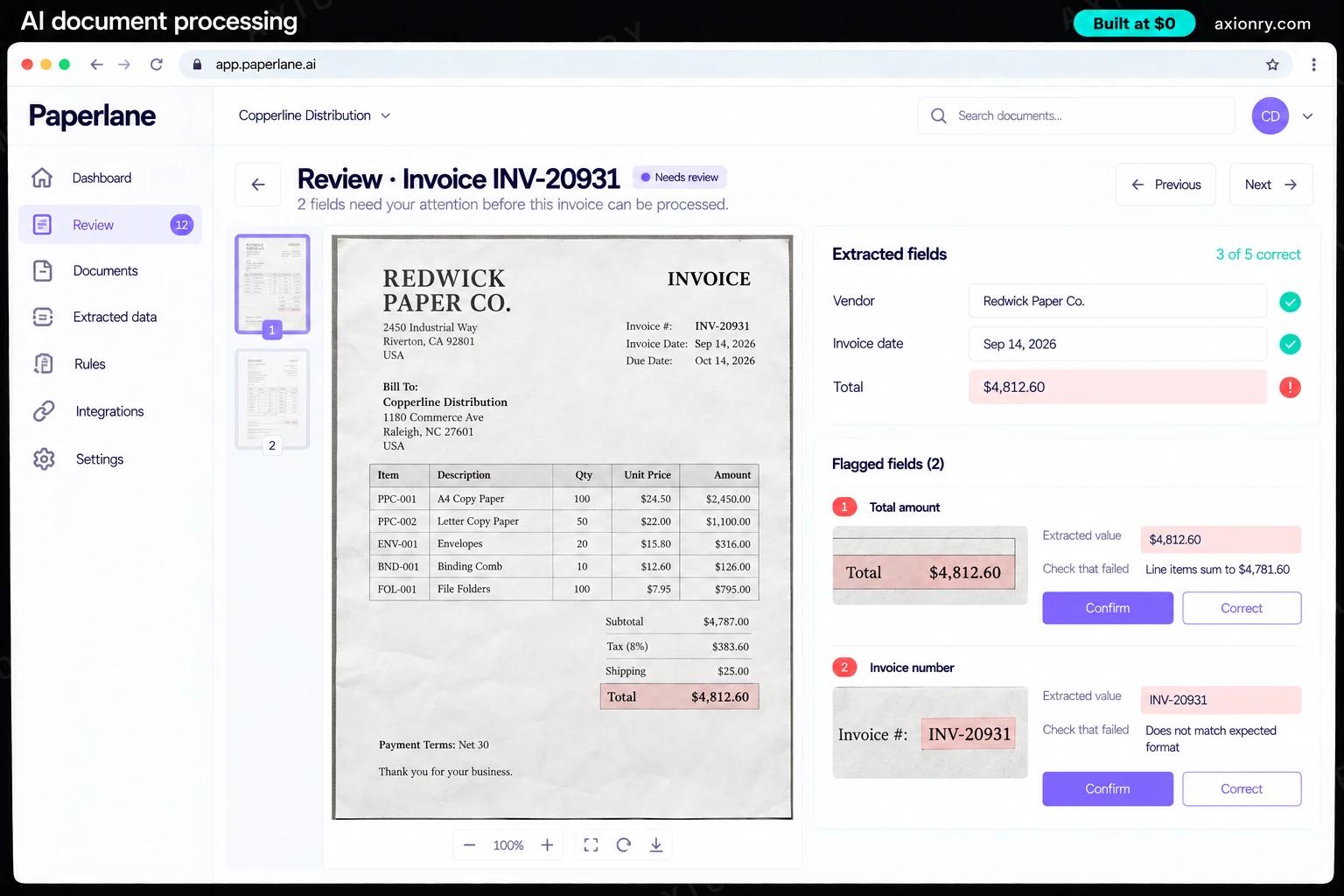
The additions most teams make next: receipt reading, automatic categorization, fraud and anomaly scoring and spend policy assistant.
Receipt reading
Extracts merchant, date, amount and tax from receipt photos and PDFs and matches them to transactions, so employees only confirm.
Automatic categorization
Suggests the accounting category and memo for each transaction from past coding, and learns from the finance team's corrections.
Fraud and anomaly scoring
Scores authorizations and new accounts for unusual merchants, amounts, times and devices, and declines or holds them for review before money moves.
Spend policy assistant
Employees ask 'can I book this hotel?' and get an answer from your written travel and expense policy before they spend.
What are the risks when building a fintech app?
Three things decide whether it works in production: the partner holds the money, KYC, AML and your agreement and PCI DSS and security.
The partner holds the money
Your company should never hold customer funds. They sit with the issuing partner and its bank, and your ledger mirrors them. When the middleware firm Synapse failed in 2024, users of apps built on it lost access to their money for months because records did not reconcile. Reconcile to the partner every day.
KYC, AML and your agreement
Know-your-customer checks, sanctions screening and suspicious-activity monitoring are legal duties that sit with the bank, which delegates much of the work to you through the program agreement. Agree in writing who reviews alerts, how fast, and what evidence you keep.
PCI DSS and security
Displaying card numbers through the issuer's secure elements keeps them off your servers and shrinks your PCI DSS scope, but not to zero: you still need two-factor sign-in for card details, an audit log of staff actions, and a tested plan for a lost phone or a leaked key.