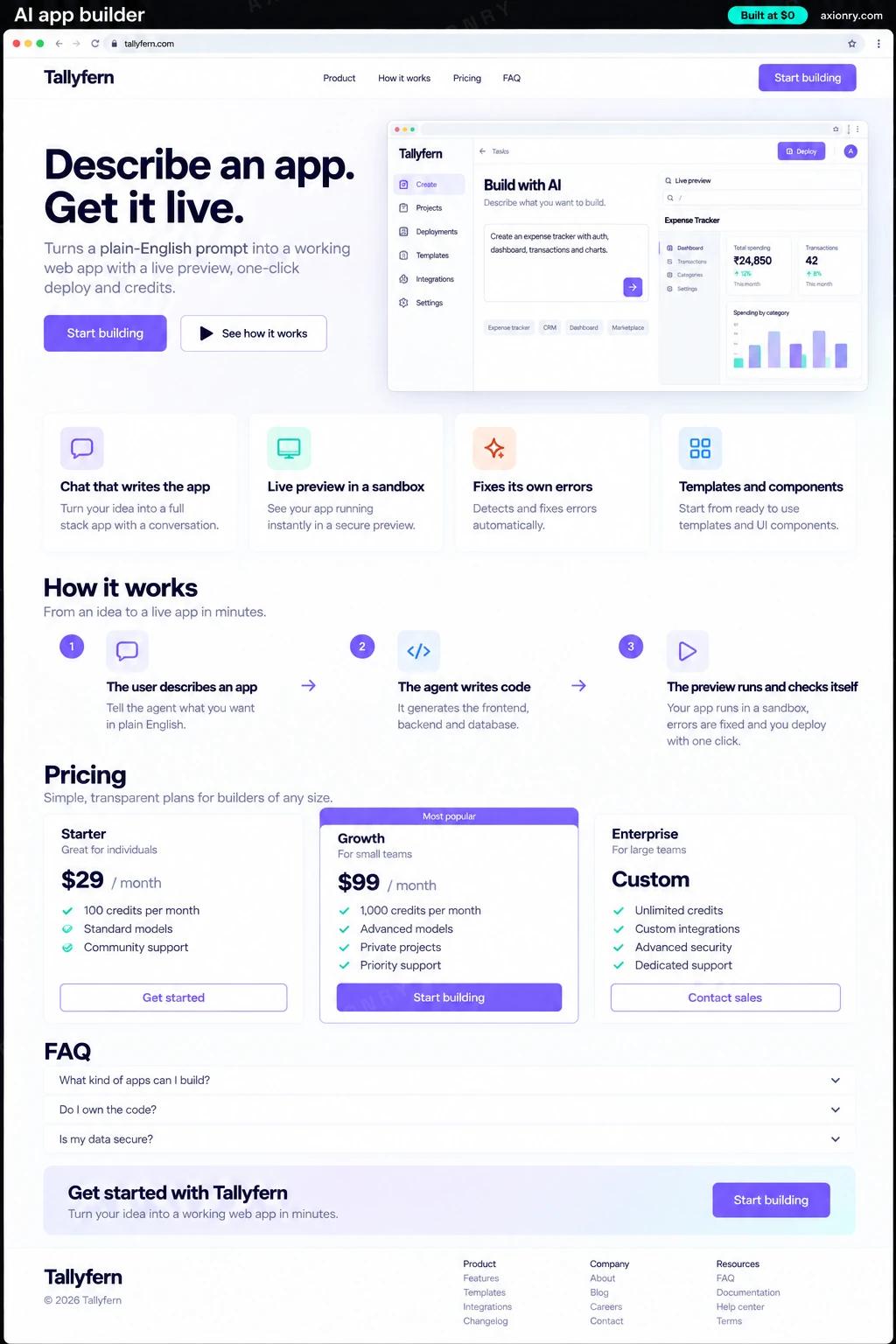
What is an AI app builder?
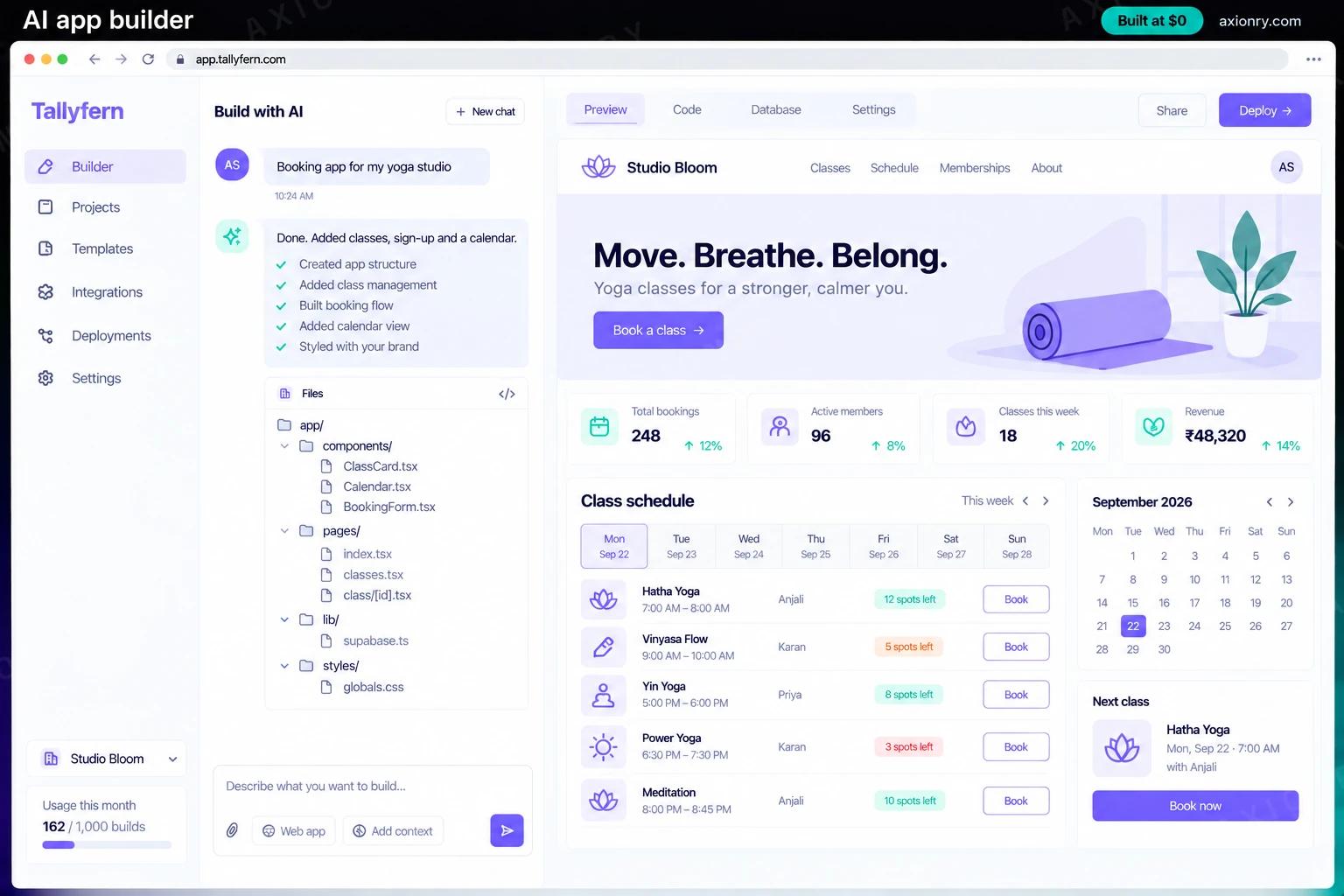
An AI app builder is a product where someone describes the software they want in plain English and gets a working app. A coding agent writes the code, runs it in an isolated sandbox, shows a live preview, fixes its own build errors, and deploys the result to a real URL when the user is happy.
Founders build one for a niche the general tools serve badly: internal tools for one industry, storefronts for a type of merchant, apps on top of their own API or design system. A vertical builder wins on templates, components and integrations that already fit its users' work, and on rules that keep generated apps inside what your platform supports. The usual business model is credits: each prompt spends credits that cover its model and sandbox cost, with a margin on top.
You can build it as a product you sell, which is the common case, or as an internal tool that lets staff build their own apps safely on company data. This page prices a sellable v1: sign-up, projects, chat, code generation with a live preview, templates, one-click deploy and credits billing.
A working app from a description, a preview to click while the conversation continues, and changes made by asking rather than coding.
Credits that cover model and sandbox costs per prompt, templates that steer users toward apps you support, and usage by user and project.
Every generation, build error and deploy logged per project, so a user's 'it broke' arrives with the exact prompt and diff.
What features does an AI app builder need?
An AI app builder needs 8 core features: chat that writes the app, live preview in a sandbox, fixes its own errors, templates and components, one-click deploy, credits and plans, version history and model routing.
Chat that writes the app
Users describe what they want and ask for changes in plain English; the agent plans the files, writes them and explains what changed.
Live preview in a sandbox
Generated code runs in an isolated sandbox with its own dev server, so users click through their app while it is being built.
Fixes its own errors
Build and runtime errors go back to the agent automatically, and it retries a set number of times before asking the user.
Templates and components
Starter apps and your component library give the model a known-good base, which makes output faster, cheaper and more consistent.
One-click deploy
A finished app deploys to its own URL through your hosting provider's API, with an option to connect a custom domain.
Credits and plans
Stripe subscriptions include monthly credits, top-ups cover heavy users, and each prompt's model and sandbox cost is metered.
Version history
Every change is a snapshot users can compare and roll back to, so one bad prompt never loses a working app.
Model routing
Small edits go to a cheaper model and new apps or hard bugs to a stronger one, which keeps the cost of a prompt predictable.
What screens does an AI app builder have?
It is built around 3 screens: builder, deployed app and credits.
- 1BuilderChat on the left and the generated app running in a live preview on the right, with a small file tree and a Deploy button.
- 2Deployed appThe finished booking app live at its own URL on a phone, with a list of classes and a Book now button.
- 3CreditsCredits used this month against the plan's allowance, with a top-up button.
How does an AI app builder work?
End to end, in 5 steps: the user describes an app, the agent writes code, the preview runs and checks itself, the user iterates and one click deploys.
- 1
The user describes an app
They type what they want or start from a template. The agent turns the request into a short plan: pages, data, components and the template to begin from.
- 2
The agent writes code
It creates and edits files through a small set of tools (write file, run command, read error) inside the project's sandbox, never on your servers.
- 3
The preview runs and checks itself
The sandbox installs packages and starts a dev server. Build or runtime errors go back to the agent, which fixes them within a retry limit and a credit budget.
- 4
The user iterates
Each follow-up prompt edits the existing app instead of starting over. Every change is saved as a snapshot, and the credits it used are shown.
- 5
One click deploys
The app builds for production and deploys to its own URL through your hosting provider's API, with environment variables and a custom domain if needed.
What is the architecture and tech stack of an AI app builder?
It has 8 layers: builder front end (Next.js with the Monaco editor and a preview frame), coding agent (Claude Sonnet 5 for new apps, Claude Haiku 4.5 for small edits, or GPT-5.6 Terra), sandbox (E2B (Firecracker microVMs) or Daytona, or Firecracker microVMs you run yourself), generated app stack (React or Next.js with Tailwind, Supabase for data and sign-in), deploys (Vercel or Cloudflare Workers through their APIs), billing (Stripe Billing with metered credits), data and history (Postgres for projects and credits, S3 or R2 for snapshots) and quality (An eval set of real prompts, Langfuse traces). The diagram shows how a request moves through them.
| Layer | What we use | Why |
|---|---|---|
| Builder front end | Next.js with the Monaco editor and a preview frame | Chat, files and the running app side by side, which is the experience users pay for. |
| Coding agent | Claude Sonnet 5 for new apps, Claude Haiku 4.5 for small edits, or GPT-5.6 Terra | Code quality decides whether users stay, and routing keeps cheap edits cheap. |
| Sandbox | E2B (Firecracker microVMs) or Daytona, or Firecracker microVMs you run yourself | Generated code is untrusted, so it runs in a disposable sandbox with no access to your servers, secrets or other users. |
| Generated app stack | React or Next.js with Tailwind, Supabase for data and sign-in | One stack the model knows well and your templates cover, instead of every app picking its own. |
| Deploys | Vercel or Cloudflare Workers through their APIs | Each user's app gets its own URL and custom domain without you running a hosting platform. |
| Billing | Stripe Billing with metered credits | Plans include credits, and each prompt's model and sandbox cost is recorded so prices can carry a margin. |
| Data and history | Postgres for projects and credits, S3 or R2 for snapshots | Every version of every app can be restored, and each charge traces back to a prompt. |
| Quality | An eval set of real prompts, Langfuse traces | A new model or prompt must still build the golden set of apps before it reaches users. |
How much does it cost to build an AI app builder?
A launch-ready AI app builder costs $31,500 to $64,000 to build and takes 8 to 13 weeks. A clickable demo costs $3,800 to $7,500 (2 to 5 weeks), and running it costs $3,800 to $9,650 a month at the usage below. You start at $0 and pay per checkpoint you accept.
Priced with the same model as our AI product cost estimator, from the features above. Your price is fixed in writing after a 20-minute call, before any work starts.
| Version | Build cost | Timeline | What it is |
|---|---|---|---|
| Clickable demo | $3,800 to $7,500 | 2 to 5 weeks | Clickable and real where it matters, on test data. Built to show users and investors, not to carry production traffic, so compliance work starts at launch. |
| Launch-ready | $31,500 to $64,000 | 8 to 13 weeks | Production architecture, tests on the risky paths, monitoring, and a handover your team can run. |
| Enterprise-grade | $41,000 to $83,500 | 9 to 16 weeks | Load tested, highly available, audited and documented for a larger team. |
What it costs to run
500 active builders sending about 250 prompts each a month to Claude Sonnet 5, plus hosting; sandbox time is billed by the sandbox provider on top.
| Line | Per month | Assumes |
|---|---|---|
| Hosting and database | $45 to $120 | Vercel + managed services, sized for 500 monthly users |
| Model usage | $3,750 to $9,400 | Claude Sonnet 5, 250 requests per user a month |
| Email, monitoring, analytics | $0 to $150 | Free tiers cover most products at launch |
| Total | $3,800 to $9,650 | List prices, before any volume discount |
Build at $0: how you pay
$0 is when you pay, not what you pay. The launch-ready build is split into checkpoints with acceptance criteria agreed before work starts, and each one is invoiced only after you have seen it and accepted it.
- 1Scope and acceptance criteriaBefore work startsA call, then a written plan: every checkpoint with acceptance criteria you agree to before work starts.$0
- 2Architecture and first flowBy week 3Data model, service boundaries and one real flow working end to end.$6,500 to $13,000
- 3Core productBy week 7The main flows on production architecture, with a demo at the end of every week.$9,500 to $19,000
- 4AI on your real dataBy week 10Models, agents or voice working on real inputs, with evals and guardrails in place.$9,500 to $19,000
- 5Launch and handoverBy week 13Deployed on your accounts and documented, with 30 days of defect correction included.$6,500 to $13,000
What can you add to an AI app builder after launch?
The additions most teams make next: GitHub sync and code export, a backend for every app, your design system built in and teams and shared projects.
GitHub sync and code export
Users push their app to their own repository and keep editing it in any tool, which technical buyers ask for.
A backend for every app
Provision a database, sign-in and file storage for each generated app, so users build products rather than front ends.
Your design system built in
Feed the builder your components and examples so every generated app matches your brand or your customers' brands.
Teams and shared projects
Workspaces, roles and pooled credits for agencies and companies building apps together.
What are the risks when building an AI app builder?
Three things decide whether it works in production: generated code is untrusted, costs that outrun credits and what users deploy is on you.
Generated code is untrusted
Treat every generated app as hostile: run it in a disposable sandbox with no secrets, block outbound traffic except a package mirror, and keep it away from your own servers and other users' projects.
Costs that outrun credits
A user stuck in a fix-and-retry loop burns model and sandbox time. Price credits from measured cost per prompt, cap retries per request, and shut idle sandboxes down after a few minutes.
What users deploy is on you
Generated apps can host phishing pages or infringing content under your domain. Scan what gets deployed, restrict publishing on free plans, and enforce acceptable-use terms you publish.